You're probably in one of two positions right now. Either you need one standout attraction that pulls people onto a stand, into a launch space, or through a conference networking area. Or you've already seen a low headline quote for flight simulator hire and you're trying to work out what the actual bill will look like once transport, staffing, insurance, venue restrictions, and health and safety are added back in.
That second problem catches planners out more often than it should.
Flight simulator hire works brilliantly at corporate events when it's treated as an operational project, not just an entertainment booking. The simulator itself matters, but so do the access doors, the power supply, the booking window, the staffing plan, the insurance paperwork, and the way you turn the experience into something useful for the brand. If any one of those pieces is missed, the activation becomes slower, riskier, and more expensive than it needed to be.
The practical question isn't “Can we get a flight simulator?” It's “Which simulator fits the objective, what will it take to install and run it properly, and what should be included in the quote so there are no surprises?”
Why a Flight Simulator Could Be Your Event Centrepiece
The brief often sounds simple. You need one attraction that stops delegates in the aisle at 10am, still has a queue after lunch, and gives your team a reason to start conversations that do not feel forced. A flight simulator can do that, but only when it is chosen as an event tool, not dropped in as a novelty booking.
The difference matters. Plenty of attractions look good in a supplier photo and do very little once the hall opens. A flight simulator has a stronger pull because it gives the room a focal point with movement, jeopardy, and participation. People watch the approach, react to the landing, film the result, and wait to see whether they could do better.
That spectator value is what turns it into a centrepiece.
At exhibitions, that usually means visible activity from a distance. A cockpit shell, control column, instructor screen, or motion element gives attendees a clear read on what is happening without anyone having to wave them over. At launches, conferences, and staff events, the benefit is slightly different. The simulator gives guests a shared experience that feels premium, while giving your team natural openings for product conversation, competition, and hosted demos.
From our side at PSW Events, the best results come when the simulator is expected to do more than entertain. It should attract a crowd, hold attention long enough for staff interaction, and create moments worth photographing or posting. If it cannot do those three jobs, it is decoration with a queue.
A strong simulator activation gives the brand a live audience and a reason for people to stay in the space longer.
It creates useful engagement, not just footfall
Attention on its own has limited value. Corporate planners usually need the attraction to support a commercial or internal objective.
The strongest uses tend to fall into three groups:
- Exhibition lead generation, where the simulator is tied to a timed challenge, leaderboard, or hosted qualification mechanic.
- VIP and client hospitality, where a longer, more realistic session gives guests a higher-value experience and more face time with your team.
- Team events and conferences, where the simulator gives groups something active to rally around instead of another passive screen-based feature.
If you are comparing wider corporate event entertainment ideas, a flight simulator stands out because it can attract attention and support structured interaction at the same time. Few attractions manage both without feeling gimmicky.
It earns its place because guests do the story-telling for you
People remember what they attempted, what nearly went wrong, and what they managed to pull off under pressure. That is why a simulator tends to stay in the memory longer than static branding or a standard display unit.
There is also a practical upside that planners sometimes miss. A simulator is watchable even before someone takes part. That helps with crowd build, social proof, and atmosphere. It gives the activation presence in the room, which is exactly what you want from a centrepiece.
The trade-off is that headline appeal can hide real delivery requirements. The simulator that draws the biggest crowd is often the one that needs the most careful planning around staffing, installation, insurance, and venue permissions. That is where dry hire quotes can become misleading. A low base figure may buy the hardware, but not the operator, transport crew, risk paperwork, or time needed to get the experience running properly on site.
That is why planners should judge a flight simulator on two levels. First, will it command attention? Second, will the quote cover what it takes to make that attention useful and compliant on event day?
Matching the Simulator to Your Event Mission
The wrong simulator can still look impressive and underperform. The right one fits the traffic level, audience type, venue environment, and what you want guests to do.
Start with the event outcome
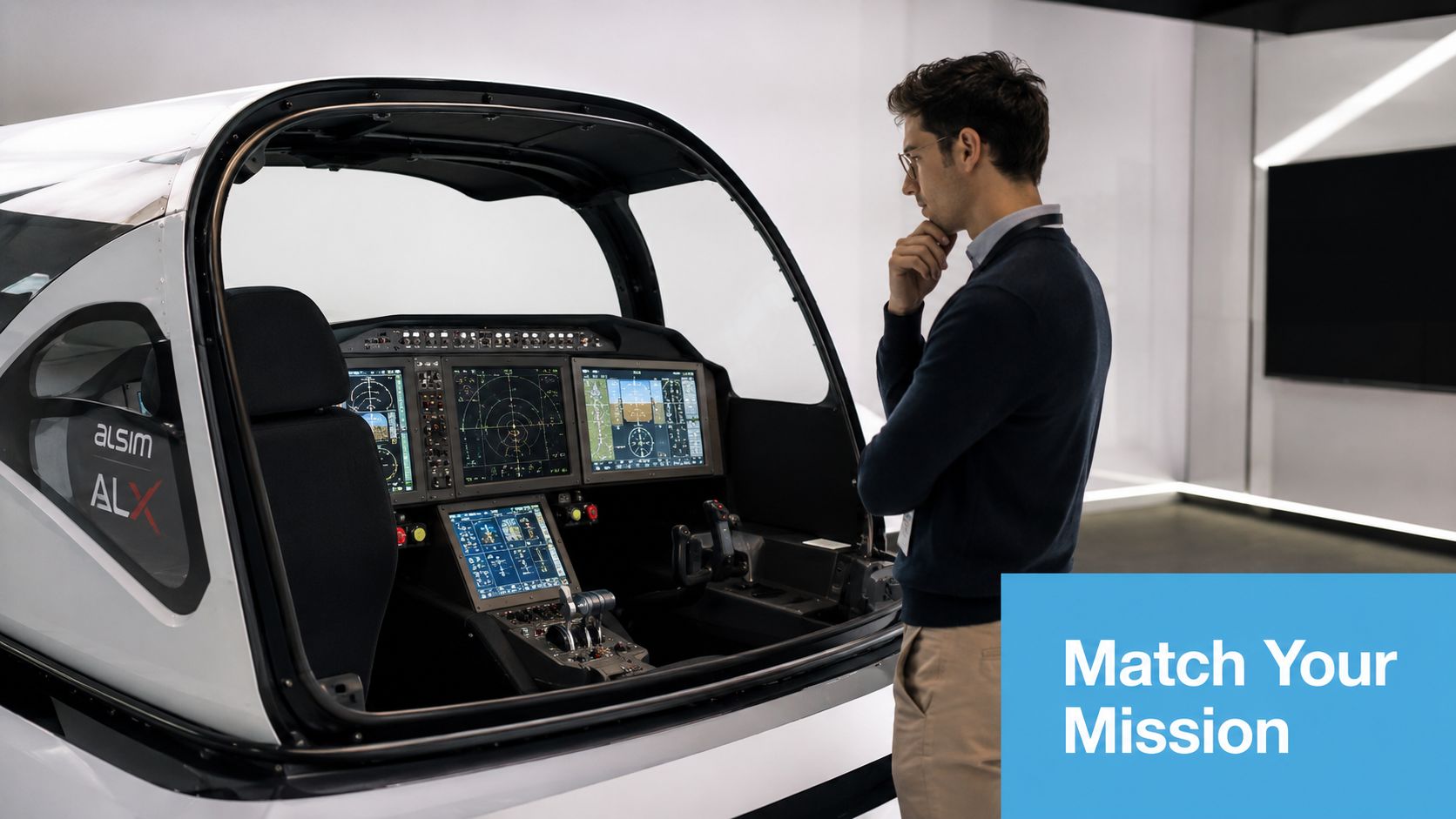
If the event is a busy exhibition, throughput matters. You need a format that gets people in and out cleanly while still being watchable from the aisle. A static cockpit rig or a lighter-touch simulator with a clear challenge mechanic usually works better than a long-form experience. People can understand it quickly, take part without a full briefing, and free up the seat for the next visitor.
If the event is a product launch, premium hospitality function, or executive networking evening, depth matters more than speed. That's where a more detailed cockpit, branded flight scenario, or motion-based format can earn its keep. Guests stay longer, ask more questions, and the simulator becomes a hosted experience rather than a queue management exercise.
The main simulator types and where they fit
| Simulator type | Best fit | Strength | Watch-out |
|---|---|---|---|
| Static cockpit simulator | Exhibitions, conferences, mixed-age audiences | Easier to site, broad appeal, good spectator value | Less physical impact than motion |
| Motion flight simulator | Brand activations, VIP events, premium launches | Strong immersion, higher visual theatre | Needs tighter technical planning |
| VR flight simulator | Innovation showcases, tech-led activations, smaller footprints | High immersion for the participant | Harder for spectators to follow |
| Helicopter-style simulator | Themed launches, aviation events, outdoor-style experiences indoors | Distinctive, less expected than fixed-wing | Needs the right audience framing |
Match the interaction style to the audience
A trade show audience often responds best to a simple competitive format. Fastest landing. Best score. Most accurate approach. The simulator becomes a challenge, not just a ride. That gives your stand staff a reason to collect names, schedule demos, or invite people back later for winners.
A conference crowd usually wants something more social. In that setting, you can build the experience around teamwork. One person flies, another reads instructions, others watch the main screen and call out decisions. The simulator becomes an anchor for conversation instead of a one-person attraction.
Practical rule: If people need to understand the experience within a few seconds from the aisle, keep the game mechanic simple and visible.
Don't overbuy realism if the event doesn't need it
Many bookings go wrong due to a specific misconception. Planners assume the most advanced simulator is automatically the best choice. It isn't.
A high-fidelity setup can be perfect for a closed group or specialist audience, but overkill for an exhibition stand where speed, visibility, and queue flow matter more than aircraft accuracy. In those environments, a clean, branded experience with strong staffing often beats a technically superior rig that takes longer to brief and cycle.
When a provider's format matters more than the hardware
For corporate events, the service model often matters as much as the simulator type. Some suppliers offer a dry-hire style approach. Others deliver a managed experience with setup, operators, branding, and event support. For example, PSW Events offers mobile flight simulator hire as a managed event attraction for exhibitions, launches, and commercial events. That's one model. Other providers may focus more on training-style simulator access or venue-based sessions.
What works is the model that fits your event team. If your crew wants a turnkey attraction, buy a service. If you have production, technical, and operational resource in-house, you may be able to handle more.
A quick selection filter
Use these questions before you approve anything:
- How many guests need to participate? A high-volume stand needs shorter cycles.
- Will spectators be watching? If yes, visible screens and clear reactions matter.
- Is the aim competition, immersion, or hospitality? That answer changes the hardware.
- Can the venue support motion equipment? If not, static may be the smarter route.
- Do you need branding on the experience itself? Some rigs are easier to customise than others.
Choose the simulator for the mission, not for the brochure photo.
The Practical Realities of Space and Technical Needs
The most expensive mistake in flight simulator hire usually starts with a casual sentence from the venue. “Power shouldn't be a problem.” That isn't confirmation. It's how you end up with a simulator on site and no safe way to run it.

Space means more than footprint
Planners often ask for the simulator dimensions. That's useful, but incomplete.
You also need space for guest approach, queueing, operator movement, viewing angles, safe access, and any barriers or branded set dressing around the attraction. A cockpit that technically fits the floorplan can still fail operationally if guests bunch at the entrance, staff can't guide people safely, or the simulator is pushed so close to a wall that setup becomes awkward.
A proper venue check should cover:
- Access route: Door widths, loading paths, lift access, ramps, and timing restrictions.
- Operating zone: The simulator body plus clearance for staff and participants.
- Audience flow: Where people wait, watch, enter, and exit.
- Sight lines: Whether nearby stands, drape lines, or scenic build block visibility.
- Noise context: Whether the activation sits next to speeches, demos, or filming.
Power is a serious planning item
High-fidelity Full Flight Simulators often require a dedicated 32A to 60A three-phase supply at 400V, and failure to secure that leads to a 15% on-site project cancellation rate, according to the UK Full Flight Simulator hire compliance discussion on LinkedIn.
That's the sort of detail that should be resolved before contracts are signed.
If you're booking a motion simulator or a more technically demanding rig, ask the venue for written confirmation of available supply, socket type, cable route, isolation process, and any house electrician requirements. Don't rely on a generic event power schedule if the simulator has specialist needs.
Ask for the power specification in writing, then match it against the simulator requirement line by line. “Suitable power available” is not a technical answer.
For a more detailed venue prep list, use this flight simulator requirements guide as a cross-check against your floorplan and venue pack.
Technical planning should happen before creative planning
This is the order that works:
- Confirm venue access and power
- Approve simulator type
- Lock footprint and guest flow
- Add branding and scenic treatment
- Finalise install schedule
Teams often reverse that order. They start with render visuals, then try to force the simulator into the approved stand design. That's how you lose clean access, compromise queue flow, or create an unsafe operating area.
The venue questions that actually matter
| Ask the venue this | Why it matters |
|---|---|
| What power is available at the exact stand or event location? | Prevents assumptions based on general venue capability |
| Are there loading time limits or booked dock slots? | Simulators need controlled delivery and install windows |
| Do we need venue-approved electricians or riggers? | Affects cost and install responsibility |
| Is there any floor loading or movement restriction? | Relevant for larger or motion-based units |
| What are the noise and operating restrictions? | Impacts open demos, voiceover, and crowd management |
When these questions are answered early, the install tends to feel straightforward. When they aren't, even a strong event concept can fall apart on site.
Deconstructing the Cost of Flight Simulator Hire
A planner gets a quote for £1,500, signs it off, then discovers the simulator still needs delivery crew, an operator, public liability cover, and extra time on the loading bay. That is how a low headline rate turns into an expensive booking.
Flight simulators sit in a premium event category, but the main budgeting issue is not whether the day rate looks high. It is whether the quote reflects the full delivered service in a live event setting. A simulator used at a corporate event has to be transported, installed, supervised, insured, and operated safely in front of guests. That is a different buying decision from booking time on a fixed training device.
The quote line that matters is total delivered cost
At PSW Events, we tell clients to compare responsibility before they compare price. An hourly or daily figure means very little on its own.
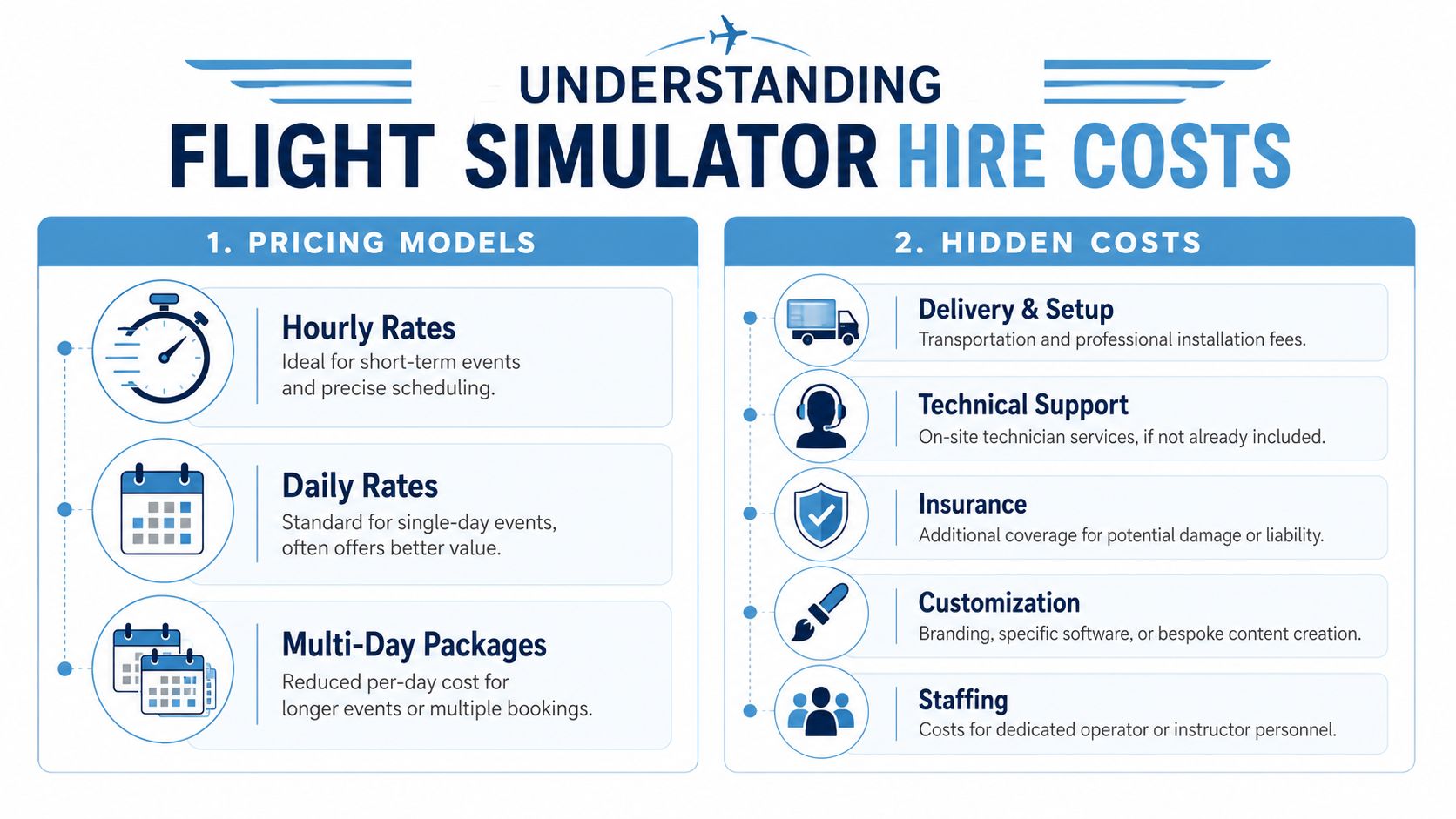
A usable quote should show whether the price includes:
- Transport and logistics from depot to venue and back
- Installation and de-rig with the right crew
- On-site operators or instructors throughout live hours
- Public liability insurance
- Basic health and safety documentation
- Any power distribution or venue-specific technical handling
- Standby support if something needs attention during the event
If those items aren't shown clearly, you're not looking at the cost yet.
Why dry hire often looks better than it is
Dry hire has its place. If your team already has experienced technical crew, event ops support, and the insurance position is clear, it can save money.
For many corporate planners, it creates more exposure than value. The quote looks lean because the supplier has removed labour, cover, and operational responsibility, not because the event has become cheaper. Those costs still exist. They have just moved onto your side of the spreadsheet.
That is where bookings often go wrong. A planner approves the hardware cost, then late-stage additions start appearing. Delivery. Crew. Early-morning access. Venue contractor charges. Staffing through live hours. Branding application. Out-of-hours collection. Each line is defensible on its own. Together, they can shift the budget well beyond the original approval.
What to challenge: If a quote is lower than comparable offers, ask which responsibilities still sit with you. Cost has not disappeared. It has usually moved.
A proper turnkey quote should make ownership clear from the start. Who delivers. Who installs. Who operates. Who insures. Who provides RAMS. Who stays with the attraction while the event is open.
For planners comparing guest engagement formats across workplace and corporate environments, this guide on modern break room CX is a useful reminder that the experience people remember is rarely just the equipment. It is the full operational delivery around it.
Here's the video many planners find useful when they start comparing formats and setups: