
You're likely in the same position most planners reach sooner or later. The stand design looks good, the brand team wants something people will remember, and someone has suggested a flight simulator because it has the right mix of spectacle, competition and social pull.
That instinct is usually right. The mistake is assuming a simulator is just another piece of event kit you can wheel in beside the coffee cart and switch on half an hour before doors open.
In practice, flight simulator requirements sit across technical planning, venue logistics, staffing, safety, guest flow and compliance. At ExCeL London, that might mean checking whether your chosen rig clears loading access, confirming clean power on the stand, and deciding whether the activation needs hard-wired internet or a fully local build. At Silverstone, it often means thinking just as hard about throughput and queue management as the simulator itself.
The planners who get the best result treat the simulator as a live operational feature, not a novelty item. That's what protects the budget, the guest experience and your brand on the day.
Beyond the Booth The Impact of a Professional Flight Simulator
A professional flight simulator works because it stops people. On a busy exhibition floor, that matters. You need something that creates a visible focal point, gives waiting guests a reason to watch, and gives participants a story to repeat after they leave your stand.
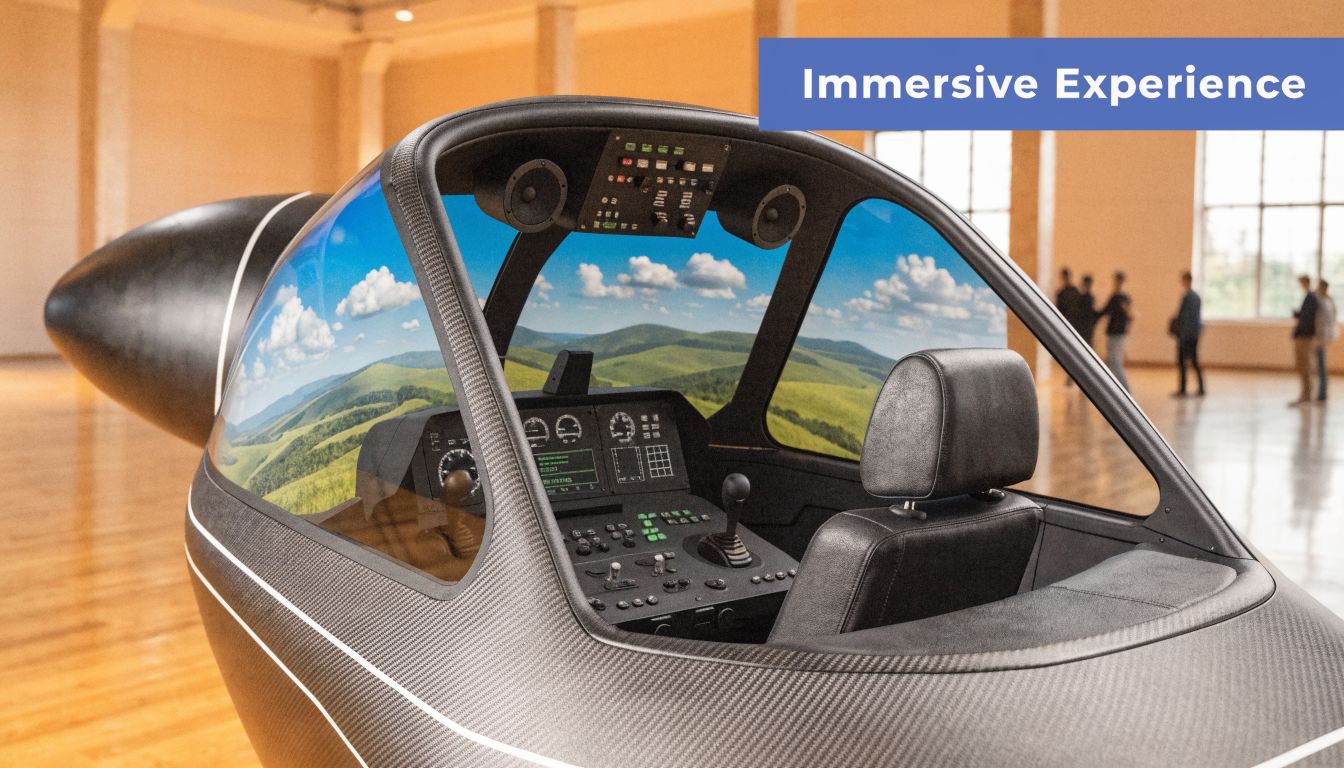
The strongest activations don't rely on novelty alone. They rely on execution. If the cockpit looks impressive but the queue is unmanaged, the visuals judder, or the motion platform keeps pausing for resets, guests remember the failure more than the fun.
That's worth keeping in mind because simulators weren't built as gimmicks in the first place. The flight simulator industry became a major commercial sector after World War II, and by the mid-1950s major airlines including Pan American and QANTAS were using B707 simulators with advanced d.c. analogue computation, long before event teams adopted them for experiential use, as documented in this history of flight simulation. That heritage still matters. A simulator carries a sense of seriousness and technical credibility that few other attractions can match.
Why the wow factor isn't enough
At a corporate event, guests don't separate the attraction from the organiser. If the experience feels polished, your brand feels polished. If the operation looks improvised, that reflects back on the event team immediately.
A flight simulator also creates pressure points other attractions don't always create:
- It attracts a crowd: Crowds are useful until they block neighbouring stands or create a poor queue shape.
- It invites repeat plays: Good for dwell time, difficult for fair access if you haven't set rules.
- It looks technical: Guests expect it to work like premium kit, not event gear patched together on-site.
Practical rule: If a simulator is your headline attraction, treat it like live production equipment, not décor.
What planners should really be buying
You're not just hiring a cockpit, screen or VR headset. You're buying a chain of outcomes:
| What you want | What actually delivers it |
|---|---|
| Footfall | Strong placement, visible screens, active staffing |
| Dwell time | A smooth queue, short briefing, fast reset |
| Brand recall | Customisation, polished presentation, clear call to action |
| Safe operation | Proper RAMS, trained operators, venue-approved setup |
For most planners, the primary decision isn't whether to use a simulator. It's whether the supplier understands event delivery well enough to make it work in a live venue.
If you're still at shortlist stage, reviewing a specialist flight simulator hire option is useful because it quickly shows whether the offer covers the simulator alone or the full operational package. That distinction is where many problems start.
Technical Site Assessment Power Space and Connectivity
Before you sign off a simulator, get the venue technical contact on a call and ask direct questions. Don't ask whether the venue can “support a simulator”. Ask what power is available on the stand, whether internet can be hard-wired, what the access route is, and whether any height restrictions apply between the loading bay and final position.
That conversation saves time because most flight simulator requirements aren't difficult. They're just unforgiving if discovered late.
Start with footprint, not visuals
A render on a pitch deck rarely tells you what the rig needs around it. The cockpit itself is only part of the footprint. You also need operating room, queue room, screen sightlines, branded fascia, and safe clearance for staff assisting entry and exit.
Use a working specification table early, then refine it against the exact rig:
| Simulator Type | Typical Footprint (W x D x H) | Power Requirement | Internet |
|---|---|---|---|
| Desktop or seated fixed-base simulator | Compact footprint with room for operator and queue | Standard event power may be sufficient, subject to supplier spec | Can run offline or with wired internet depending on software build |
| VR flight simulator rig | Small core footprint but needs clear safety perimeter around the user | Dedicated clean power preferred | Stable connection helpful if using streamed content |
| Full cockpit simulator | Large footprint with additional clearance for screens, access and branding | Higher-load supply may be required | Wired internet strongly preferred if cloud scenery is used |
| Motion platform simulator | Larger footprint plus exclusion zone for safe operation | Often needs dedicated supply and venue approval | Best on hard-wired ethernet or prepared offline content |
That table is deliberately practical. At venue level, the key issue isn't brochure size. It's operational size.
Power has to be clean and dedicated
The most common planning error is treating power as a simple tick-box. It isn't. Simulators hate unstable supply. If you're sharing with catering kit, lighting features or stand AV without proper planning, faults become much more likely.
For planners, the useful distinction is this:
Standard low-draw setup
A compact non-motion rig may run comfortably from standard event provision, assuming the supplier confirms its exact load.Higher-draw activation
Larger cockpits, motion systems and bigger display packages often need a more deliberate power plan, and some venues may push you towards a dedicated feed.Venue-specific escalation
If your build has grown well beyond the original brief, it may be worth understanding what's involved in upgrading to three phase power so you can have an informed conversation with the venue electrician rather than discovering the limitation during build-up.
A simulator that boots perfectly in a warehouse test can still fail on-site if the event power plan is dirty, overloaded or shared badly.
Connectivity changes the whole setup
If you're running Microsoft Flight Simulator 2024 on an event rig, a stable 50Mbps internet connection is recommended for cloud-based photogrammetry, and 32GB of RAM is critical because systems with 16GB can suffer 25-30% frame drops in dense cityscapes like London, according to this event-focused hardware guidance.
That single point affects several planning decisions:
- Venue line or temporary line: Don't assume venue Wi-Fi is enough.
- Hard-wired over wireless: Wireless may work for basic admin. For a premium guest experience, wired is the safer route.
- Online or offline build: If the venue can't guarantee reliable bandwidth, use an offline approach with the content prepared in advance.
Questions to send the venue technical team
Use plain language. Ask for answers in writing.
- Access dimensions: What are the narrowest doors, corridors and lift openings from loading bay to stand?
- Final ceiling height: Is there any low rigging, signage or ducting above the activation area?
- Power allocation: What supply is available at point of use, and is it dedicated?
- Internet provision: Can the venue provide hard-wired ethernet to the exact stand position?
- Build timing: When can the simulator be delivered, assembled, tested and signed off?
If a venue can't answer those clearly, treat that as a risk signal. The simulator might still work there, but your planning margin is already shrinking.
Venue Logistics and Safety Compliance
The simulator can be technically perfect and still fail as an activation if the delivery route is wrong, the floor loading hasn't been approved, or the risk paperwork is weak. That's why logistics and compliance deserve the same attention as the guest-facing design.
In UK venues, they also carry more legal and reputational weight than many planners expect.
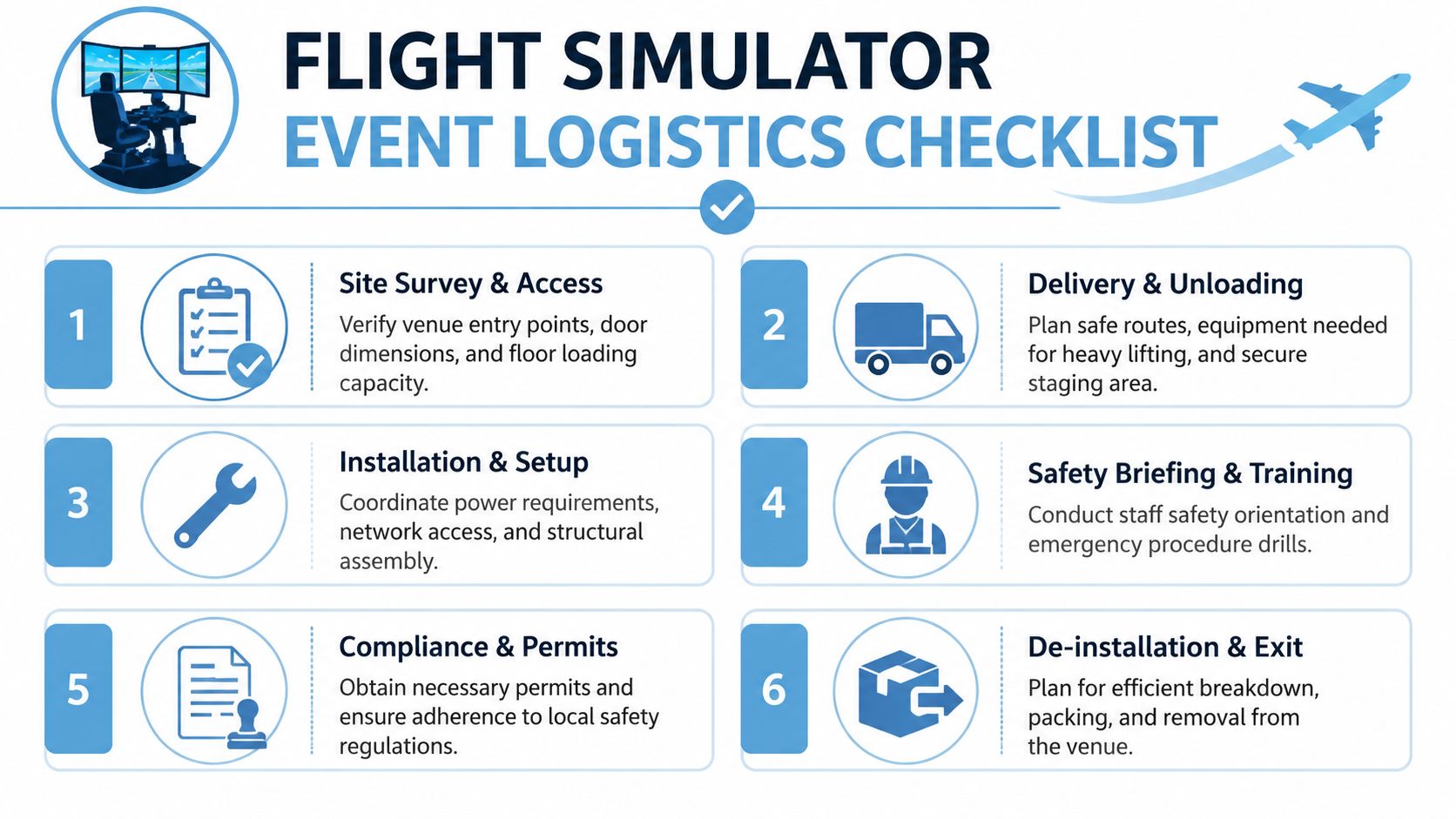
The route into the hall matters as much as the rig
ExCeL London and Silverstone both host ambitious builds, but neither venue rewards assumptions. A simulator may fit the stand plan and still be awkward to deliver because of turning space, dock timing, carpet protection rules or intermediate door widths.
A proper site survey should confirm more than “yes, there's a loading bay”. It should identify:
- Entry path: Loading bay, service corridor, freight lift, hall entrance and final position.
- Handling method: Whether the rig rolls, requires pallet handling, partial disassembly or specialist lifting.
- Staging area: Where kit sits safely before final placement.
- Exit route: De-rigging often happens under more pressure than install, so the outbound route matters too.
Floor loading and movement approval
Motion simulators create a different conversation with venues because the concern isn't only total weight. It's weight concentration, movement, vibration and how the load interacts with the floor below.
That matters more in exhibition centres with layered build activity and adjoining tenants. A venue or structural engineer may want confirmation before approving exact placement. If you leave that discussion until the last week, you're asking for an expensive redesign.
Operational reality: The earlier the venue sees the real rig specification and RAMS, the fewer surprises you'll face at build-up.
UK compliance is not generic
Many online guides drift into US training rules or general simulator talk. That doesn't help much when you're putting a public-use attraction into a UK event hall.
Event planners often overlook that the UK's CAA has specific retained EU regulations for simulators, and unpublished 2025 data found that 23% of inspected UK event simulators failed health and safety checks for public use, particularly on vibration and visual fidelity, as referenced in this discussion of simulator visual system evaluation and regulatory context. For corporate planners, the point isn't to turn an event activation into a training device. It's to recognise that public-use simulators still need a disciplined approach to safety and fitness for purpose.
The paperwork that actually protects you
A credible supplier should be able to provide event-ready documentation without delay. If they can't, that's usually a warning sign.
You should expect:
Risk assessment
Hazards linked to access, trip points, moving parts, seating, screens, electrical supply and public interaction.Method statement
How delivery, setup, operation and removal will happen in the actual venue.Operator procedure
Who briefs users, who stops the unit, and how unsuitable participants are screened out.Emergency plan
What staff do if the simulator faults mid-session, loses power, or a participant feels unwell.
If your team needs a starting point for internal review, this event risk assessment template is a useful way to align venue, client and supplier expectations before approval rounds begin.
What goes wrong when safety is treated as admin
A rushed activation usually shows the same symptoms. The queue presses too close to the operating area. Guests step in without a proper briefing. The stand team assumes the simulator operator will handle every issue. Nobody has agreed who makes the call if the unit needs to pause.
That's why safety isn't separate from experience. It is the experience. Guests trust the attraction because the operation looks controlled.
Designing the User Experience and Branding
Once the rig is approved and in position, the question changes. It's no longer “can this run?” It's “will people enjoy it enough to remember your brand?”
That answer depends on what happens around the simulator as much as inside it.
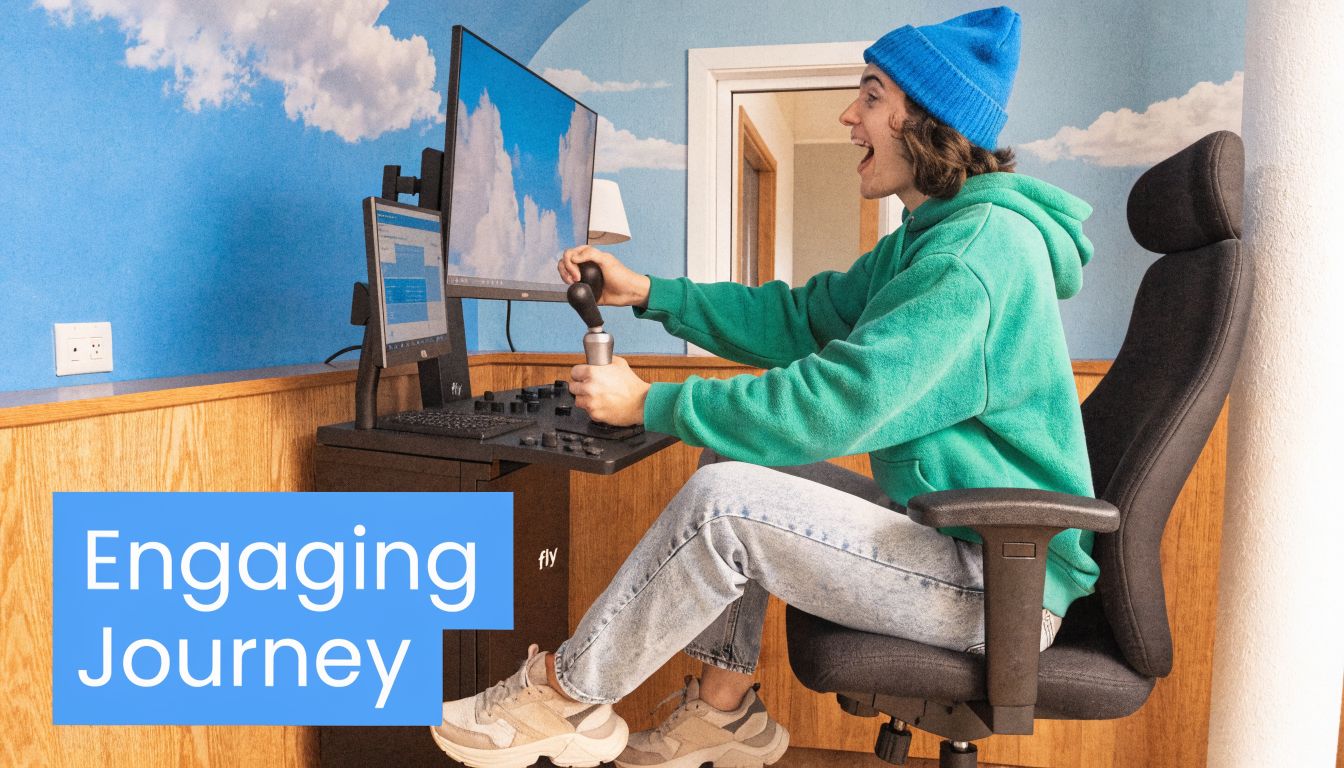
Modern simulators are far beyond static screen-based attractions. They now incorporate VR for 360-degree immersion, real-time weather data and AI-driven scenarios that adapt to the user's skill level, creating a more personalised experience, as summarised in the broader history of Microsoft Flight Simulator. For event planners, that creates opportunity, but it also means you need to make deliberate choices. More features don't automatically produce a better activation.
Throughput beats complexity
The most impressive experience in isolation can be the wrong event choice if each participant takes too long to load in, brief and reset. At a trade show, simpler often wins. A short challenge with a clear objective usually performs better than an open-ended free flight.
Good user journey design tends to include these stages:
Visible attraction point
Passing guests need to understand what's happening within seconds.Fast briefing
Keep instructions short and practical. Tell them what the controls do and what success looks like.Guided session
The operator should shape the experience to the participant's confidence level.Clear exit moment
Guests should leave knowing their result, their score or their next action.
Staffing changes the quality of the whole activation
A simulator without a proper operator becomes a queue with hardware in the middle. The operator's job isn't only technical. They manage confidence, keep the line moving, spot anyone unsuitable for the experience, and protect the pace of the stand.
This role matters even more when the audience is mixed. Senior executives, families at a hospitality event, experienced aviation fans and complete novices all need different handling. The strongest operators adapt without making the experience feel scripted.
Don't leave the stand team to “figure out” the simulator on the day. Guests can tell immediately whether the experience is being run by someone who knows the kit.
Branding should live inside the experience
A logo panel on the outside is the minimum. It isn't the best use of the platform.
Better branding ideas usually connect to the play itself:
| Branding element | Why it works |
|---|---|
| Branded aircraft livery | Keeps the brand in every participant photo and spectator view |
| Custom challenge name | Makes the activity feel commissioned, not rented |
| Destination-led scenario | Ties the flight route to a launch, office location or campaign theme |
| On-screen scoring | Gives people a reason to compare results and share them |
There's also a strategic choice between realism and accessibility. A highly realistic cockpit can be brilliant for specialist audiences. For broader corporate groups, a more guided experience often creates better engagement because the guest feels successful quickly.
Build the queue as part of the show
A dead queue kills momentum. A live queue sells the attraction.
Use external screens, visible scoring, strong host commentary and simple briefing boards so people waiting are already engaged before they sit down. That does two things at once. It improves perceived value and shortens the explanation needed when it's their turn.
The best branded simulator activations feel coherent from first glance to final scorecard. That doesn't happen by accident. It happens when the hardware, staffing and campaign message are designed as one experience.
Data Capture Reporting and Insurance
If the simulator is part of a commercial event, you need more than applause and a few photos. You need evidence that the activation performed, and you need the right cover in place if anything goes wrong.
Those two topics are often handled separately. In reality, they belong together because both are about accountability.

Capture the right data, not just more data
Most planners say they want lead capture. Fewer define what that means operationally. If registration slows the queue, staff stop asking for it. If the form is too long, guests abandon it. If the handoff to sales is vague, the event result disappears into a spreadsheet no one uses.
A better approach is to match capture method to event purpose:
- Brand awareness activation: Use simple opt-in and post-play share prompts.
- Exhibition lead generation: Connect registration to badge scan or a short qualifying form.
- Internal event or team building: Focus on names, scores and leaderboard output rather than sales data.
Keep GDPR principles in view. Ask only for what you need, explain why you need it, and make sure the collection method is visible and consistent.
Reporting should be agreed before the event
A supplier can only report on what's been planned. If you want useful post-event insight, define it up front.
That usually includes:
- participant volumes
- busiest periods
- headline engagement patterns
- qualified leads, if capture is built in
- leaderboard or challenge outcomes
- operational notes on downtime, resets or guest behaviour
If competition is part of the mechanic, a digital scoring system makes reporting easier and keeps the audience engaged at the same time. For planners using timed challenges or ranked sessions, an electronic leaderboard gives you a cleaner result than manual scorekeeping and creates a much better spectator dynamic.
Insurance documents should be requested early
Insurance should never be the final-week admin task. Venues and production partners often want certificates before access is approved, and delays here can hold up the whole plan.
For event attractions, ask for:
- public liability cover
- employer's liability cover where relevant
- product liability cover where applicable
- current certificates, not expired copies
- confirmation that the activity being hired is covered, not just the supplier's general business operations
PSW Events carries £10 million products, employee and public liability insurance, but the bigger point for any planner is this: ask to see the documents and read them properly. Insurance only helps if the scope matches the activity and venue conditions.
Insurance is not a sign that something will go wrong. It's proof that the supplier plans responsibly for the fact that live events are unpredictable.
A simulator activation earns its place when it delivers measurable engagement and doesn't create avoidable exposure. That's the standard worth holding.
Your Final Pre-Flight Checklist
The cleanest simulator activations usually feel easy to the client because the hard decisions were made early. By the time doors open, there shouldn't be open questions about access, power, staffing, approval or guest handling.
Use this as the final sense-check before you commit.
The timeline that keeps problems small
Early planning stage
Choose the simulator format that fits the event objective, not just the budget or visual appeal. A compact rig with excellent throughput often outperforms a more complex setup that slows the stand down.
Venue confirmation stage
Lock access route, operating position, power availability, internet approach and build timings with the venue team in writing. If anything sounds vague, push for detail.
Pre-production stage
Approve branding, challenge format, staffing plan, queue design and data capture method. This is also when RAMS and insurance paperwork should be circulating, not waiting in draft form.
Final week
Confirm delivery contact, on-site escalation process, test schedule and contingency plan for faults or connectivity loss. If the supplier can't explain their fallback plan clearly, you've found a risk too late.
Questions worth asking your supplier
Not every problem shows up in a quote. These questions usually tell you how experienced the delivery team really is:
- What venue information do you need from us before sign-off?
- How do you handle poor internet at a live event?
- What's your reset procedure between users?
- Who operates the simulator during open hours?
- What's the plan if a participant feels unwell or refuses the briefing?
- How do you adapt the experience for novice users?
- What documentation will you provide for venue approval?
- What happens if the primary hardware fails on-site?
What success looks like on the day
You'll know the activation is in good shape when the queue moves steadily, the operator stays in control, the simulator looks stable from first session to last, and the brand integration feels natural rather than bolted on.
That's the definitive test of flight simulator requirements in an event setting. Not whether the rig is impressive in isolation, but whether the whole operation works under live conditions with real guests, venue constraints and brand expectations.
If you want a supplier that can handle the planning, logistics, staffing and compliance as well as the simulator itself, PSW Events can help you build a flight simulator activation that works in practical applications, not just on a pitch deck.