
66% of UK adults thought VR devices were too expensive in a 2016 Ipsos MORI survey. That historical finding reframes an event planner's task: you're not asking guests to buy unfamiliar technology, you're giving them a supported opportunity to try it.
A successful virtual reality gaming experience therefore needs more than an impressive headset. Guests need to understand the task, participate comfortably and leave with something worth remembering. For UK exhibitions, corporate events and public activations, completion and opt-out rates tell you more about that success than a crowded stand alone.
What a VR Gaming Experience Involves
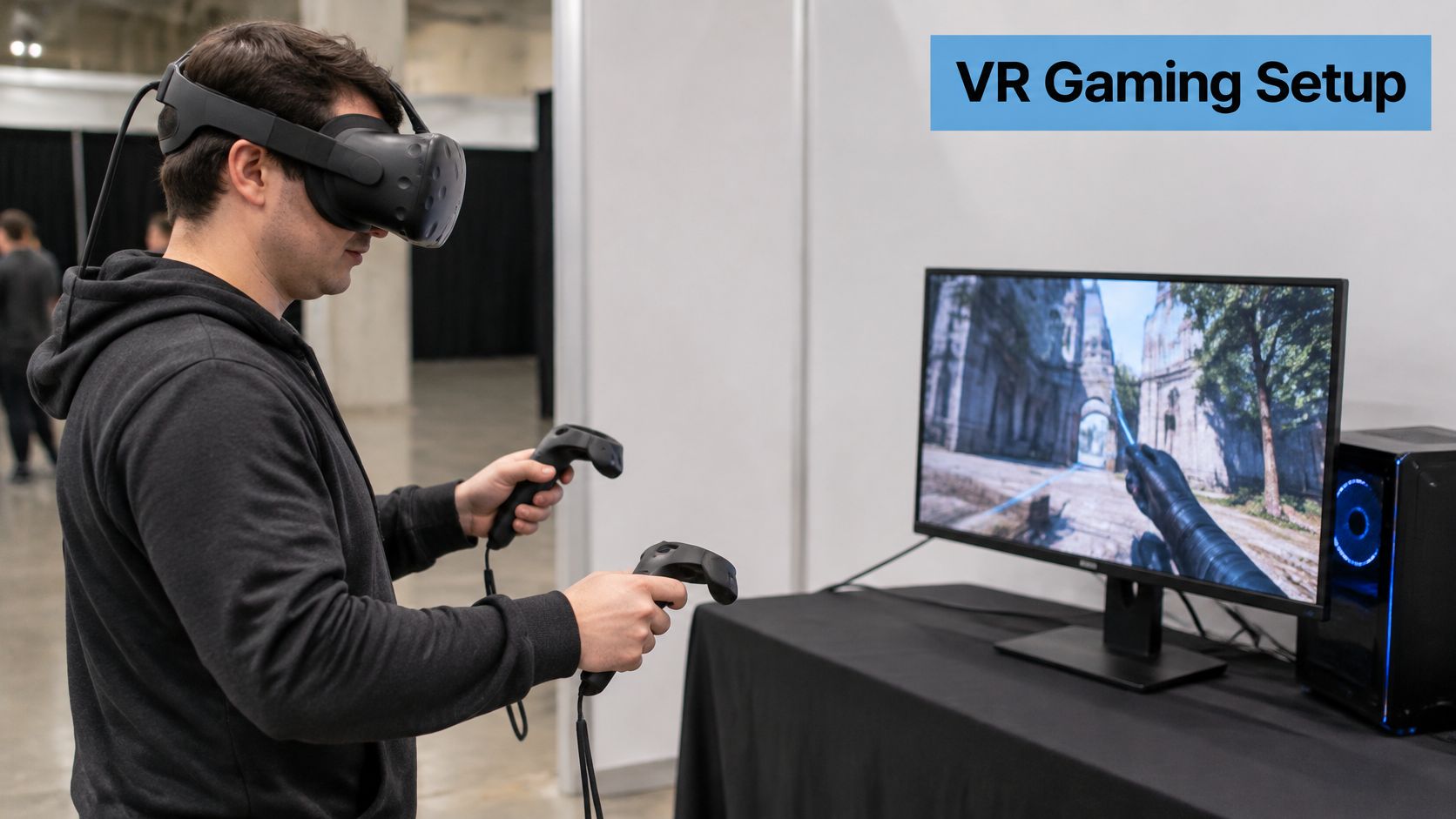
Say a visitor approaches your exhibition stand and agrees to try a virtual target game. The host explains the objective before fitting the headset, then shows them how to point a controller and select a target. They don't need a tour of every button.
The headset works like a window that moves with your head. Displays present a view to each eye, while motion tracking tells the game how to redraw the scene when the visitor turns or moves. Hand controllers translate actions such as reaching, aiming and grabbing into the game.
Familiarity isn't the same as confidence
The 2024 Opinium study of UK VR gaming estimated that 13 million adults, or 24%, had tried VR gaming, compared with approximately 1.2 million, or 2%, who played frequently. Its wider adoption snapshot explains why a guided introduction matters.
UK VR gaming adoption in 2024
| Audience or setting | Number or share | What it means for an event |
|---|---|---|
| Adults aware of VR gaming | 41.1 million, 79% | Most visitors have heard of VR but may never have played |
| Tried VR at least once | 13 million, 24% | A large group still needs a guided first session |
| Play VR frequently | 1.2 million, about 2% | Regular users are rare at a general event |
| Regular gamers who tried VR | 4.4 million, 44% of 10.1 million | Gamers are more familiar than the general public |
| Regular gamers who play often | 770,000 | Even among gamers, frequent VR use is a minority |
| Tried VR, do not own a device, would consider buying | 54% | An event can turn curiosity into interest |
| Played on a console the player owned | 30% | Home play is the largest single reported setting |
| Played at a friend's home | 28% | Social trial is almost as common as home ownership |
| Played in a dedicated venue or arcade | 22% | Specialist venues aren't where most experiences happen |
Behind the headset, the complete setup includes a standalone processor or computer, tracking sensors, controllers, a marked play area and a host managing the queue. The host is part of the experience, not someone handing out equipment.
For planners comparing a self-contained challenge with a destination activity, Chronos One Escape Rooms Eltham's London escape rooms and VR experiences provides useful context for the different kinds of experience guests may expect. Decide whether your visitors should sample a task, compete or settle into a longer shared adventure.
VR Formats Compared for Events
VR formats for UK events compared
The dimensions and staffing ratios below are illustrative planning assumptions, not universal safety specifications. The selected equipment, game and risk assessment must determine the final layout.
| Format | Playspace | Players at once | Best use | Supervision |
|---|---|---|---|---|
| Seated single-player pod | Chair, controller reach and clear attendant access | 1 | Quick trials and product demos | Illustrative provision: one attendant per two pods |
| Standing room-scale | Illustrative starting footprint: 2 m x 2 m or larger | 1 | Full-movement games and brand challenges | One attendant per station |
| Multiplayer arcade pod | Illustrative pod footprint: 3 m x 3 m | Game-supported capacity with separate player boundaries | Team games and competition | One attendant per pod |
| Spectator screen mirror | Illustrative station footprint: 3 m x 3 m | 1 plus audience | Trade show floors and crowd engagement | One attendant per station |
| Location-based free-roam | Illustrative arena footprint: 10 m x 10 m or more | Illustrative group: 2–6 | Launches and fan zones | Dedicated team |
Seated pods suit a simple interaction that visitors can understand quickly. They reduce the movement briefing, but they aren't automatically comfortable or accessible for everyone. Check chair stability, controller reach and whether guests can enter and leave without assistance.
Standing room-scale games let visitors reach, duck or move within a boundary. That freedom suits physical brand challenges, but it also increases the importance of keeping spectators away from the active space.
Match the format to the visit
Multiplayer arcade pods turn an individual activity into a shared challenge. Choose a game where teammates can understand their roles without a lengthy tutorial, and check whether the advertised capacity means simultaneous play or players taking turns.
A spectator screen mirror isn't a separate kind of VR game. It displays the player's view externally, helping waiting visitors understand what's happening. Position it so the audience doesn't obstruct the player's exit or the exhibition aisle.
Planning rule: Choose the interaction you need first. Choose the headset afterwards.
Free-roam experiences allow a group to move through a larger tracked environment. They can support a more involved adventure, but the briefing, equipment fitting and arena reset all occupy time and floor space.
For a stand prioritising visitor flow, favour a concise seated task or a spectator-friendly station. For a memorable team challenge, consider multiplayer or free-roam, provided the audience has time to participate properly. Don't assume any format guarantees higher throughput without testing the complete visitor cycle.
Hardware and Space to Plan For
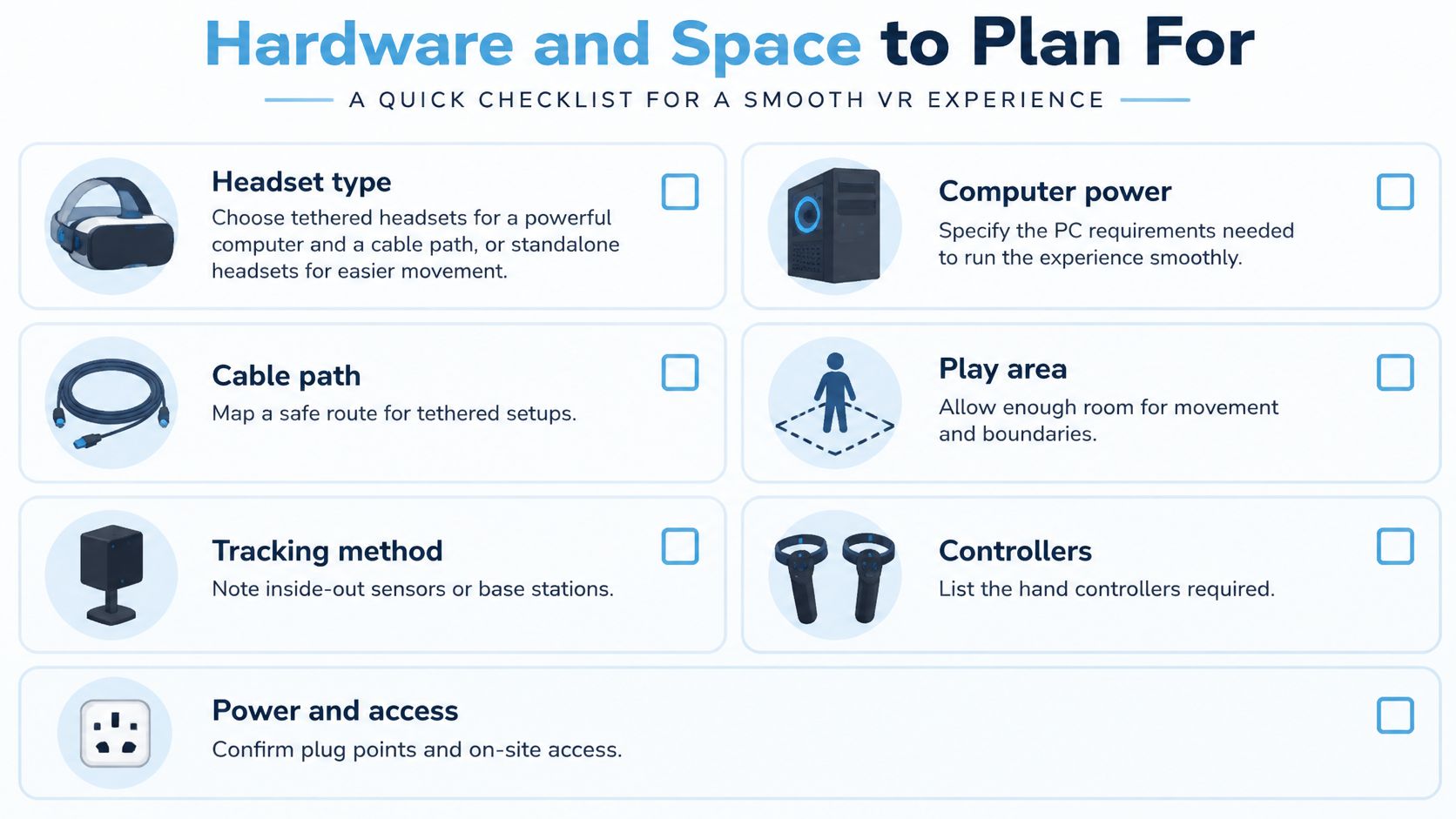
Before agreeing a hire specification, separate what runs the game from what makes it work in the venue. A headset can perform well in a demonstration and still be unsuitable for a stand with awkward cable routes, reflective surfaces or unreliable connectivity.
Confirm the technical dependencies
A tethered headset connects to a computer, so specify the game's PC requirements and a protected cable path. A standalone headset processes the experience internally, simplifying movement, although the available graphics and software may differ.
Inside-out tracking uses headset-mounted cameras or sensors to interpret movement. Keep their view unobstructed and test tracking under the venue's actual lighting. External base stations need secure mounting positions and the sightlines required by that tracking system.
Mark the active area and a separate clearance margin before positioning furniture. For example, a draft layout might reserve half a metre beyond the movement boundary, but that's a hypothetical allowance, not proof that the installation is safe. Controller reach, game movement and manufacturer requirements determine the clearance.
Questions for the production schedule
Use these yes-or-no checks alongside the installation requirements when preparing the venue handover.
- Processing: Are the headset, PC specification, controllers and software versions confirmed and tested together?
- Power: Are sockets accessible, cables protected and charging arrangements documented, with spare batteries where the equipment supports them?
- Connectivity: Have leaderboards, networked games and spectator displays been tested, with an offline experience ready where possible?
- Hygiene: Are compatible face interfaces, cleaning products and a drying position available?
- Resilience: Is replacement equipment ready, including a spare headset and a backup computer for a PC-based installation?
- Access: Can the crew deliver, assemble and remove the equipment without conflicting with other venue activity?
Don't treat Wi-Fi as a requirement for every function. Some spectator displays use a wired connection, and some games run locally. Document the actual dependencies so a network fault doesn't unnecessarily stop an otherwise usable station.
Health Limits and Safe Session Design
In VR, your eyes may turn towards an object that appears close while still focusing on a display at a fixed optical distance, rather like trying to reconcile different depth instructions. University of Leeds evidence submitted to Parliament identifies this vergence–accommodation conflict as a source of visual discomfort and sensorimotor disruption, and notes that long-term health consequences remain insufficiently established.
That makes comfort a design constraint, not a waiver to collect at reception. Choose stable frame delivery, restrained artificial camera movement and a task visitors can leave immediately.
A supervisor's session routine
- Check suitability privately. Use the equipment's health warnings to discuss relevant concerns, such as epilepsy, recent head injury or pregnancy. Staff shouldn't diagnose or imply that a screening question establishes medical fitness. Let anyone decline if unsure.
- Obtain informed agreement before fitting equipment. For under-18s, include a parent or guardian in the event's consent process, without treating consent as a substitute for the headset's age requirements.
- Offer a seated option where the game supports it. Explain whether the task involves apparent movement, heights or sudden visual changes before the guest commits.
- Inspect the floor. It should be flat, stable and non-slip, with the physical boundary clearly managed.
- Supervise onboarding, adjust the fit and demonstrate the essential control before starting the scored task.
- Use timed rotations. Set the exposure policy before opening, leaving time for fitting, cleaning and recovery rather than allocating the entire slot to gameplay.
- Clean contact surfaces between users with manufacturer-compatible products, observing their contact and drying instructions.
- Teach a stop signal. Visitors must be able to stop immediately for dizziness, nausea, headache or visual strain. Staff should help them remove the headset safely.
- Record incidents and near misses, including the game, symptoms, action taken and whether the station was paused.
- Provide a recovery chair and water. Don't hurry an unsteady visitor back into a busy aisle.
Use the event health and safety guidance to connect these operating decisions with the wider event assessment, including emergency access and crew responsibilities.
Motion effects aren't safety guarantees
University of Glasgow researchers found that VR could amplify perceived rotation to four times the actual turn, while in one test a 10-degree physical turn could feel like 170 degrees without reported discomfort. Those controlled findings aren't permission to use aggressive camera movement with an unselected event audience.
Offer teleportation, which relocates the player between positions, instead of continuous simulated travel where appropriate. Test the exact experience, not the headset model.
For children, the NSPCC's VR headset guidance notes that most headsets carry a 12+ age restriction, games have PEGI age ratings, sessions should be limited to 10–15 minutes, and VR should be avoided for 1–2 hours before bedtime because it can disrupt sleep. It also advises clearing trip hazards and sharp edges because players can't see their surroundings.
A shorter session that a visitor finishes comfortably is a better operating objective than maximum headset time.
Designing for Every Visitor
Graphical sophistication isn't the same as inclusion. An activation can look exceptional on a screen while excluding someone who can't comfortably wear the headset, hear the instructions or operate the standard controller.
Corporate guests bring different levels of gaming confidence. Families need suitable activities for different ages, while disabled visitors and people wearing religious or cultural headwear may need a different fitting or interaction method. Don't make guests explain personal circumstances publicly to discover whether they can participate.
Design more than a comfort setting
A University of Roehampton project described by Research Live found that blind players detected game targets with more than 60% accuracy using spatial audio and motion tracking without visual cues. The same reporting highlights barriers including headset compatibility with some religious headwear and motion sickness.
That example challenges the assumption that more detailed visuals always make a better experience. An audio-led task may provide a stronger route into the game than a visually elaborate environment that visitors can't move through with ease.
- Fitting choices: Check adjustable straps, compatibility with glasses and whether the headset can be fitted without disturbing headwear. Ask permission before touching or adjusting anything.
- Position choices: Provide seated and standing modes where supported, with reachable controls and an unobstructed exit.
- Information choices: Offer subtitles, spoken instructions and audio description where the software supports them. Don't rely on colour alone to communicate a correct answer.
- Input choices: Test alternative controllers or simplified interactions rather than assuming everyone can grip, squeeze and point in the same way.
- Participation choices: Provide an audio-led activity, spectator role or non-VR challenge, plus a quiet place to recover.
A spectator screen isn't automatically an equivalent alternative for a blind visitor. Match the alternative to the barrier rather than treating every non-headset option as accessible.
Measure whether the choices work
Wecomeet's guide to where to start with UX design is a useful starting point for planners examining the whole visitor journey, from understanding the invitation to knowing how to leave. Test that journey with people who haven't helped design it.
Record completion, opt-outs, session duration and assistance requests by participation mode. Where appropriate and voluntarily supplied, examine participation by audience group without asking staff to infer disability or identity.
Keep a separate age-appropriate activity available for younger visitors who can't use the selected headset. Inclusion means offering a worthwhile experience, not persuading everyone to wear the same equipment.
Measuring Engagement Beyond Footfall
Engagement and inclusion metrics to track
| Metric | What it shows | How to capture it | How to read it |
|---|---|---|---|
| Completion time | Time taken to finish the task | Game timer or session log | Falling times across attempts suggest learning |
| Accuracy | Share of correct decisions | Score log at task end | Low accuracy with many attempts may signal unclear rules |
| Score progression | Gain across repeat plays | Leaderboard or game log | Steady gains suggest continued interest or learning |
| Repeat attempts | Visitors who play again | Station counter | High repeats suggest appeal, but check queue availability |
| Leaderboard position | Standing among players | Event leaderboard | Useful for team challenges and voluntary social sharing |
| Opt-out rate | Visitors who stop or decline | Staff tally | A concentration at one station warrants a comfort investigation |
| Average session duration | Time spent in the headset | Timed rotation log | Compare with the planned safe session length |
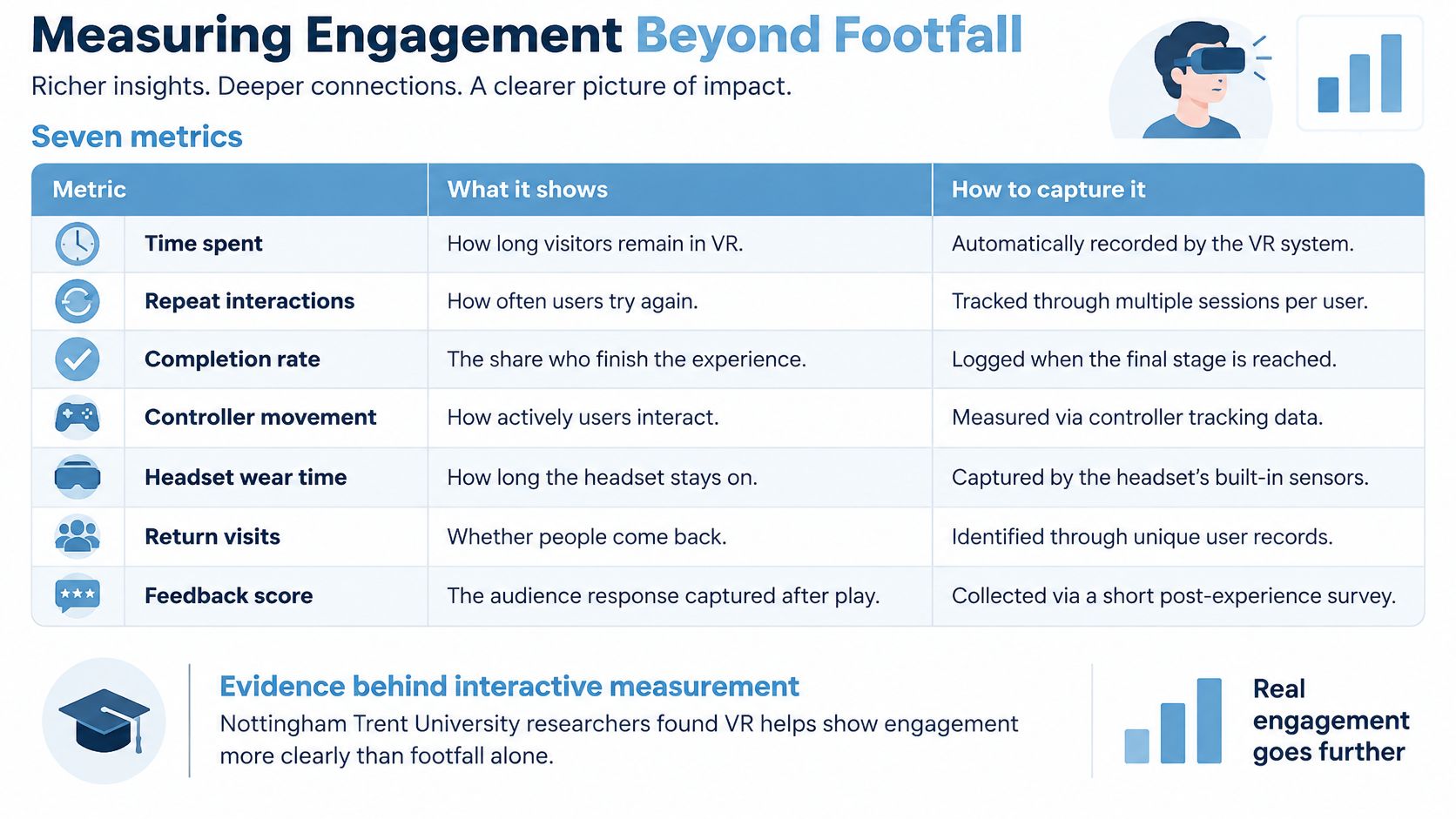
Define the denominator before collecting anything. Completion rate should identify whether you're counting people who started, while an opt-out measure should distinguish declining an invitation from stopping during play. Otherwise, teams can produce different results from the same activity.
Measure decisions, not just presence
As reported by CIHT on immersive hazard-perception training, Nottingham Trent University researchers found VR headsets performed as well as, and sometimes better than, conventional single-screen systems, while a University of Manchester systematic review found better concept retention with immersive technologies in occupational safety contexts. Those findings concern training, not proof that a branded game automatically improves recall.
The practical lesson is to build a meaningful decision into the task. For example, visitors might identify the correct equipment for a virtual workstation, then receive feedback explaining their selection. Accuracy reveals more about their understanding than the fact they wore a headset.
Turn logs into a client decision
Choose a primary outcome before launch. Lead generation might prioritise completed experiences followed by voluntary sign-ups; message learning might prioritise correct decisions; an inclusion objective might prioritise avoidable opt-outs.
Repeat attempts need interpretation. They could indicate enjoyment, but they could also mean the instructions were unclear. Likewise, declining to play may reflect limited time rather than discomfort, so give staff simple reason categories and an optional free-text note.
Reporting principle: Record what happened, explain the likely cause and state what you'll change. Don't turn a plausible interpretation into a proven result.
Use the experiential marketing ROI framework to connect activity logs with the client's objective. A useful report pairs the outcome with its denominator, participation mode, interruptions and a concrete recommendation, such as simplifying onboarding or replacing a motion-heavy game.
Decide Whether the Venue Can Host It
The booking decision is a venue fit test. Walk the actual floor with the proposed layout and check that the activation, queue and exit can coexist without narrowing aisles. If the standing format can't meet its equipment-specific movement and clearance requirements, choose a seated or spectator-led alternative rather than squeezing it in.
Connectivity deserves a separate decision. Purple's guidance on seamless WiFi access for entertainment venues provides context for planning guest connectivity, but the VR installation still needs its own tested connection plan wherever gameplay or reporting depends on a network.
Make the hire order conditional on readiness
- Venue fit: Sign off the marked footprint, audience position and accessible route.
- Operational continuity: Confirm power, replacement equipment and the agreed fallback experience.
- Client outcome: Put the primary measure and reporting responsibilities in writing.
- Supervision: Match the crew to the activity's assessed needs and document the age and consent arrangements.
At PSW Events, we offer Virtual Reality, Batak Pro, Electronic Leaderboard, Game Console and iWall hire. We can run the show so your team can focus on potential clients and guests, rather than dividing attention between conversations and equipment supervision.
We can visit your site, or you can meet our team at our offices in Cambridge. Use that meeting to test the floor plan against the chosen format and resolve any no-go conditions before committing to an unsuitable installation.
PSW Events offers virtual reality hire and event support to help turn a headset activity into a manageable, measurable visitor experience. Visit PSW Events to discuss your venue, audience and intended outcome, and arrange a site visit or a meeting with the Cambridge team.