
A lot of corporate teams start in the same place. The stand is booked, the graphics are in production, and someone asks the question that matters most: what will stop people walking past?
That’s where racing simulator hire earns its place. Done properly, it isn’t filler entertainment. It’s a footfall tool, a conversation starter, a lead capture mechanism, and a brand experience people remember after the exhibition hall has emptied.
The mistake is treating the simulator as the whole answer. It isn’t. The hardware matters, but the return comes from matching the right rig to the venue, the audience, the staffing plan, and the data you want to collect. A dramatic full-motion setup can be perfect for one launch and completely wrong for a busy trade show stand with tight aisles. A simpler static rig can outperform a larger setup when throughput, accessibility, and queue management matter more than spectacle.
From an event delivery perspective, the best results come from being practical early. Define what success looks like. Confirm the venue can support the installation. Understand what’s included in the quote. Decide how branding and leaderboard mechanics will support the sales team, not distract from them.
Introduction Your Blueprint for High-Octane Event Success
The moment usually happens ten minutes after the hall opens. Your team is in position, the aisle traffic is steady, and visitors are giving every stand the same quick scan before deciding where to stop. A racing simulator can change that, but only if it is hired and set up to serve a commercial job, not just fill space.
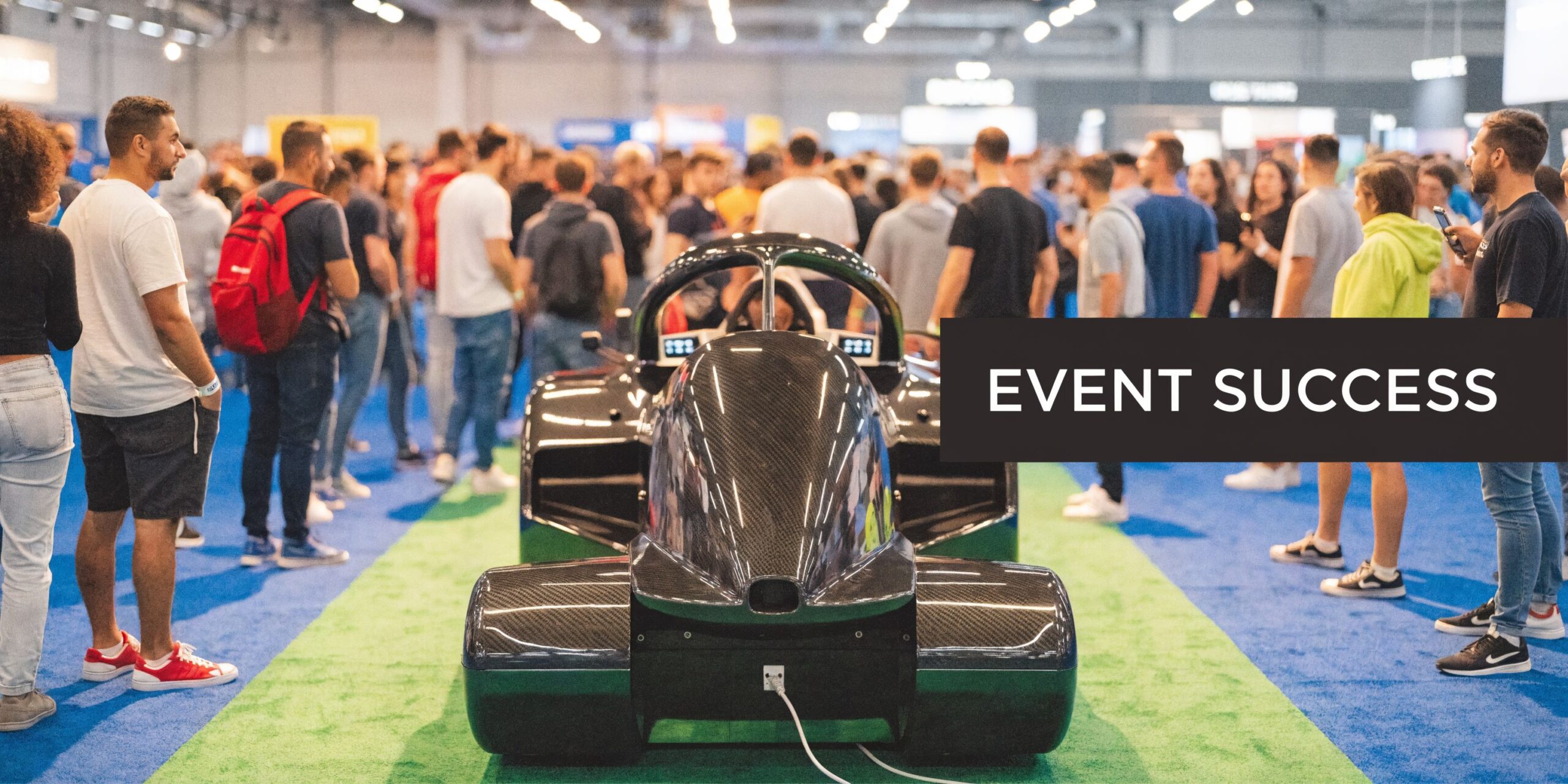
At event level, the value is straightforward. A good simulator gives people a reason to stop, stay long enough for your team to qualify them, and leave with a stronger memory of the brand than they would get from a static display. Poorly specified kit does the opposite. It creates queues that block the stand, slows turnover, and turns a budget line into a talking point that does not help sales.
That trade-off is often missed in early planning. Corporate buyers are shown dramatic footage of motion platforms and full cockpit builds, then discover too late that the venue has tight access, limited power, strict build windows, or a floorplan that rewards throughput over spectacle. In those cases, a simpler rig can produce better event ROI because more people can use it, more conversations can happen around it, and the install is easier to deliver on time.
At PSW Events, that is usually the starting point for F1 simulator hire for corporate events. The first question is not which rig looks most impressive in a brochure. It is what the simulator needs to do on the day, how the venue will handle it, and what result justifies the spend.
A marketing manager hiring a simulator normally needs five things from the activation:
- Footfall that converts: enough visual pull to stop the right people, not just attract a crowd with no buying relevance
- Dwell time with purpose: time for sales staff to start useful conversations instead of waiting for a lap to finish
- Brand visibility: screens, liveries, and set dressing that carry the message without overwhelming the experience
- Lead capture that works: a practical route from participation to usable data and follow-up
- Delivery without avoidable problems: equipment, staffing, transport, setup, and support planned properly from the start
Get those five points right and racing simulator hire works as a measurable event tool. Get them wrong and the same budget can produce long queues, poor access, weak data capture, and very little value after breakdown.
Aligning Objectives with the Right Simulator Rig
Choosing the right simulator starts with matching the rig to the job, not the price tag.

A marketing team booking a simulator for a UK corporate event usually has one real decision to make. Do you need high throughput, premium theatre, or a balance of both? That choice affects the rig, the floorplan, the staffing model, and what the hire returns on the day.
Buyer expectations are higher now than they were a few years ago. Guests have seen better gaming hardware, better live activations, and more polished branded experiences. A simulator that feels awkward, slow to operate, or out of place with the venue can drag down results even if it looked impressive in a sales deck.
Start with the event objective
The brief should decide the rig, not internal enthusiasm for a more technical setup.
I split simulator hires into four practical use cases:
| Event goal | Rig type that usually fits | Why it works |
|---|---|---|
| Exhibition lead generation | Static GT or racing seat simulators | Faster driver turnover, simpler queue control, easier access for a broad audience |
| VIP launch or premium hospitality | F1-style cockpit or motion platform | Strong visual impact, better photo value, higher perceived exclusivity |
| Team building | Multiple matched rigs with leaderboard | Clear competition format, fair comparison, good group participation |
| Family day or mixed audience event | Accessible static setup | Easier for different ages, clothing types, and confidence levels |
Event ROI becomes practical rather than theoretical. A premium motion rig may attract attention, but if each session runs too long and guests need help getting in and out, your total number of participants drops. For a lead-gen stand at a trade show, that is often the wrong trade.
Static versus motion
Static rigs win a lot of corporate work because they are easier to use and easier to install.
They suit exhibition halls, hotel ballrooms, and conference venues where access, queue speed, and footprint matter more than pure spectacle. Guests can sit down quickly, complete a short lap challenge, step out, and hand over to the next person without slowing the activation. That keeps the energy up around the stand and gives brand staff more chances to speak to the right people.
Motion simulators have a place. They work well when the experience itself is part of the message, especially for product launches, hospitality areas, and campaigns where a premium feel justifies a lower participant count. They also need more thought around access, clearance, transport, and how comfortable your audience will be using them in business dress.
That trade-off gets overlooked too often.
A static rig often produces better commercial value at a busy event because more people can take part in the same time window. A motion rig often produces better theatre and stronger content capture. Neither is automatically the better hire. The right answer depends on what you need the activation to do.
Corporate simulator hire works best when the rig matches the pace of the event, the confidence of the audience, and the result the brand team needs to take home.
F1 cockpit, GT seat, or rally style
Rig format changes how guests read the activation before anyone turns a lap.
F1 simulators are the strongest choice for visual impact. The silhouette is recognisable from a distance and suits premium hospitality, motorsport-themed campaigns, and launches where the simulator needs to pull people onto the stand. For briefs built around brand theatre, a dedicated F1 simulator hire for corporate events can justify the extra spend.
GT-style racing seats are usually the safest commercial choice. They are easier for guests to enter and exit, the seating position feels familiar, and they suit a wider range of users across exhibitions, conferences, and internal events. If you need strong participation numbers, GT rigs are often the better answer.
Rally-style setups can work well for a niche audience or a campaign with a direct motorsport link. For general corporate use, they are less intuitive at first glance and usually less effective than GT or F1 formats for broad appeal.
Software choice affects throughput as much as realism
Software shapes the experience, but for event planners the bigger question is operational.
A good event setup needs to be intuitive for first-time drivers, quick for staff to reset, stable across repeated sessions, and clear on external screens. The title itself matters less than the way it is configured. A realistic sim with the wrong settings can frustrate guests, create spin-outs every lap, and slow the queue. A well-tuned setup gives novices a fair run while still feeling credible to people who know motorsport.
Ask the supplier straightforward questions:
- How quickly can sessions be reset between drivers?
- Can difficulty be adjusted for mixed audiences?
- Will the cars, tracks, and visuals fit the campaign theme?
- Can leaderboards and race data be shown clearly to spectators?
Those answers affect dwell time, staffing pressure, and guest satisfaction. They also affect whether the simulator feels polished or improvised.
Match the rig to the audience you actually have
The buyer is rarely the end user. That is where poor rig choices usually start.
Senior guests at a hospitality event may want a short, well-supported premium experience with minimal fuss. Exhibition visitors may want a quick challenge and a photo. Staff teams at an internal event may care more about fairness, leaderboards, and repeat competition than visual spectacle.
Clothing matters as well. So does age range. So does confidence in front of colleagues.
An F1 cockpit can look outstanding, but it is not always the best fit for a mixed corporate audience in suits and dresses. A GT rig may look less dramatic in a render, yet deliver more completed sessions, fewer awkward handovers, and a better conversation rate for the sales team standing next to it.
The best simulator brief answers four questions early. Who is driving, how long each turn should last, what needs to happen after the lap, and whether access matters more than visual impact. Get those right and the hire becomes easier to price, easier to plan, and far more likely to earn its place in the event budget.
Mastering Site and Technical Requirements
A simulator can be perfect on paper and still fail on site. Most event-day problems start with venue assumptions.
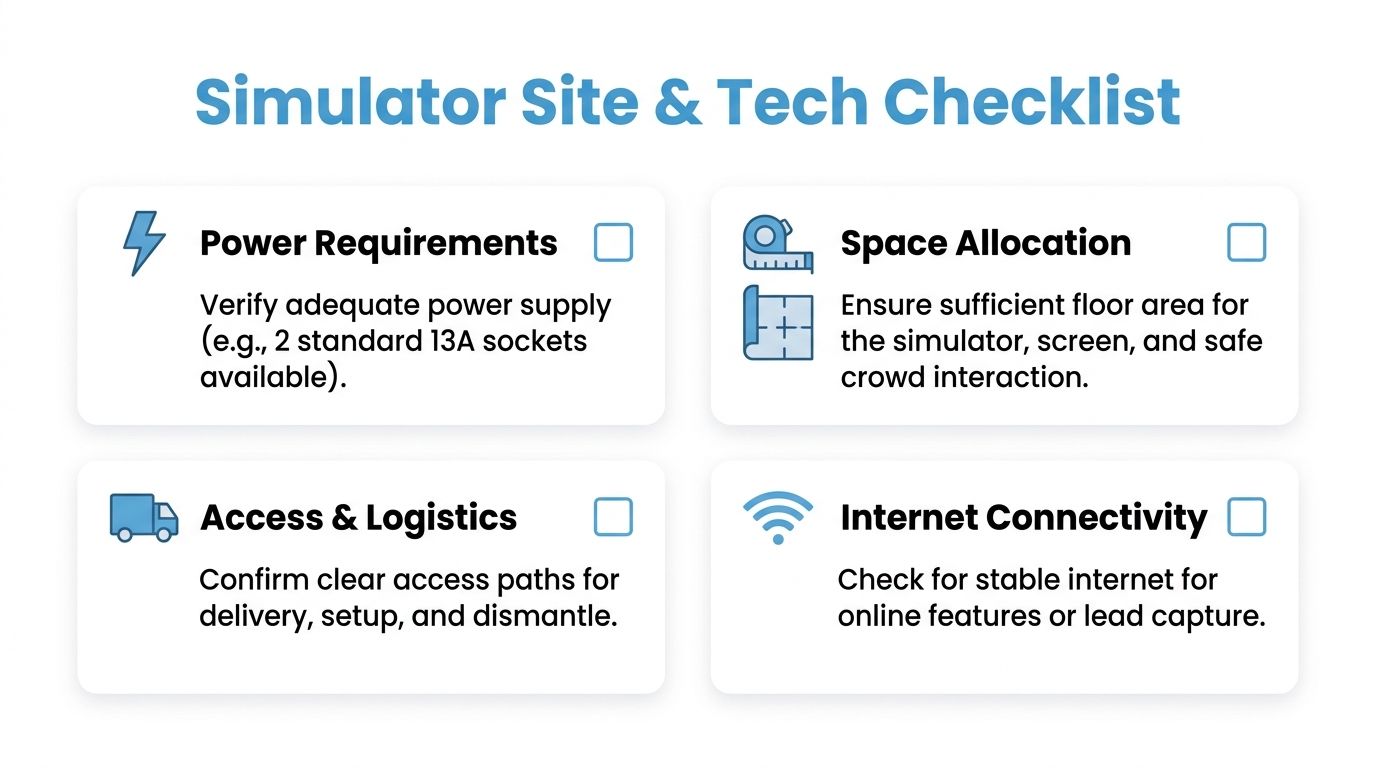
A proper site survey is not admin. It’s risk control. Successful deployments rely on that detail, especially because simulators often need a dedicated 20 to 30 amp power circuit, and 15 to 20% of failures are linked to inadequate power, with overheating in poorly ventilated spaces also causing performance problems (Immersive Esports).
Power is the first conversation
Venues often say, “yes, there’s power available.” That answer isn’t enough.
You need to know whether the simulator has access to the right dedicated supply, where those connections sit in relation to the stand, and whether anything else is sharing that circuit. If a high-performance PC, display system, branding lights, and motion hardware all compete for the same supply, problems show up fast.
Ask these questions early:
- Is the circuit dedicated? Shared circuits create instability.
- Where is the feed located? Long cable runs complicate layout and safety.
- Who signs off venue electrics? You need one point of responsibility.
- Is there enough cooling and ventilation? High-spec PCs don’t like boxed-in corners.
A simulator may still run on inadequate infrastructure. It just won’t run well, and “mostly working” is no use on a live stand.
Space means more than footprint
Event teams often measure the rig and stop there. That overlooks the full requirement.
The setup needs enough room for entry, exit, operator movement, queue formation, and spectators. If branding panels, monitor stands, and barriers are part of the activation, they must be included in the floor plan too.
A compact rig can still feel cramped if:
- guests can’t step in comfortably,
- staff can’t brief users properly,
- screens aren’t visible from the aisle,
- queues spill into neighbouring space.
For many exhibition builds, a racing seat simulator hire setup is easier to integrate than a larger motion platform because it creates less pressure on access routes and sightlines.
Floor, loading, and access logistics
The route into the venue matters almost as much as the stand plan.
A simulator may need transport in specialist vans, then careful movement through loading bays, service corridors, lifts, or restricted dock schedules. If the venue has tight access windows or raised flooring, that has to be confirmed before event day.
Use this simple pre-delivery checklist:
- Confirm loading bay rules: Arrival times, vehicle height limits, and marshal requirements.
- Check the access path: Double doors, corners, ramps, and lift dimensions.
- Review floor stability: Especially important for direct drive systems and motion units.
- Verify setup timing: On-site installation can take time, and rushed installs create mistakes.
Connectivity and leaderboard planning
Not every simulator activation needs internet. Many do if your plan includes digital lead capture, synced scoring, or remote updates.
The problem is that venue Wi-Fi is often unreliable under load. If your leaderboard or sign-up flow depends on connectivity, test the option you’ll use on the day. Don’t accept “the hall has Wi-Fi” as a delivery plan.
If the leaderboard is central to the campaign, treat internet as production infrastructure, not as a nice-to-have.
What good technical planning looks like
The strongest activations tend to share the same habits:
| Requirement | Good practice | What goes wrong if ignored |
|---|---|---|
| Power | Dedicated confirmed supply | Lag, resets, unstable operation |
| Ventilation | Airflow around PCs and screens | Heat-related slowdowns |
| Access | Measured route from vehicle to stand | Delays and last-minute workarounds |
| Layout | Space for spectators and queue control | Congestion and poor user flow |
Technical planning isn’t glamorous, but it protects the visible part of the activation. If your simulator is meant to be the draw on the stand, then power, airflow, access, and layout aren’t back-office details. They are part of the audience experience.
Decoding Pricing Packages and Inclusions
A racing simulator quote can look straightforward until procurement starts comparing suppliers line by line. Then the gaps appear. One proposal covers delivery, operators, branding support, and contingency kit. Another covers the rig and very little else.
That is why headline day rates are a poor way to buy simulator hire.
For UK corporate events, price is shaped less by the words "racing simulator hire" and more by the delivery model behind them. A static rig for a conference drinks reception is priced differently from a branded competition running all day on an exhibition stand. The first may need light staffing and simple setup. The second usually needs tighter queue management, branded visuals, faster driver changeovers, and stronger technical backup because every minute of downtime costs attention.
What a proper quote should include
A useful proposal makes the commercial and operational scope clear. It should separate the hardware from the delivery costs so you can see where the money goes and what affects ROI.
Check for these items:
- Rig specification: Static cockpit, Formula-style body, or motion platform
- Visual setup: Single screen, triples, LED wall output, or VR
- Hire period: Single day, multi-day exhibition, evening event, or longer installation
- Transport and crew: Mileage, loading time, setup crew, and collection
- Event staffing: Technician, host, or both
- Branding elements: Car livery, screen graphics, leaderboard skin, backdrops
- Software format: Free drive, timed laps, head-to-head competition, branded leaderboard
- Insurance cover: Public liability and equipment cover
- Contingency provision: Spare peripherals, backup PC, or on-site technical support
If those lines are missing, the quote is not finished. It is only a starting number.
The trade-offs that change value
Higher spend makes sense when it improves throughput, presentation, or data capture. An experienced operator keeps drivers moving, explains the format quickly, and protects queue flow. Branded leaderboards and screen overlays give people a reason to stop, compete, and return later. A backup plan for pedals, wheels, or PC issues protects the busiest part of the stand.
Some upgrades look impressive in a deck but reduce event performance. Motion rigs are the obvious example. They can be right for hospitality or premium guest experiences, but they are not automatically the best choice for a busy exhibition stand. They cost more, take longer to cycle each guest through, and can limit venue placement. If your objective is volume, a static or low-profile rig often gives a better return.
I advise marketing teams to ask a simple question: which parts of this quote improve results on site, and which parts only improve appearance?
Compare scope, not just price
Two quotes can be £1,000 apart and still leave the cheaper option more expensive by the end of the project. Late additions are usually the reason. Branding gets added after the first design meeting. A second operator is needed once projected footfall becomes clear. Collection shifts to out-of-hours because of venue rules. Those costs are predictable if the brief is detailed early.
This is also where supplier experience matters. Teams that regularly deliver experiential marketing activations for corporate events tend to quote with more operational detail because they know what gets missed.
Use a comparison table like this with every supplier:
| Quote item | What to confirm |
|---|---|
| Delivery and collection | Included in full, with timing window stated |
| Setup and breakdown | Included, with crew numbers clear |
| On-site staffing | Technician, host, or both |
| Branding | Included, excluded, or itemised separately |
| Software format | Casual play, timed competition, or leaderboard mode |
| Insurance | Cover levels stated for venue approval |
| Contingency | Spare parts or replacement kit available |
| Overtime and waiting time | Hourly charges shown in advance |
Where budgets usually slip
The common failures are practical. The first quote excludes branding production. The venue restrictions increase labour time. The client books one rig, then decides they need a second station to handle queue volume. None of that is unusual, but it should be visible before sign-off.
A tighter brief usually saves money. Give the supplier the venue, event hours, audience size, branding requirements, competition format, and any reporting expectations at the start. That allows a realistic proposal instead of a low opening figure followed by add-ons.
Judge cost against outcome
The better test is not "is this expensive?" The better test is "what does this activation need to produce?"
If the simulator is there to stop traffic, hold attention, support sales conversations, and feed a branded competition, price should be judged against those outcomes. A cheaper static display may cost less on paper and return less on the day. A well-scoped simulator activation can justify its budget if it creates measurable engagement and gives the team a reason to start commercial conversations. For teams under pressure to prove event spend, this practical ROI guide is a useful framework for setting the numbers up properly.
A good quote leaves very little to assumption. You should be able to see what is included, what is optional, where the risks sit, and how the package supports the event objective. If that is not clear, ask for a revised proposal before approving anything.
Boosting ROI with Branding and Lead Capture
At a busy exhibition, a simulator can pull a crowd and still underperform commercially. The common failure point is simple. Guests drive, enjoy it, and walk off without giving the sales team a reason to continue the conversation.
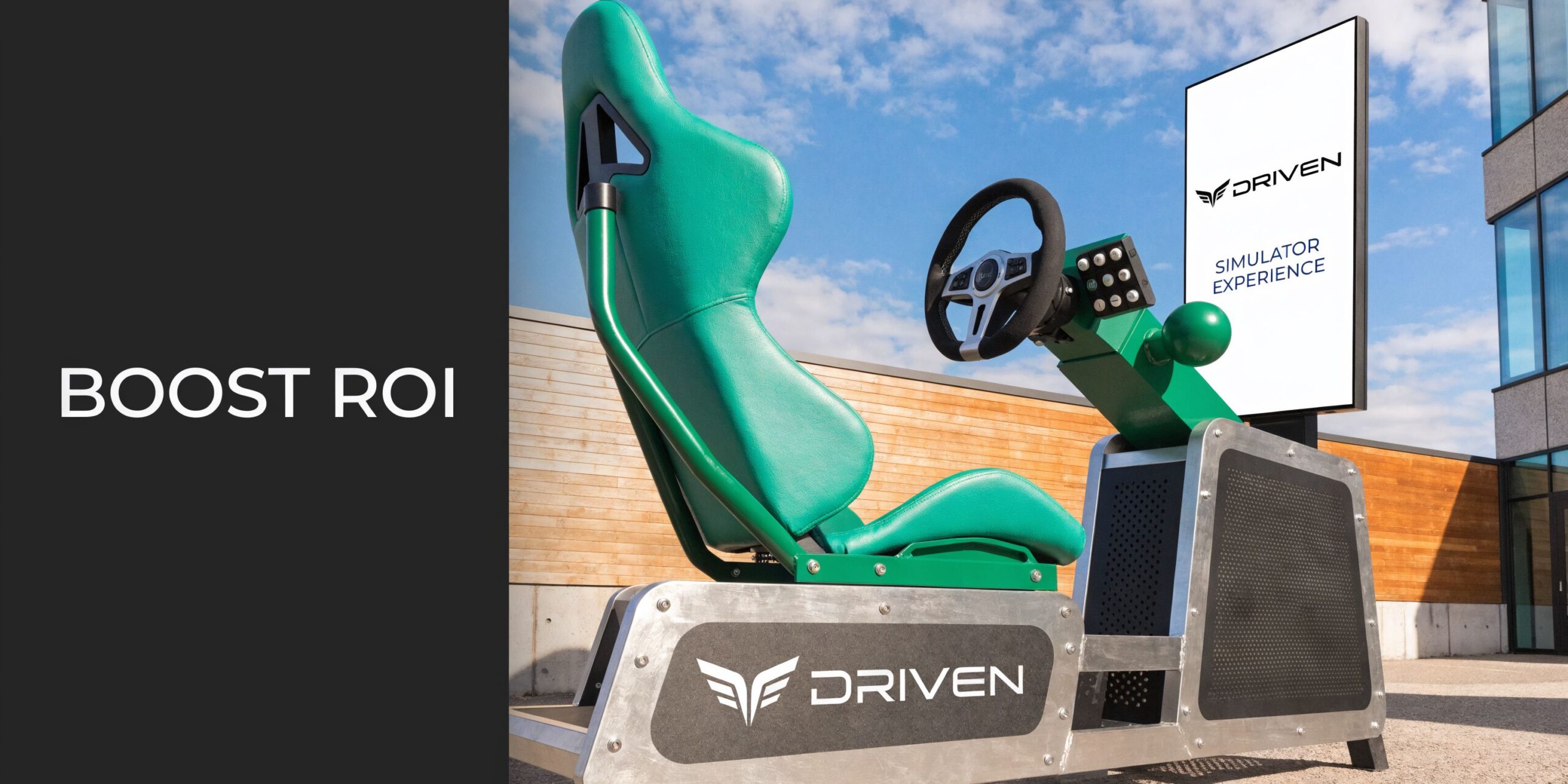
The fix is to design the activation around a usable outcome before the event opens. Decide whether the job is lead capture, product messaging, account meetings, social content, or a mix of the four. That choice shapes the competition format, the data form, the screen flow, and the staffing plan.
A racing simulator works best when the visitor journey is deliberate. They spot the rig, understand the challenge in seconds, complete a short session, see a result worth reacting to, and then enter their details for a leaderboard, prize draw, or follow-up. If that handoff is set up properly, the simulator stops being a crowd-pleaser and starts producing measurable event value.
Branding that supports the objective
Branding needs to do more than place a logo on the side of the rig. At corporate events, the simulator should look like part of the stand build and the campaign, not a hired attraction dropped into spare floor space.
The strongest setups usually combine several simple elements that do clear jobs:
- Wrapped rig panels for visibility in photos and across the hall
- On-screen branding on menus, lap result screens, and idle loops
- Leaderboard graphics that match the campaign look and feel
- Backdrops or podium positions for winner photos and team content
- Competition naming tied to a launch, product message, or sponsor theme
There is a trade-off here. Heavy physical branding improves stand presence, but it adds print cost, production time, and approval rounds. For a one-day conference, digital branding on screens and leaderboards often gives a better return than a fully wrapped build. For a flagship exhibition or roadshow, stronger physical branding usually earns its keep because the content value lasts beyond the event day.
Leaderboards drive repeat engagement
A passive demo gives each guest one interaction. A leaderboard gives them a reason to care about the result.
That changes behaviour on the stand. Colleagues challenge each other. Senior team members get pulled in. Visitors come back later to defend a time or check their position. Those repeat moments create more opportunities for your staff to qualify interest and book follow-up conversations.
Keep the format tight. One car, one track, one clear lap objective. Complicated formats slow throughput and confuse spectators, which weakens both queue flow and lead capture.
The best event competition can be understood from a few metres away.
Capture leads without breaking momentum
The cleanest lead capture process sits inside the experience. After the lap, the guest sees their result and is invited to enter their details to appear on the board, receive a photo, or join the prize mechanic. That feels like a natural next step rather than an interruption.
The form should stay short. Name, company, email, and one qualifying question is often enough for a corporate activation. If the sales team would not use the extra data next week, do not ask for it on the stand.
Consent also needs to be clear. Tell people what follow-up they are agreeing to, who will contact them, and what they will receive. That protects data quality and avoids the usual pile of low-intent entries gathered by over-eager stand staff.
If the team needs a framework for measuring what the event returned, this practical ROI guide is a useful reference for tying engagement, lead quality, and follow-up activity back to spend.
Staffing has a direct effect on return
The operator has a bigger impact on ROI than many clients expect. Good event operators do not just reset the sim. They keep sessions moving, explain the challenge clearly, manage the queue, spot likely participants, and hand warm prospects to the stand team at the right moment.
That handover matters. If the operator and brand staff work as separate units, the activation gets attention but loses commercial value. If they work to one plan, the simulator becomes part of the sales process. For brands that want one supplier handling hardware, staffing, and engagement design together, experiential marketing activations can make that coordination much easier.
Measure outcomes that matter after the hall closes
A strong simulator activation should be judged on more than how busy it looked. Busy stands can still produce weak follow-up if the competition, staffing, and data flow are poorly set up.
Track outcomes such as:
| ROI area | What to measure |
|---|---|
| Audience pull | Queue starts, footfall stops, repeat visits |
| Engagement quality | Average time on stand, post-drive conversations, meeting requests |
| Lead capture | Completed entries, consented contacts, qualification rate |
| Brand visibility | Photos taken, branded content shared, recall in follow-up |
| Sales value | Opportunities opened, demos booked, pipeline influenced |
The commercial test is straightforward. Did the simulator create enough qualified interaction to justify the floor space, staffing time, and production cost? If the answer is yes, the activation did its job.
Final Steps Logistics Contracts and Safety
Your stand opens at 9am. The hall is already busy, the venue team wants the aisle clear, and a missing access detail suddenly matters more than the simulator spec you spent weeks choosing. This stage decides whether the hire feels controlled or expensive.
By this point, the commercial case should already be clear. The last job is reducing operational risk. For a corporate marketing manager, that means checking the contract line by line, confirming who owns each venue task, and making sure the rig you approved can be delivered, built, operated, and removed within the venue rules.
Contract points that need checking
A good hire agreement is specific enough that both sides can run the event from it. If wording is loose, problems usually appear on build day.
Check these points before sign-off:
- Scope of supply: The exact rig, screens, branding elements, staffing, transport, setup, and breakdown included in the fee.
- Access and timings: Delivery window, build slot, live hours, derig time, and what happens if venue access changes.
- Client responsibilities: Power, parking, loading access, floor plans, permits, internet, and named on-site contacts.
- Branding process: Who produces artwork, who prints it, approval deadlines, and what happens if files arrive late.
- Damage and liability: What is covered by the supplier, what sits with the venue, and how accidental guest damage is handled.
- Cancellation and postponement: Rebooking terms matter, especially for exhibitions and roadshows.
- Insurance evidence: Ask for the current certificate, not a promise that it will be sent later.
Insurance limits vary by venue and client procurement rules, so check the requirement against the event handbook rather than assuming one level fits every brief.
Build the timeline from venue access, not from show opening
A realistic schedule starts with the venue's actual restrictions. Some halls offer generous loading access. Others give tight windows, shared loading bays, strict vehicle rules, or evening-only build periods. Those limits affect labour, transport choice, and sometimes the rig itself.
For example, a full-motion simulator may suit the brand brief, but a compact static rig can be the better decision if access is via passenger lift, a narrow service corridor, or a short tenancy window. That is the kind of trade-off that protects ROI. A rig that is slightly less theatrical but easier to install, reset, and remove often produces a better event outcome than an ambitious build that spends the day under pressure.
Use a working timeline like this:
| Timing stage | What should be confirmed |
|---|---|
| Early planning | Venue rules, access constraints, approved rig format |
| Before production | Final floor plan, power location, branding files, risk documents |
| Pre-event check | Delivery booking, crew contacts, parking instructions, operator call times |
| On-site build | Equipment positioning, cable routing, testing, calibration, safety check |
| Live event | Operator brief, session format, queue control, cleaning routine |
| Breakdown | Collection slot, packing responsibility, venue sign-off, asset return |
Setup can take several hours, depending on the rig format, venue access, and how much branding or display hardware is involved. That is why late access and vague loading instructions cause so many avoidable costs.
Safety affects participation as much as compliance
Safety planning is part of guest experience. If participants feel unsure getting into the seat, cannot hear the briefing, or do not know where to wait, throughput drops and the stand feels harder to use.
Keep the live operation simple:
- Brief guests clearly: Explain the controls, session length, and exit route in plain language.
- Manage entry and exit space: Give the operator room to assist without blocking the stand.
- Control cables and power runs: Exhibition aisles and open stand edges need extra care.
- Set cleaning and reset routines: Shared touchpoints need regular attention during busy periods.
- Agree an incident process: Venue, client, and supplier teams should know who handles what.
A simulator should always be hosted. Self-service setups create avoidable wear, confused participants, and slower turnaround between runs.
Accessibility needs a practical decision, not a box-tick
Audience profile matters here. If your guests are senior decision-makers in business dress, a low, tight cockpit can reduce participation. If the event audience includes mixed ages or people with limited mobility, VR may narrow the usable audience even further. In those cases, an open-seat rig with a clear viewing area is often the stronger commercial option.
I regularly advise clients to judge accessibility in terms of usable footfall. How many of the right people can take part comfortably, without staff having to rescue the process each time? That answer usually points to the best format.
The final check is simple. Paperwork should be approved, access should be booked, the crew should know the venue rules, and the operator should understand both guest handling and the event objective. When those details are in place, racing simulator hire stops being a production risk and starts behaving like a dependable event asset.
Frequently Asked Questions About Simulator Hire
Below are the questions I hear most often from corporate teams planning racing simulator hire.
| Question | Answer |
|---|---|
| How far in advance should I book? | Earlier is always easier, especially for exhibitions, branded builds, and events at major venues. The key reason isn’t just availability. It’s giving enough time for site checks, artwork approval, access planning, and staffing. |
| Is a motion simulator always better than a static rig? | No. Motion is stronger when you need theatre or a premium feel. Static rigs are often better for throughput, accessibility, and compact exhibition spaces. The right choice depends on the event objective. |
| Can a simulator work for people who aren’t motorsport fans? | Yes, if the format is simple. Short lap challenges, clear instructions, and visible leaderboards make the activation easy to join even for complete beginners. |
| What should I ask my venue before confirming a hire? | Ask about power, loading access, build times, floor conditions, ventilation, internet options, and any restrictions on delivery vehicles or installation hours. Those points affect the whole setup. |
| Do I need staff on site? | For corporate events, yes. An operator keeps sessions moving, helps nervous participants, manages the queue, protects the equipment, and supports lead capture. |
| How do I compare quotes fairly? | Compare inclusions, not just the headline cost. Look at transport, setup, staffing, branding, insurance, and what technical support is included during live hours. |
| Can the simulator be branded? | Usually yes. Common options include wrapped bodywork, branded screens, leaderboard graphics, and photo backdrops. The best branding feels integrated rather than stuck on at the last minute. |
| Is VR the best option for exhibitions? | Not always. VR can be powerful, but it can also slow throughput and reduce visibility for spectators. In some event environments, triple-screen formats do a better job because the crowd can watch the action. |
| What makes a simulator generate leads rather than just entertain? | The competition structure. A visible leaderboard, a clear call to action, and a simple data capture step tied to entry or ranking give the sales team something useful to work with after the event. |
| What’s the biggest mistake buyers make? | Choosing the most dramatic rig before thinking through venue constraints, user flow, and event goals. The most effective setup is the one that fits the stand, the audience, and the commercial objective. |
If you’re planning a corporate activation, the strongest starting point is simple: define the outcome first, then choose the simulator format that supports it cleanly. That’s how racing simulator hire delivers more than noise. It delivers a result.