
You’re likely in the same position many event planners hit a few weeks before launch. The venue is booked. The stand build is approved. The guest list is moving. What’s still missing is the attraction that gives people a reason to stop, join in, and stay long enough for a real conversation.
That’s where golf simulator hire tends to move from “nice idea” to practical solution. It works at exhibitions, conferences, client hospitality events, team-building days, and private functions because it gives guests something to do within seconds. No travel to a course. No dress code. No barrier to entry for non-golfers.
From an event operations point of view, that matters. The strongest attractions are the ones that are easy to understand, simple to queue, safe to run, and flexible enough to support different event goals. A simulator can be a competition mechanic, a networking tool, a branded content piece, or a lead capture asset. The setup changes. The core appeal doesn’t.
Beyond the Fairway Why Your Next Event Needs a Golf Simulator
The most common brief sounds roughly the same. “We need something interactive, professional, and not too niche.” The concern behind that brief is valid. A lot of event entertainment looks good in a proposal and underperforms in a live environment.
Golf simulator hire avoids that trap because people understand the challenge immediately. Hit the ball. Watch the flight. Compare your shot with colleagues or prospects. Even guests who’ve never held a club usually want a go once they see someone else take a swing.
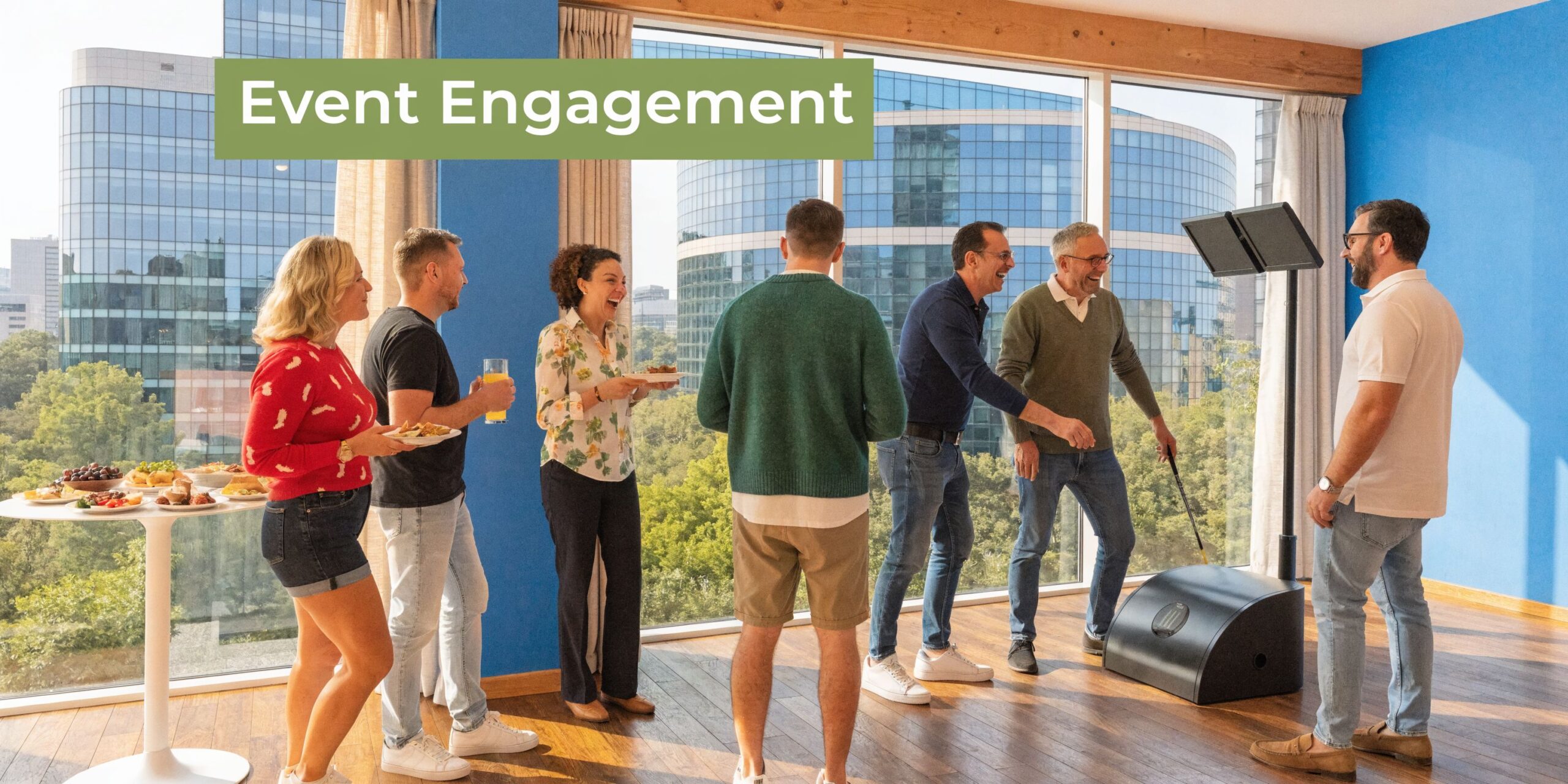
That broad appeal is one reason demand has accelerated. The UK golf simulator hire market has grown alongside the wider European segment, where the UK holds a 28% share. That segment was valued at approximately £450 million in 2024 and is projected to expand at an 11.2% CAGR through 2030, while the UK also recorded a 15% year-on-year increase in simulator-based golf participation in 2023 according to Pioneer Golf’s summary of European market analysis.
Why planners keep coming back to it
A simulator earns its space because it solves several event problems at once.
- It breaks the ice: Guests don’t need instructions beyond a quick briefing.
- It creates a visible crowd: Movement, competition, and reaction pull attention from across a room.
- It suits mixed audiences: Golfers enjoy the shot data. Non-golfers enjoy the challenge.
- It works indoors: That removes the weather risk that comes with outdoor golf activity.
Practical rule: If an attraction needs a long explanation before anyone joins in, it will struggle on a busy show floor.
It’s not only for golf events
At this point, planners sometimes hesitate. They assume golf simulator hire only fits sports audiences or golf brand activations. In practice, it often performs better at general business events because it gives people a low-pressure reason to engage.
At a conference drinks reception, it becomes a conversation starter. At a trade show, it can anchor a competition. At a staff party, it creates a focal point without forcing everyone into the same format.
That’s the shift many teams have made. They’re not hiring a simulator because they need “golf”. They’re hiring it because they need engagement that feels premium, accessible, and organised.
Unpacking the Experience Use Cases and Benefits for Every Occasion
The value of golf simulator hire changes depending on the brief. That’s why planners get better results when they define the outcome first and the game format second.
For exhibitions, the job is usually footfall and lead quality. For internal events, it’s interaction. For brand activations, it’s memory and shareability. The simulator can support all three, but not with the same setup.
Exhibitions and trade shows
On a show floor, a simulator works best when the format is quick and visible. Nearest the Pin, longest drive, and short challenge modes are usually easier to manage than full virtual rounds. They keep queues moving and give staff more chances to speak to prospects.
In the UK, golf simulator hire has produced 35% higher lead capture and 50% increased footfall at exhibitions, according to Fortune Business Insights market reporting referenced for the UK events context. Those gains make sense operationally. A live competition gives your team an opening line, a reason to collect details, and a natural follow-up after each attempt.
A stand-alone screen won’t do that. A challenge mechanic will.
For planners looking at broader corporate event planning, it helps to treat the simulator as part attraction, part conversation system. The best activations are designed around staff interaction, not just play time.
You can also compare it with other corporate event entertainment ideas to decide whether the event needs competition, spectacle, or high-volume throughput.
Conferences and networking events
At conferences, the simulator performs a different job. It gives people a structured way to gather without forcing awkward networking. That matters in large rooms where guests often stick to people they already know.
A good setup here has three qualities:
- Fast onboarding: A host explains the challenge in seconds.
- Clear viewing angle: Spectators can watch results without crowding the hitting area.
- Short dwell cycle: One player hits, others watch, then rotate.
That creates a natural rhythm. One person swings, another jokes about trying to beat the shot, and someone else starts a work conversation while waiting. The attraction becomes the social bridge.
Team-building and client hospitality
The reason golf simulator hire suits mixed corporate groups is simple. It rewards participation, not expertise. Strong golfers enjoy trying to top the leaderboard. Beginners usually enjoy the novelty and immediate feedback.
The 2012 London Olympics gave the category an early push in the events world. Simulator activations there drew 250,000 visitors, which was followed by 150% growth in nationwide hires by 2015 in the same source above. That history matters because it shows the format isn’t a passing novelty. It’s become a recognised event tool.
Don’t build the whole experience around serious golf. Build it around a simple challenge that serious golfers and first-timers can both enjoy.
Brand activations and product launches
For consumer-facing events, the simulator becomes part of the set. The enclosure, on-screen environment, leaderboard, and host script can all reinforce brand positioning. At this point, the attraction stops being only entertainment and starts acting like a brand experience.
What works:
- Short branded game loops that people can join mid-flow
- Visible scoring that encourages repeat attempts
- Staff prompts that connect gameplay to product messaging
What doesn’t work:
- Long game formats
- Overcomplicated sign-up steps
- Positioning the simulator where people can’t see others playing
The attraction has to feel alive from a distance. If it looks static, footfall drops.
Planning Your Space Technical and Logistical Requirements
Space is the first serious filter. A venue can be perfect on paper and still be wrong for a golf simulator if the hitting bay doesn’t allow a full, safe swing.
That’s why site checks matter early. Don’t wait until branding is approved and transport is booked before asking whether the ceiling is high enough.
The minimum space you should work from
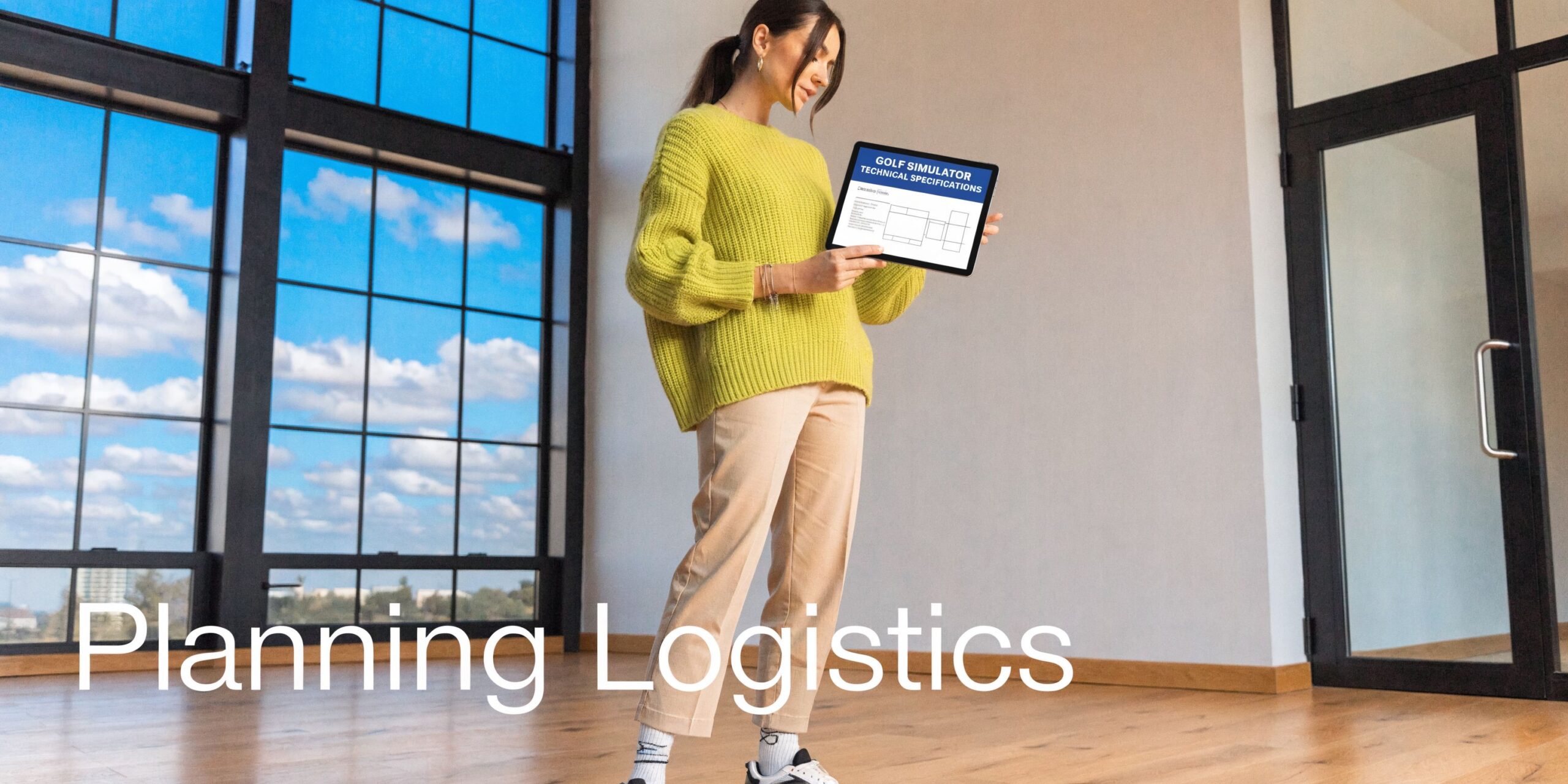
UK providers specify a minimum 5x4m floor space with 3.2m height clearance for a safe full-swing setup, and insufficient depth can cause post-swing collisions while low ceilings can reduce swing fluidity by up to 20%, based on TrackMan technical specifications and related guidance cited for simulator rooms.
Those figures line up with real event experience. If a room is tight, guests change their swing to protect themselves. Once that happens, the activity stops feeling natural. You don’t want players worrying about clipping a light fitting or backing into a wall after impact.
What to check on a venue plan
A venue plan rarely tells the whole story. Ceiling height might be quoted to the slab, not to the lowest obstruction. Pillars may sit just outside the proposed bay. Decorative lighting can interfere with club clearance.
Use this checklist before confirming the hire:
- Floor footprint: Confirm the full operating area, not just the enclosure size.
- Ceiling clearance: Check the lowest point, including rigging, ducts, beams, and chandeliers.
- Swing recovery space: Make sure there’s room behind and beside the player.
- Spectator flow: Leave space for queues, hosts, and viewing.
- Power access: Identify stable nearby power and cable routes that won’t create trip hazards.
- Access route: Measure loading doors, lifts, corridors, and any tight turns.
Different venues create different problems
An exhibition hall is usually generous on height and access, but timing is tight. You may get a narrow install window, strict loading rules, and fixed handover procedures.
A hotel ballroom often looks easier, but access can be harder. Carpets, decorative ceilings, low doorways, and guest traffic all add complexity. Historic venues can be even more restrictive because rigging points, wall fixings, and load routes may be limited.
Outdoor setups create another category of planning altogether. The simulator may be mobile, but electronics, screen visibility, and guest safety still depend on shelter and surface conditions. Waterproof enclosures help, but they don’t remove the need for a proper weather plan.
A venue saying “yes, it fits” isn’t enough. You need measurements, photos, and a confirmed access route.
Technical choices that affect the footprint
Not every simulator package uses the same hardware. A compact bay for quick play can suit one event, while a pro-style launch monitor and larger visual setup may suit another.
Look closely at:
| Requirement | Why it matters | Common mistake |
|---|---|---|
| Ceiling height | Prevents restricted swings | Measuring to the highest point, not the lowest |
| Bay depth | Protects the follow-through | Counting only screen-to-mat distance |
| Projection position | Affects image quality and safety | Ignoring projector throw and sight lines |
| Queue space | Keeps traffic away from the swing zone | Letting spectators stand behind the player |
A short visual overview helps teams understand what a professional bay needs in practice.
What works and what doesn’t
What works is a bay with clean access, clear sight lines, managed queueing, and enough overhead clearance for every likely participant. What doesn’t work is trying to force a simulator into a corner because the floorplan says there’s a spare rectangle there.
If the room is marginal, change the room or change the attraction. Don’t compromise the swing space to preserve a layout that was never realistic.
Decoding the Costs Golf Simulator Hire Pricing Explained
Pricing is where many buyers get frustrated. They can find consumer rates for fixed-site bays, and they can sometimes find overseas hourly offers, but that doesn’t help much when they’re trying to budget for a staffed corporate activation in the UK.
The market gap is real. Publicly visible pricing often doesn’t explain transport, staffing, setup complexity, branding, or venue restrictions. The only directly cited comparison point in the research is US consumer pricing of $49.99 per hour, which highlights how little UK-specific event pricing is published for planners who need package and ROI guidance, as noted by Golf Galaxy’s rental page and the documented market gap around UK pricing transparency.
What you’re actually paying for
A golf simulator hire quote isn’t just a hardware fee. It usually combines several operational elements into one number.
Here’s the simplest way to read a quote.
| Cost Factor | Description | Impact on Price |
|---|---|---|
| Equipment type | Sensor quality, screen system, projector, enclosure, software | Pro-grade systems increase cost |
| Hire duration | Half-day, full-day, evening, or multi-day activation | Longer hires usually add labour and support time |
| Branding | Screen graphics, enclosure wraps, leaderboards, digital assets | More customisation means more production work |
| Staffing | Technician, host, brand ambassador, queue manager | Additional staff raise the day rate |
| Venue access | Tight load-ins, upper floors, restricted install windows | Complex access increases labour time |
| Travel and logistics | Distance, parking, overnight stays, ferry or international freight | Remote or multi-site work costs more |
| Event format | Free-play, competition mode, data capture, reporting | Added functionality often requires more setup |
| Compliance paperwork | Venue-specific RAMS, insurance documents, induction admin | Specialist venues can add prep time |
The trade-offs behind the number
The cheapest quote isn’t always the lowest-risk option. If a supplier strips out on-site support, branding, or proper setup time to hit a budget, you may save upfront and lose value on the day.
A practical buying decision usually comes down to three questions:
- Will this format suit the event objective?
- Is the supplier pricing in the staff needed to run it properly?
- Have access, branding, and reporting been accounted for?
Those questions matter more than whether the proposal is labelled “premium” or “basic”.
Building a realistic budget
For UK event planning, it helps to build from the event requirement rather than asking for a generic price. Start with the venue, guest volume, event length, and whether the activity needs branding or lead capture.
A useful budgeting approach is:
Define the event use case
Exhibition stand traffic needs a different setup from an internal social event.Choose the experience level
Quick-play challenge, polished hospitality experience, or fully branded activation.Confirm operational support
Decide whether you need a technician only or active guest-facing staff.Add venue realities
Difficult access, long carry distances, or overnight security all affect cost.
If a quote looks unusually low, ask what has been left out. It’s often staffing time, branding production, or the labour needed for difficult venues.
What good pricing transparency looks like
A strong proposal should separate the parts you can control from the parts driven by venue and logistics. It should explain what’s included, what requires artwork approval, and what may change if access details change.
Planners should expect clarity on:
- Setup and pack-down responsibilities
- On-site staffing hours
- Branding deliverables
- Travel assumptions
- Any venue-specific compliance work
- Post-event reporting, if included
That transparency matters because golf simulator hire often sits beside other attractions in the budget. If you can’t see what’s driving the quote, you can’t compare value properly.
Maximising Impact Branding Customisation and Data Capture
A simulator should never look like a hired piece of equipment dropped into the middle of your event. It should look like part of the campaign.
That’s where branding choices make the difference between “something fun on the stand” and “an activation people remember afterwards”. The physical enclosure, the software environment, the leaderboard, and the host script all shape how the experience lands.
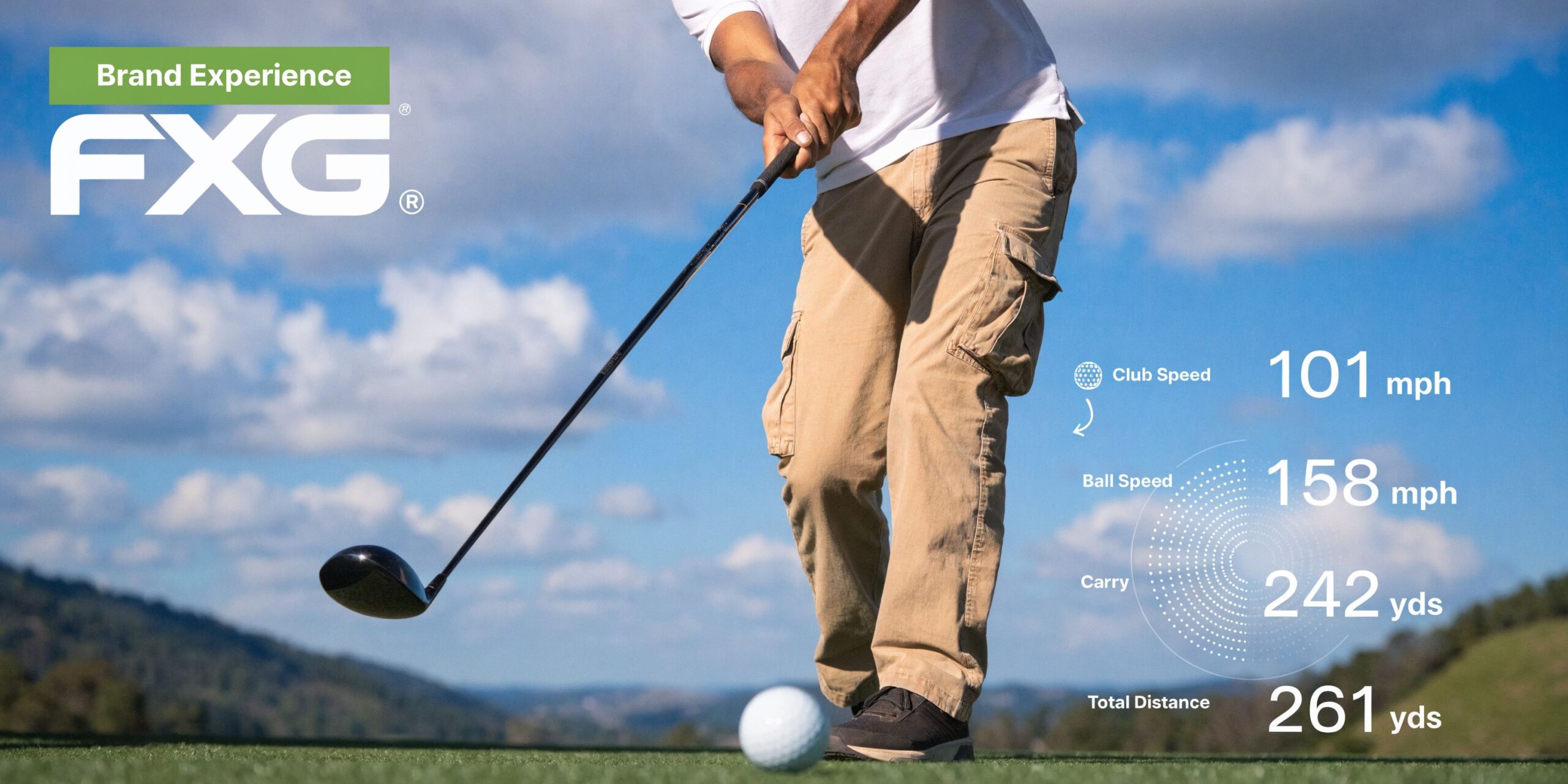
What to brand and what to leave alone
The strongest branded activations usually focus on the touchpoints guests notice most.
That often includes:
- The enclosure exterior: This is what people see first from distance.
- The digital start screen: Useful for campaign naming and sponsor presence.
- The leaderboard: Keeps the brand visible throughout the competition.
- Host messaging: Short verbal prompts can reinforce product or campaign themes.
What often goes wrong is over-branding the experience until the game becomes harder to understand. The challenge still has to feel simple. If players need too much explanation because the interface is cluttered, engagement drops.
Data capture has to feel natural
The attraction creates attention. The process around it determines whether that attention becomes a lead.
Good data capture in a golf simulator environment usually follows the guest journey. Register before the shot. Scan after the shot. Enter the leaderboard with a clear opt-in. Keep the form short enough that it doesn’t break momentum.
In this scenario, experiential teams often benefit from suppliers used to broader experiential marketing activations, because the simulator itself is only one part of the conversion path.
A practical sequence looks like this:
- Guest joins the challenge.
- Staff member explains the format.
- Contact details are collected with clear consent language.
- Score is recorded and displayed.
- Follow-up is tied to the competition or prize mechanic.
Multi-location campaigns need discipline
A key gap in existing content is practical guidance for multi-location deployments across the UK and Europe, especially around venue paperwork, insurance expectations, and operating standards at sites such as ExCeL London or Manchester Central, as highlighted in Offpar’s discussion of simulator deployment complexity.
That’s important because branded consistency tends to break down when activations move from one venue to another. One site has easy access. Another has strict induction rules. A third needs different power planning or revised RAMS.
The way to keep control is to standardise the things that should not change:
- Brand assets: One approved artwork pack.
- Game format: Same challenge rules and scoring logic.
- Staff briefing: Same guest journey and lead process.
- Compliance file: Venue-ready documentation adapted for each location.
A branded activation fails quietly when the operational file is weak. Guests may never see the paperwork problem, but they will see the late setup, missing assets, or confused staffing.
The commercial point
If the simulator only entertains, it has value. If it entertains and supports lead capture, campaign visibility, and consistent delivery across multiple venues, it becomes a much stronger event asset.
That’s the difference between hiring a game and building an activation.
Your Booking Blueprint Timeline Checklist and Staffing
Most golf simulator hires go wrong before event day. The issue is usually timing, approvals, or missing venue information, not the simulator itself.
A clean booking process removes most of that risk. The closer the event is to a major exhibition, conference, or multi-supplier build, the less room there is for assumptions.
A workable planning rhythm
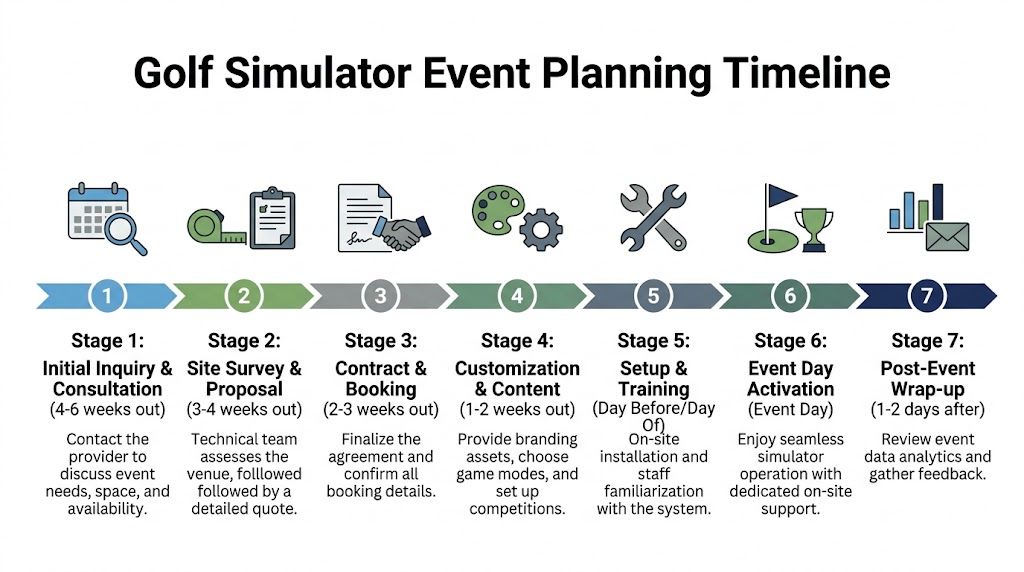
For larger events, early enquiry gives you the best chance of securing the right kit, the right staffing, and enough time for artwork and approvals. The exact lead time varies, but the sequence tends to stay consistent.
If your event also includes live competition elements beyond the simulator, a complete golf tournament planning guide is useful background reading because it helps frame participant flow, scoring, and guest experience.
A practical booking rhythm looks like this:
Initial enquiry
Confirm date, venue, audience type, and event objective.Site review
Check space, access, power, and likely queue positions.Proposal and scope confirmation
Lock in the equipment package, staffing, and any branding.Artwork and content sign-off
Approve digital assets, competition names, and data capture flow.Final operational check
Confirm loading times, contact numbers, venue paperwork, and run sheet.
The checklist that avoids last-minute problems
Before the event, make sure someone on your side has signed off each of these:
- Venue measurements confirmed: Not estimated, not assumed.
- Access instructions received: Loading bay, lift use, induction, and parking.
- Power location checked: With cable routes agreed.
- Brand files supplied: In the format requested by the supplier.
- Competition mechanic agreed: Longest drive, nearest the pin, or free play.
- Guest profile understood: Senior execs, exhibition visitors, families, or mixed audience.
- Duty contacts issued: Venue, organiser, supplier, and stand builder.
- Contingency discussed: Especially for outdoor events or tight install windows.
Why staffing matters more than planners think
A simulator with no active support can become slow, messy, and underused. Guests hesitate. Queues bunch up. Clubs get left in the wrong place. Nobody explains the challenge properly. That’s when the attraction starts looking harder to join than it really is.
Professional staffing solves that. A technician keeps the system running, manages safe use, and handles resets. A guest-facing host keeps the queue moving, explains the challenge, and maintains energy in the space.
For event teams reviewing suppliers, it’s also worth understanding broader thinking around staffing models and on-site roles. This guide to modern event staffing solutions is relevant because simulator success often depends on the people around the kit as much as the technology itself.
The insurance side matters too. For live corporate events, clients and venues usually want confidence that the operator is properly covered and paperwork-ready. That’s one reason many organisers prefer a turnkey supplier model rather than trying to assemble equipment, staffing, and compliance from separate sources.
One mention on supplier fit
For planners who need delivery, installation, staffing, branding, and venue paperwork handled together, PSW Events is one option in the UK market because it supplies simulator activations with on-site support and £10 million products, employee, and public liability insurance as part of its broader event operations offer.
Conclusion Measuring Success and Calculating Your Event ROI
The easiest mistake after an event is judging the simulator by atmosphere alone. A busy bay and a lively crowd are good signs, but they aren’t enough on their own. You need to connect activity to outcomes.
The cleanest way to do that is to review the activation across three layers.
First, look at engagement. How many people played, watched, queued, or came back for another attempt? If the simulator was used as a stand attraction, compare traffic during active play periods with quieter periods elsewhere on the event floor.
Second, review commercial value. Count qualified leads, competition sign-ups, meaningful sales conversations, and any follow-up actions linked to the activation. If your team used branded registration or leaderboard entry, this should be straightforward.
Third, capture operational learning. Did the format move quickly enough? Was the queue manageable? Did the event team feel the staffing level was right? Those answers matter because the same attraction can perform very differently depending on layout and management.
A simple ROI discussion with stakeholders should include:
- Lead quality
- Footfall impact
- Dwell time
- Brand visibility
- Guest feedback
- Sales team feedback
- Delivery quality on site
That last point is often overlooked. A simulator that starts on time, runs smoothly, and supports useful conversations has already done part of its job before the reporting begins.
Golf simulator hire works best when it’s treated as an event tool, not a novelty. If the brief is clear, the logistics are realistic, and the guest journey is well run, it can justify its place in the budget very quickly.
Frequently Asked Questions About Golf Simulator Hire
Do guests need to be golfers?
No. The strongest event formats are usually simple enough for complete beginners. Short challenges work better than full rounds for mixed groups.
Can a simulator be used outdoors?
Yes, but only with proper shelter and a realistic weather plan. The equipment, visibility, and guest safety all depend on the setup being protected.
How much venue space do I need?
Use the provider’s minimum operating footprint, not just the enclosure size. Ceiling clearance and safe follow-through space matter as much as width.
Is staffing necessary?
For most corporate events, yes. A staffed setup keeps the queue moving, helps guests take part confidently, and reduces the risk of downtime or unsafe use.
What’s the biggest planning mistake?
Assuming the simulator will “just fit” because the room looks large enough. Measure properly, check access properly, and confirm who is managing the attraction on the day.
Can it support lead capture?
Yes, if the registration and consent process is designed into the activation from the start. Keep it short, clear, and easy to complete without slowing the experience.