
You’re probably here because the standard event ideas aren’t enough.
You need something that stops people on a stand, gives a conference breakout area some life, or turns a corporate party from polite small talk into actual interaction. At the same time, you can’t afford the usual event-day problems. Equipment that arrives late. A footprint that doesn’t fit the venue. A queue that blocks the aisle. A supplier who talks a good game until the organiser asks for RAMS, PAT records and insurance.
That’s why racing simulator hire works so well when it’s planned properly. It gives guests a clear reason to take part, creates instant competition, and gives your team something measurable to build around. Done badly, it becomes an expensive visual prop. Done properly, it becomes the piece of the event people remember.
Why Racing Simulators Drive Unforgettable Events
Most live events have the same problem. You don’t need more content. You need a reason for people to stop, stay, and engage.
A racing simulator does that better than many passive attractions because it turns a guest from observer into participant within seconds. They sit down, grab the wheel, hear the crowd react to a lap time, and suddenly the stand or venue has energy. That’s useful at exhibitions, but it’s just as effective at staff events, hospitality suites, product launches and fan zones.
The wider market is moving in the same direction. The global racing simulator market is projected to reach USD 1,133.27 million by 2030, growing at a CAGR of 14.81% according to TechSci Research’s racing simulator market analysis. That matters for event planners because it shows this isn’t a niche novelty. Audience appetite for immersive motorsport-style experiences is growing, and expectations are rising with it.
The strongest activations usually combine three things:
- Instant understanding: People know what to do without a long briefing.
- Visible competition: Lap times, rankings and head-to-head formats pull in spectators.
- Brandable experience: Cars, screens, leaderboards and surrounding set build can all carry campaign messaging.
For brands running live engagement campaigns, this is why simulator installations often sit comfortably inside broader experiential marketing activations. They aren’t just entertainment. They’re participation engines.
Practical rule: If an attraction only works for the person using it, it won’t carry a busy event. Racing simulators work because the audience around the driver becomes part of the experience too.
That’s the difference. A guest may remember a giveaway for five minutes. They’ll remember setting a lap time in front of colleagues, clients or competitors for much longer.
First Steps Aligning Simulators With Your Event Goals
Before you choose rig style, screen type or software, get clear on what success looks like. Many hires go wrong at this stage. The brief starts with “we want an F1 simulator”, when the actual requirement is “we need to create dwell time on a stand” or “we need an evening activity everyone can join without feeling excluded”.
A good brief is built around outcomes, not hardware.
If you’re looking at simulator hire options for events, start by deciding which of these situations sounds most like yours.
Trade shows and exhibitions
At exhibitions, the simulator usually has one job. Bring people in and keep them there long enough for your team to start useful conversations.
That changes the setup completely. You often want fast driver turnover, a visible leaderboard, and a format that works even when the hall is noisy. The best exhibition activations also separate the driving moment from the data capture moment. If you try to collect too much information before someone gets in the seat, you create friction and lose footfall.
Useful questions to ask:
- How many people do you realistically want to process each hour?
- Do you need lead capture built into registration, leaderboard entry, or prize redemption?
- Will the attraction sit on an open stand edge or within an enclosed meeting space?
A trade show simulator should feel inviting, not intimidating. That usually means short hot-lap sessions instead of long races.
Team building and internal events
For internal events, the target isn’t usually raw volume. It’s participation across a mixed group.
That means you need to think about confidence levels, not just spectacle. A room full of motor racing fans will jump straight in. A mixed sales, finance and leadership team won’t. In that setting, networked competitions, timed challenges by table or department, and staff who actively coach nervous guests matter more than pure realism.
A simulator can support team building well when the format includes:
- A simple scoring system that anyone can understand.
- A host or operator who keeps rounds moving and explains what’s happening.
- An achievable challenge so beginners don’t feel they’re failing publicly.
Guests don’t need to love motorsport to enjoy a simulator. They need a format that lets them join in without feeling judged.
Private parties and hospitality
Private clients often prioritise impression and entertainment value over data capture. The questions here are different. How much wow factor do you want? Will children and adults both use the attraction? Is the simulator part of the main entertainment or one feature among several?
For hospitality, pacing matters. A single premium rig can work beautifully when guests rotate through with a host building atmosphere around it. For large private celebrations, multiple rigs or a tournament format usually keep the experience from becoming a bottleneck.
The brief that actually helps your supplier
When a client gives a useful simulator brief, it tends to include these details:
| What to define | Why it matters |
|---|---|
| Event type | Exhibition, conference, party, hospitality and internal events all need different formats |
| Audience mix | Experienced drivers, total beginners, mixed ages and VIP guests need different levels of support |
| Success measure | Leads, dwell time, entertainment, team interaction or brand impact |
| Venue constraints | Load-in route, ceiling height, floor surface, power and access times shape what’s possible |
| Session style | Fast hot laps, head-to-head play, free drive, hosted competition or all-day open use |
The better your answers, the better the proposal you’ll get back. That usually saves money too, because you’re less likely to hire a setup that looks impressive in a brochure but doesn’t suit the live environment.
Selecting Your Simulator From Static Rigs to Full Motion
Not all simulators are right for all events. Some are built for throughput. Some are built for realism. Some look stunning in a hospitality suite but are the wrong fit for a busy exhibition aisle.
That’s why the right question isn’t “what’s the best simulator?” It’s “what will work best with this audience, this venue and this event objective?”
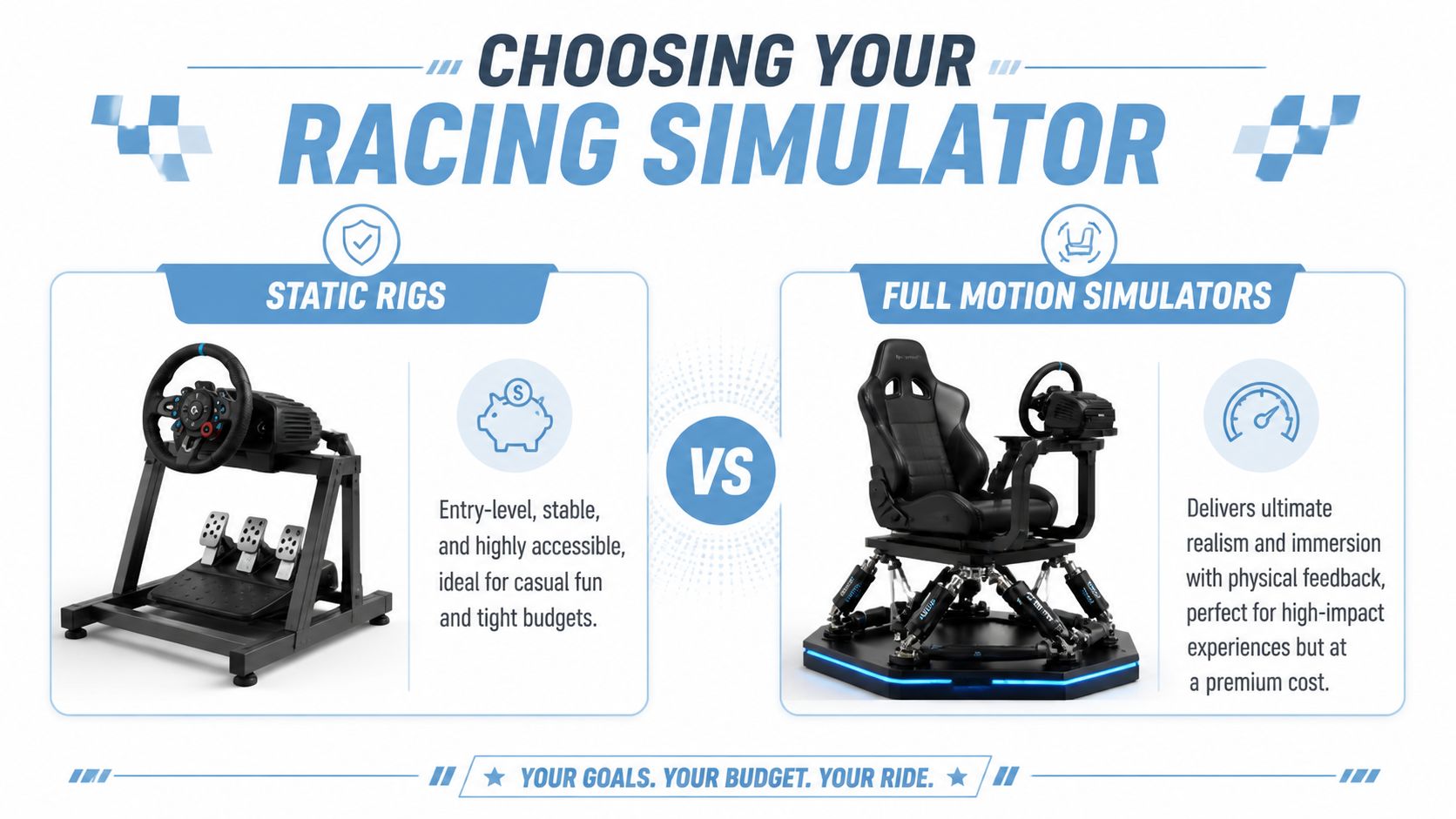
Static rigs for volume and simplicity
A static rig gives guests the steering wheel, pedals, race seat and visual immersion without a moving platform underneath. For many events, that’s the smartest choice.
Static setups are usually easier to position, easier to brief, and easier to run continuously over a long day. They also tend to be less intimidating for new users. At a trade show or public activation where you want a broad mix of people to have a go, that matters more than technical purity.
Static rigs usually suit:
- High-footfall exhibitions where turnover matters
- Mixed audience events with complete beginners
- Venues with tighter access constraints
- Budgets focused on multiple driving positions rather than one hero feature
The main trade-off is obvious. They don’t deliver physical motion cues, so the experience is less dramatic for seasoned sim racers or motorsport fans.
Full motion simulators for impact
A full motion simulator adds physical movement to the experience. The seat and platform respond to braking, cornering, kerb strikes and surface changes, which creates a far more theatrical moment on the event floor.
That extra impact is valuable when the simulator is meant to be a centrepiece. Product launches, VIP hospitality, premium brand activations and motorsport-themed events often benefit from motion because spectators can see that the experience is more than a standard gaming seat.
But motion brings practical implications too:
| Consideration | Static rig | Full motion simulator |
|---|---|---|
| Throughput | Usually higher | Usually lower |
| Spectacle | Moderate | High |
| Beginner accessibility | Strong | Good, but some guests need reassurance |
| Space planning | Simpler | More demanding |
| Logistics | Easier | Heavier, more technical setup |
If the event needs people through the seat quickly, full motion can slow you down. If the event needs a hero attraction that signals premium quality, it can be the right call.
The biggest mistake is hiring motion because it sounds impressive, then discovering the queue moves too slowly for the event format.
GT seating or F1 seating
Clients often ask whether they should hire a GT-style simulator or an F1-style simulator. The answer depends on comfort, branding and audience expectation.
GT-style rigs are easier to enter and exit. The seating position feels more familiar, which helps with broad participation. They’re often the safer choice for mixed groups, especially when guests are in business attire or moving in and out quickly.
F1-style rigs create a stronger visual statement. The low seating position immediately says motorsport, and for some campaigns that’s exactly what you want. The trade-off is access. They can be less convenient for older guests, those with mobility concerns, or anyone who doesn’t want to lower themselves into a tight cockpit in front of a crowd.
Triple screens or VR
In event environments, triple-screen setups usually outperform VR.
Triple screens are easier for spectators to watch, easier for operators to supervise, and better suited to branded overlays, live timing and public leaderboards. They also reduce some of the friction that VR can introduce, such as headset hygiene, fit adjustment and guests feeling cut off from the room.
VR has its place. It can deliver strong personal immersion in quieter settings or specialist experiences. But for many corporate events, the attraction needs to be social, visible and operationally smooth. Triple screens tend to win on those fronts.
Software matters more than many planners realise
Hardware gets attention, but software often decides whether guests care.
Recognisable platforms and familiar motorsport formats increase participation because they lower the barrier to entry. Enthusiasts in particular respond to software they already know. One useful signal is that iRacing’s Daytona 24 event in January 2025 attracted nearly 16,000 participants, showing the pull that established competitive racing platforms have among sim racing audiences. In event terms, that tells you recognisable racing ecosystems can create stronger buy-in than generic driving games.
For a corporate event, though, realism isn’t everything. You need software that supports the format. Session reset speed, reliability, car choice, track familiarity and leaderboard integration often matter more than ultimate simulation depth.
A practical selection process usually comes down to this:
- Choose static when you need throughput, broad appeal and simpler logistics.
- Choose motion when the simulator is the headline feature and visual impact matters most.
- Choose GT seating for accessibility.
- Choose F1 seating when style and motorsport identity outweigh ease of access.
- Choose screens for public events.
- Choose software based on audience fit and operational smoothness, not just enthusiast credibility.
That combination is what makes a racing simulator hire package feel right on the day, rather than just impressive on paper.
The Practical Details Space Power Branding and Staffing
This is the part that decides whether the event feels polished or stressful.
A simulator may only occupy one part of the floorplan, but it affects much more than the footprint of the rig itself. You need room for setup, operator access, guest circulation, waiting players, spectators, cables, branding, and the inevitable cluster of people watching a fast lap unfold.
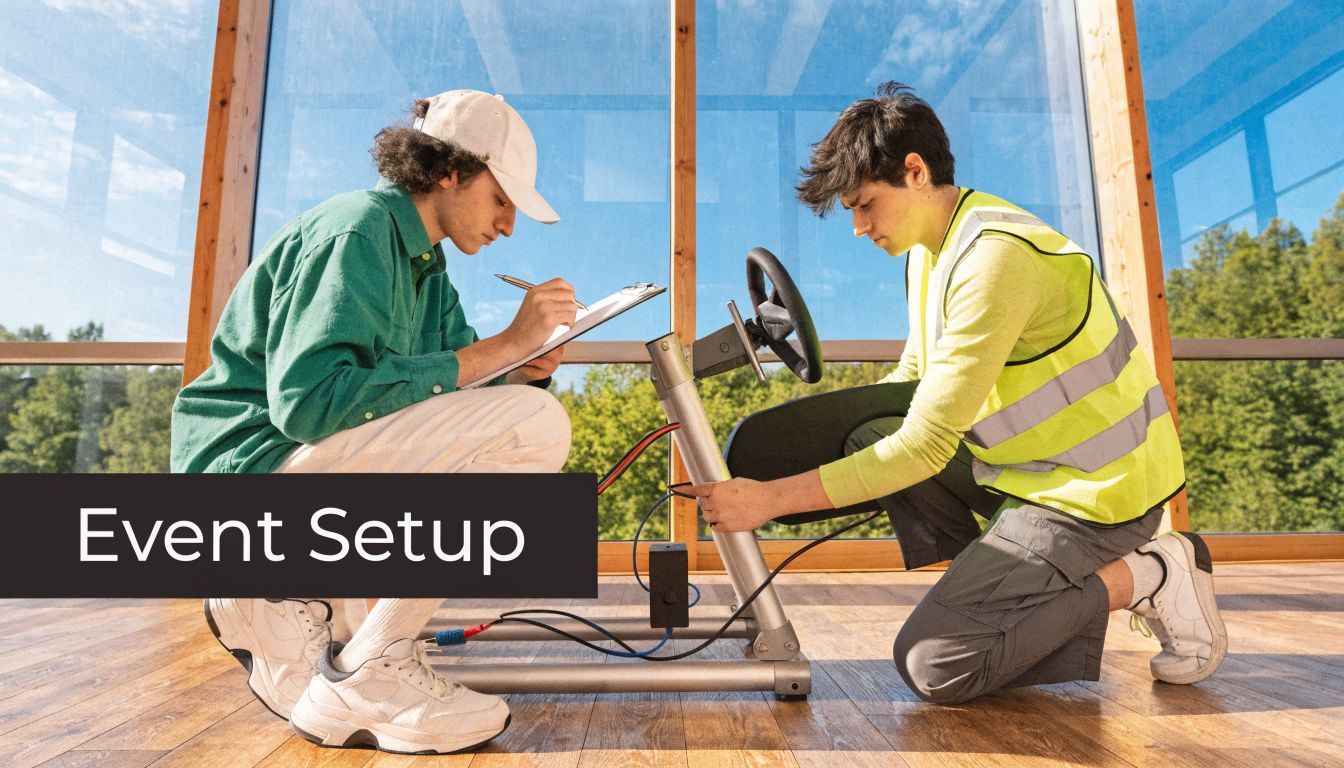
Space planning that works in the real world
On paper, a rig can look compact. On a live event floor, it rarely is.
The footprint needs to include practical clearance around the unit. If the simulator sits too close to a stand wall, an operator can’t support the driver properly. If the queue forms into an aisle, you create a compliance problem and annoy the organiser. If there’s no viewing angle for screens, the attraction loses much of its pull.
When planning space, think in layers:
- The rig area where the equipment sits
- The operator zone for resets, guest assistance and troubleshooting
- The queue line so waiting guests don’t drift into traffic routes
- The spectator edge where people can stop and watch without blocking movement
For exhibitions, I’d always rather see one well-positioned simulator than two crammed awkwardly into a stand. Crowding kills the effect.
Power and resilience
Simulators need stable power. That sounds obvious, but event power planning is often treated as an afterthought until something trips, a screen drops out, or an extension run becomes a cable-management headache.
Ask your supplier early what the setup draws, what circuits are required, and whether the venue’s temporary power plan can support the installation cleanly. If you’re building a longer activation, or working in a venue where power quality has caused issues before, it’s worth understanding backup options too. Facilities teams comparing continuity options will find these comprehensive UPS reviews helpful for understanding how uninterrupted power support is assessed in practice.
A simulator failure during peak footfall is never just a technical issue. It becomes a crowd issue, a brand issue and a schedule issue.
Access and load-in
Many venue issues appear before a single lap is driven.
Check the loading bay route. Check door widths. Check goods lift access. Check build times, vehicle restrictions and whether the venue requires floor protection. If the rig is travelling to an upper level or through a complex back-of-house route, that needs confirming in advance, not during the crew call.
A practical pre-event checklist should include:
- Venue access times and whether early arrival is required
- Loading path details including ramps, lifts and narrow turns
- Flooring type so the supplier can protect sensitive surfaces
- Internet requirements if software, registration or live leaderboards depend on connectivity
Branding that earns its place
A simulator can carry branding in more places than most clients expect. Seat shells, body panels, monitor surrounds, backdrops, on-screen graphics and leaderboard environments can all reinforce the campaign.
The key is restraint. Too much visual clutter makes the setup look cheap. Good branding frames the experience. It shouldn’t make the screens harder to read or the driving position feel like a sticker board.
Strong branded treatments often include:
| Branding element | Best use |
|---|---|
| Chassis graphics | Core sponsor or campaign identity |
| Screen overlays | Session prompts, lap timing, call to action |
| Leaderboard design | Name capture and competitive tension |
| Backdrop or stage set | Visibility from a distance |
| Staff uniforming | Makes the whole activation feel joined up |
Staffing is where smooth delivery happens
Even the best hardware struggles without the right crew. Guests need inviting in, briefings need keeping short, sessions need resetting quickly, and someone needs to manage the queue with confidence.
That’s why event teams often pair simulator installations with dedicated event staffing solutions. The staff on a simulator shouldn’t just be technically competent. They need to host, reassure, pace and represent the brand. For corporate events, that interpersonal layer often matters as much as the equipment itself.
One option in the market is PSW Events, which provides simulator delivery, setup, branding, logistics and on-site staffing as part of a turnkey event service. That model tends to suit organisers who don’t want to coordinate separate technical, creative and operational suppliers.
The practical details aren’t glamorous, but they’re what stop event day disasters before they start.
Budgeting Contracts and Measuring Event ROI
At 8:30am on event day, budget mistakes show up fast. The rig is on site, the venue has opened, and someone discovers the quote did not include early access labour, branded overlays, or enough crew to keep the queue moving. That is how a simulator hire that looked good on paper starts missing its job.
Budgeting a racing simulator properly means pricing the full activation, not just the hardware. In the UK, the final figure usually shifts based on rig type, hire length, staffing model, branding, transport, access restrictions, and how hard the venue makes the install. A static setup for a staff party is one job. A branded, lead-generating exhibition feature with hosted competition mechanics is another.

Clients often ask for a day rate first. Fair enough. But a better budgeting question is what the activation needs to produce in return, and what has to be included to get that result safely and reliably in a UK venue.
What pushes the quote up or down
Two simulator hires can look nearly identical in photos and still be priced very differently once the delivery plan is written.
The usual cost drivers are:
- Rig type: Static, motion, single-seat and multi-rig formats all change transport, setup time and operator requirement.
- Hire period: A single evening booking is simpler than a two or three day exhibition where equipment stays live for long public hours.
- Operating model: Self-serve setups cost less, but staffed and hosted formats usually perform better because sessions turn over faster and guests get involved sooner.
- Branding: Chassis wraps, screen graphics, leaderboard styling and sponsor integration all add design, production and fit time.
- Logistics: Distance, loading access, stairs, restricted dock times, security checks and overnight storage all affect labour and vehicle planning.
- Venue rules: Some sites require specific build windows, protection measures, method statements, or supplier sign-in processes that add time and cost.
One practical tip from live delivery. Cheap quotes often leave out the awkward parts. Check whether the price includes setup, de-rig, operator breaks, out-of-hours access, standby technical support, and what happens if the venue delays the build.
Measure ROI before you approve the spend
A simulator is rarely bought for entertainment alone. It is usually expected to pull a crowd, hold attention, create conversations, collect details, reward sponsors, or give internal guests a shared competitive moment.
That means ROI should be set before the booking is signed off.
For exhibitions and brand activations, the useful measures tend to be straightforward:
Footfall to the stand
A simulator can create visible energy from a distance. People notice a live leaderboard, a queue, a near miss on the final corner, or a fast lap being challenged. If stand traffic matters, judge the hire on whether it increases qualified visitors, not whether a few people said it looked impressive.
Dwell time with the right audience
More time on stand usually gives sales teams more room to talk, qualify, and book follow-up conversations. Short sessions help here. Five strong minutes with a clear reset often outperform long drives that clog the queue and reduce turnover.
Data capture quality
Leaderboards and prize mechanics can help collect names and contact details, but only if the data process is clear and lawful. Ask how entries are captured, who owns the data, and how GDPR wording will be displayed. A busy activation that collects unusable data is a wasted opportunity.
Content and sponsor value
Good simulator installs generate photos, reactions, rivalry, and branded moments people want to share. That value is higher when branding is visible in the right places, staff prompt participation confidently, and the competition format gives guests a reason to come back with colleagues.
I usually advise clients to pick two primary KPIs and one secondary one. For example: qualified leads and dwell time first, social content second. That keeps the format focused and stops the activation trying to do everything badly.
Contract points worth checking
Most contract problems are predictable. They come from assumptions that were never written down.
| Contract area | What to confirm |
|---|---|
| Inclusions | Delivery, setup, staffing, de-rig, branding, software, screens, barriers and consumables |
| Timing | Build window, live hours, rehearsal time, breakdown schedule and overtime charges |
| Liability | Damage responsibility, supervision rules, insurance levels and venue-specific obligations |
| Cancellation | Notice periods, deposit position and what happens to custom branding costs already committed |
| Support | Who fixes faults on site, response times, backup equipment position and escalation contact |
| Data use | Who controls captured data, what consent wording is used and how records are exported |
Security planning also affects cost and risk more than many organisers expect, particularly at public exhibitions or evening hospitality events. The Overton Security event planning resources are a useful reference point if the activation will attract queues, valuables, or open public access.
A short visual example can help when explaining value internally:
Build the business case around outcomes
Strong approval documents stay close to the event objective. If the event is sales-led, present the simulator as a tool for lead capture, dwell time and repeat engagement. If the event is internal, focus on participation, morale and shared experience. If it is hospitality, show how the feature gives guests something active to do instead of another passive branding display.
That is also where an experienced delivery partner earns their fee. Teams like PSW Events are usually brought in to cost the activation against the outcome, not just supply a rig. That approach protects budget, improves guest flow, and reduces the chance of paying for features that look good in a proposal but do little on the day.
Ensuring a Flawless Event Delivery and Safety Compliance
Doors open in 20 minutes. The stand is busy, the organiser is doing final checks, and someone asks for the simulator risk assessment, PAT records, and insurance certificate. If your supplier has to hunt through emails or call the office, you have a problem before the first guest sits down.
That is why delivery planning matters as much as the simulator itself. In UK venues, racing simulator hire is usually treated as an interactive installation with electrical equipment, trip risks, public use, and supervision requirements. Exhibition halls, hotels, race circuits, and corporate offices all apply this differently, but they all expect the same basic standard. Paperwork needs to be ready, the setup needs to match the approved plan, and the attraction needs to be operated by people who know what they are doing.
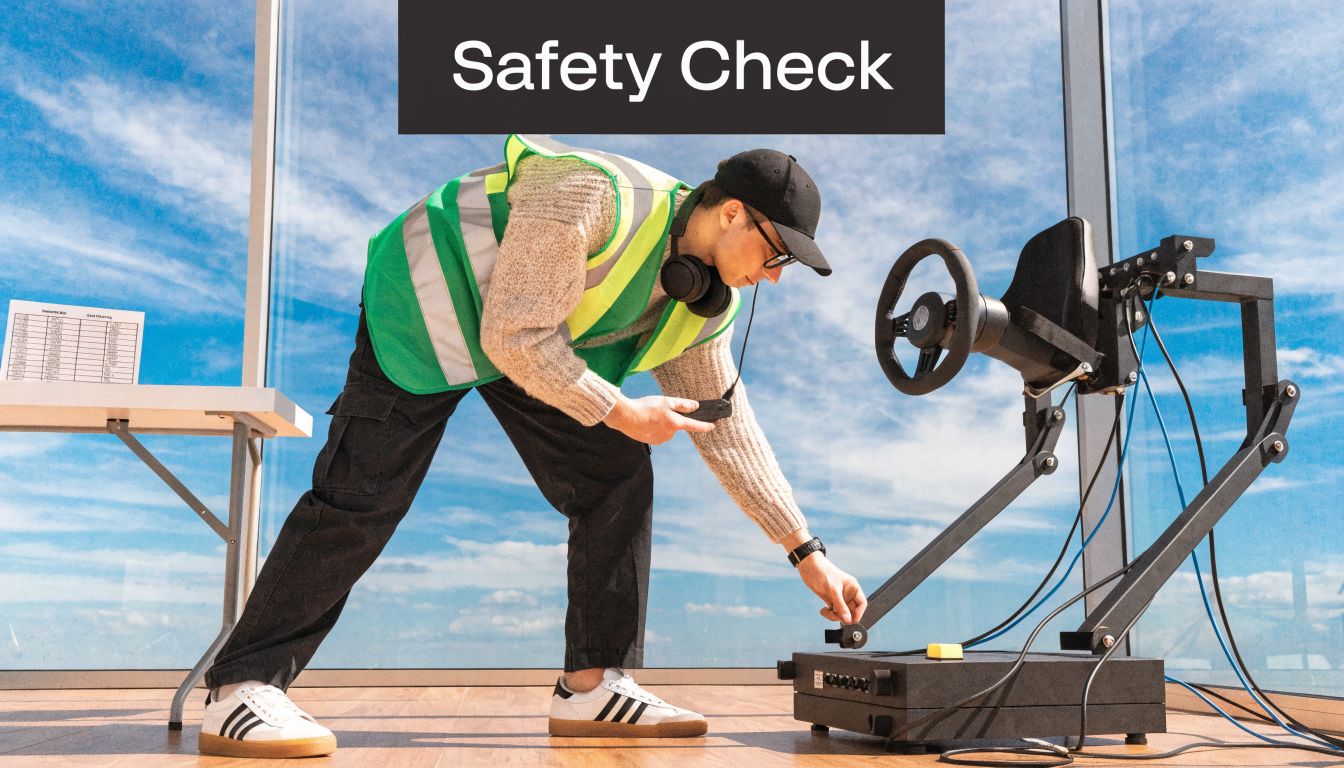
The quickest way to judge a supplier is simple. Ask for the compliance pack early, not the day before build. A capable team will send it over quickly and will understand venue approval language without needing it translated.
The documents you should ask for
For a UK event, I would expect a simulator provider to supply:
- Public liability insurance at the level your venue requires
- PAT testing records for powered equipment brought on site
- Risk assessment and RAMS written for the actual event, not a generic template
- Method statement covering load-in, setup, operation, and breakdown
- Technical specifications for screens, rigs, power draw, and footprint
- Operator guidance for guest use, supervision, and fault handling
Motion simulators need a stricter review. They introduce more moving parts, a stronger duty to brief guests properly, and a higher chance of venue questions about exclusion zones, stability, and user suitability. They can be worth it for impact, but only when the venue, audience, and staffing plan support them.
Where event days usually go wrong
The failures are rarely dramatic. They are usually small operational misses that stack up.
A cable route gets changed during build and creates a queue pinch point. A stand team member is left to supervise the rig without knowing how to reset the software. A venue manager asks for insurance documents and receives the wrong file. A guest with limited mobility reaches the attraction and nobody has planned how to assist safely. None of this looks serious in a proposal. All of it matters on site.
This is one reason I usually recommend a fully managed hire rather than splitting supply, setup, and staffing across separate parties. It may look cheaper to source hardware from one company and ask venue crew or brand staff to cover the rest. In practice, that approach creates blurred responsibility at exactly the point you need clear ownership. One supplier should own install, testing, operation, and pack-down.
Event-day checks before guests arrive
Before doors open, confirm these points on the floor:
- The simulator is set in the approved position with enough clearance for access, viewing, and safe operator movement.
- Cables are taped or ramped correctly and do not cut across exits, aisles, or registration flow.
- Seats, pedals, wheel mounts, and screens are secure and have been tested under live use.
- The game format is loaded and locked so guests are not delayed by menus, updates, or accidental setting changes.
- Staff know the guest briefing including age guidance, safe entry and exit, and what to do if a participant feels unwell.
- The paperwork is available on site if the organiser, venue, or insurer asks to see it.
I also advise clients to check power in practice, not just on a floorplan. A socket can exist in the right place and still be on the wrong circuit, shared with other stand kit, or controlled by the venue at times you did not expect. Testing this during build saves a lot of stress later.
Safety is wider than the simulator
Crowd control, valuables, and open public access can raise the risk level around an activation even if the rig itself is set up correctly. If the event is likely to draw queues, VIP attendance, or evening footfall, the Overton Security event planning resources are useful background reading alongside your simulator planning.
From a producer's point of view, the best event delivery feels calm. The rig arrives on time, the documents are approved, the staff run the format properly, and guests enjoy the experience without hold-ups or avoidable interruptions. That is what safe delivery looks like in practice, and it is usually what protects ROI as well.
Racing Simulator Hire FAQs
How far in advance should I book racing simulator hire?
Earlier is better, especially if your event lands in exhibition season or you need custom branding. A straightforward one-day hire can sometimes be arranged on a tighter timeline, but the moment you add bespoke graphics, complex venue access, or multiple rigs, lead time becomes more important.
If the event is at a major venue, book early enough to allow for paperwork review and venue liaison. That part often takes longer than clients expect.
Can simulators work for people who have never played a racing game?
Yes, if the format is right.
Beginners don’t need a technical motorsport briefing. They need a short introduction, a stable setup, and a session length that lets them finish on a positive note. This is why event formats matter so much. A hot-lap challenge with staff support is usually more welcoming than throwing guests into a long competitive race.
Are racing simulators suitable for exhibitions and conferences?
They can be one of the most effective interactive features in those settings, but only when the flow is designed properly. The key is balancing attraction value with operational efficiency.
For a busy exhibition stand, focus on quick turnover, strong visibility and a clear queue plan. For a conference breakout area, you may have more freedom to create a richer hosted experience.
Do I need internet on site?
Sometimes yes, sometimes no.
Some simulator experiences can run locally without issue, while others may depend on online services, live updates or integrated competition features. Don’t assume venue Wi-Fi will be adequate. If internet matters to the activation, ask the supplier exactly what connection standard is required and who is responsible for providing it.
What’s the difference between dry hire and a staffed hire?
Dry hire means the equipment is supplied without ongoing on-site operational staff. That can work for controlled settings with experienced in-house technical support.
A staffed hire includes people to install, operate, brief guests and manage the experience during live hours. For most public-facing corporate events, staffed hire is the safer route because it protects uptime, guest flow and compliance.
Can children use a racing simulator?
Often yes, but it depends on the rig, seating position, pedal adjustment and event supervision rules. Not every simulator is equally suitable for younger users.
If the audience includes families, mention that at briefing stage. The supplier can then recommend equipment and running formats that suit a broader age range.
How many simulators should I hire?
That depends less on ambition and more on throughput.
One premium rig can be enough for hospitality, a launch event or a private party where the simulator is part of a wider entertainment mix. For high-footfall exhibitions, one rig may create a queue that’s too slow-moving unless sessions are tightly managed. The answer sits in the event objective, available space and expected audience volume.
What should I send a supplier to get an accurate quote?
The more specific you are, the better the quote will be. Useful information includes:
- Event date and live hours
- Venue name and city
- Ground floor or upper level access
- Indoor or outdoor setting
- Audience type
- Whether branding is required
- Whether you need staff on site
- Your goal for the activation
A vague brief usually leads to a vague proposal. A clear brief leads to better recommendations and fewer surprises.
Can the simulator be branded to our campaign?
Usually yes. Branding can often be applied to the simulator bodywork, screens, leaderboard visuals and surrounding set elements. The best branded activations feel integrated rather than overdecorated.
If branding is central to the activation, ask to see examples of what can be customised and what artwork specifications are needed.
What’s the most common mistake clients make?
Choosing based on appearance alone.
A simulator can look fantastic in a render and still be wrong for the event. The common errors are underestimating space, forgetting queue management, overlooking power and venue access, and treating staffing as optional. The smoothest events start with practical questions, not glamour shots.
If you’re planning a live activation and want the simulator to do more than just look good, build the brief around outcomes, logistics and compliance from day one. That’s what turns racing simulator hire into a proper event tool rather than a novelty.