
You've booked a busy exhibition stand, the simulator is due to run all day, and the first guests are already forming a queue. The steering wheel is the part everyone reaches for first. If it feels loose, toy-like or awkwardly mounted, the whole experience feels cheaper. If it responds cleanly and fits the driver, guests understand the attraction within seconds.
That makes the racing simulator steering wheel more than a gaming accessory. It's the main physical interface between your brand and the participant, influencing confidence, session speed, perceived quality and repeat interest. For UK events, the right choice also needs to survive frequent handling, quick resets, cleaning, venue restrictions and a wide range of drivers.
Introduction to Racing Simulator Steering Wheels at Events
At a corporate activation, guests rarely arrive with the same level of driving experience. One person may have used a simulator before, another may only know racing games from a controller, and someone else may be nervous about making a mistake in front of colleagues. The steering wheel has to communicate what to do without a long explanation.
A vague wheel with weak or confusing feedback makes the simulator feel disconnected from the screen. A well-calibrated wheel gives the driver an immediate physical reference. They turn it, feel resistance build, correct a slide and begin to understand the virtual car through their hands.

The exhibition stand test
Suppose your stand is busy at ExCeL London. The operator needs to seat a guest, explain the controls, start the race, manage the queue and prepare the rig for the next participant. A wheel that requires awkward menus, frequent recalibration or careful repositioning slows the entire flow.
A public-facing setup needs to answer practical questions quickly:
- Can a first-time user understand it? Controls should feel familiar and clearly positioned.
- Will it stay fixed? Wobble makes steering harder and can damage the desk or cockpit mount.
- Can staff reset it quickly? The next guest shouldn't wait while an operator solves a settings problem.
- Can it be cleaned safely? Grips and buttons receive repeated contact throughout the day.
- Can different participants use it comfortably? Rim size, seating position and torque affect access and fatigue.
Practical rule: Specify the experience first, then select the wheel specification that supports it. A public activation rarely needs the same priorities as a private enthusiast rig.
This guide moves from the feel created by force feedback to wheel types, mounting, maintenance, accessibility, branding and measurement. By the end, you'll be able to brief a hire supplier with useful requirements rather than asking for “the most realistic wheel”.
How a Racing Simulator Steering Wheel Creates Realism
A real car communicates through the steering system. As the front tyres load up in a corner, the wheel becomes heavier. As grip falls away, the effort and direction can change. A simulator's force feedback attempts to recreate that information rather than adding random shaking.
Start with the force, not the vibration
The wheelbase motor should reproduce front-axle steering torque, the load that the front tyres would transmit through the steering rack. That distinction matters because vibration alone can feel dramatic without telling the driver anything useful. Torque fidelity gives the participant information about tyre load, grip and the progression from understeer to oversteer, as described in this technical explanation of force feedback.
A useful sequence looks like this:
- The car loads its front tyres. The wheel becomes more resistant as cornering forces build.
- The front tyres lose grip. Steering effort can reduce, helping the driver recognise understeer.
- The car rotates or slides. The wheel may pull to one side as the slip angle changes.
- The driver corrects. Clear, smooth feedback helps the participant respond instead of guessing.

Translating the specifications
Torque is commonly expressed in Newton metres, or Nm. You can treat the figure as an indication of how much turning force the system can deliver, but it isn't a complete measure of quality. A higher figure may produce stronger effects, while a well-tuned lower-torque wheel can still give a beginner a clear and enjoyable experience.
UK hardware examples range from mainstream systems such as the Logitech G923, specified at 2.3 Nm of TRUEFORCE feedback in its UK product information, to consumer direct-drive systems commonly positioned around 5.5 Nm. Professional-grade UK-market units are advertised at around 26 to 27 Nm at the top end. Those figures come with practical consequences. More torque increases physical load, so event operators need solid mounting, sensible calibration and safety guidance.
Rotation is measured in degrees. A wheel with a 900° steering range, such as the Thrustmaster TMX listed by Overclockers UK, can turn through a broad arc that resembles real-car steering geometry. A narrower formula-style wheel may suit a particular racing position, while a rounder rim usually feels more intuitive for mixed driving content.
Why the rim itself matters
A wheel rim isn't just a decorative shell. Rotational inertia affects how quickly it responds to small force changes, while rigidity determines how much motor torque reaches the driver instead of being lost through flex.
UK-sold premium examples include a carbon-fibre rim weighing 1,030 g with a 309 mm diameter, and another weighing 1,300 g with a 290 mm diameter, with a carbon-fibre front plate, aluminium rear structure, 118 RGB LEDs and 60 physical inputs, according to this UK product specification. For events, the practical benefit of many controls is faster access to settings such as brake bias or traction control without forcing the guest into menus.
Types of Racing Simulator Steering Wheels Compared
At a busy UK hire event, a wheel may run for hours, serve drivers with very different abilities and need a quick wipe and reset between turns. The best choice therefore depends on consistent feedback, secure operation, serviceability and sensible cost, not torque figures alone.
Gear-driven wheels pass motor force through mechanical gears. They are common in entry-level packages and offer an accessible introduction to force feedback. The mechanism can feel more mechanical, with audible operation that may matter in a quiet exhibition or meeting space.
Belt-driven wheels use a belt to soften and spread the motor's output. The result is generally smoother than a gear-driven system, making this type useful when an organiser wants a clearer sense of grip and movement without selecting the highest-cost equipment.
Direct-drive wheels connect the rim directly to the motor. With no gear or belt between them, small changes in the simulation can reach the driver quickly and with considerable detail. That responsiveness brings higher mounting and safety demands. For mixed-skill guests, the force-feedback level must be configured so the wheel feels informative rather than physically intimidating.
The overlooked middle tier
UK buyers often face a gap between low-cost beginner packages and enthusiast direct-drive equipment. Recent UK-focused coverage places budget non-direct-drive wheels around £170 to £300, while entry direct-drive options sit around £529 to £849, as outlined in this UK racing-wheel buying guide.
For corporate hire, the mid-priced direct-drive tier can provide convincing feedback without the demands of professional-level torque. It may also be easier to standardise across repeated activations, where predictable calibration, rapid guest changeovers and comfortable use matter more than maximum output. A lower-force belt-driven unit can still be the better fit for younger visitors, compact stands or a programme focused on short, accessible sessions.
| Wheel Type | Realism and Torque | Typical UK Price Band | Best Event Use |
|---|---|---|---|
| Gear-driven | Basic force feedback, with a more mechanical feel | £170 to £300 | Beginner-friendly games, compact stands and short activations |
| Belt-driven | Smoother force delivery and a balanced experience | Varies by package | Corporate events needing refined feedback without maximum torque |
| Entry direct-drive | Clear, immediate torque in a mid-priced category | £529 to £849 | Public activations, portable rigs and mixed-skill audiences |
| Professional direct-drive | Very strong, detailed torque with higher mounting demands | Premium pricing varies | Specialist showcases, experienced drivers and controlled demonstrations |
The UK racing simulator market was valued at $66.9 million in 2024 and is projected to reach $141.3 million by 2029, according to the market context cited in the same UK buyer coverage. That growth makes the practical middle tier worth assessing alongside entry and professional equipment.
For an event, more force feedback isn't automatically better. Durability, safe operation, reset speed, hygiene and ease of use may matter more than peak torque.
Compatibility Mounting and Setup for UK Venues
A wheel can be excellent in isolation and still fail as part of an event rig. Check compatibility and mounting before the equipment reaches the venue, not while guests are waiting.
Run the pre-event checks
Start with the platform. Confirm whether the wheel works with the selected PC, PlayStation or Xbox system, then check the specific game or simulation. Platform compatibility doesn't always guarantee software compatibility, and a supplier should confirm the complete combination rather than naming the wheel alone.
Next, inspect the mounting surface. A realistic wheel can be secured to a desk with a clamp, and many models don't need a separate stand, which suits temporary or space-limited setups according to Overclockers UK's simulator wheel range.
Use this sequence:
- Platform check: Confirm the console or PC, the game and the wheel driver or firmware.
- Mounting choice: Use a clamp for a suitable desk or choose a dedicated cockpit for repeated public use.
- Power planning: Identify the nearest suitable outlet and keep the power supply away from walkways.
- Cable control: Secure USB, display and power cables so guests and staff can't catch them with a foot.
- Calibration: Centre the wheel, verify rotation, test pedals and confirm the force-feedback profile.
- Repetition test: Run several simulated sessions and reset them exactly as the operator will on the day.
For a venue such as ExCeL London or Silverstone, add access times, loading routes, stand rules and electrical requirements to the technical brief. PSW Events' installation requirements can help planners identify the information a supplier needs before delivery.
A high-torque direct-drive wheel puts more force into the support structure. A flimsy desk can move, clamps can loosen and the guest may experience fatigue before the session ends. A stable frame also improves reset consistency because the wheel remains in the same position after each driver.
A short setup demonstration can help staff understand the operating sequence:
Maintenance Hygiene and Durability for High Usage Events
Public-use hardware needs a routine, not occasional attention. The steering wheel receives direct contact from every participant, while the mount, cables and buttons experience repeated handling throughout the activation.
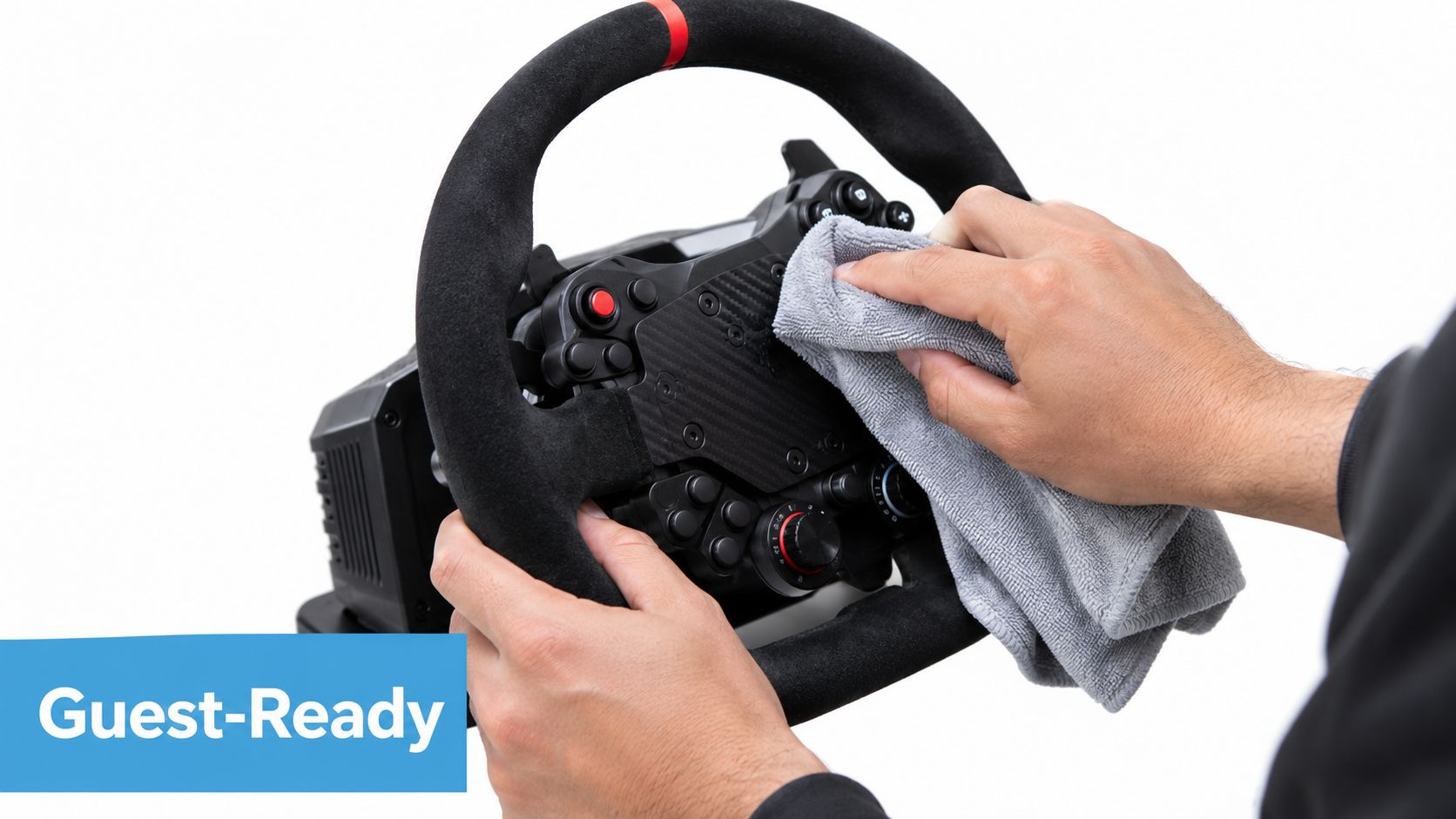
Reset the rig between drivers
Keep the routine simple enough that an operator will follow it during a queue:
- Clean the contact points: Wipe the rim, buttons, paddles and nearby surfaces with a material-safe product. Avoid saturating electronics or leaving moisture around seams.
- Inspect the mount: Check that the clamp or cockpit plate remains tight and that the wheel hasn't shifted from its calibrated centre.
- Check the cables: Look for loose connections, pulled leads or cables crossing the participant's foot area.
- Confirm the controls: Test steering, throttle and brake inputs before restarting the next session.
- Watch the driver: Ask whether the wheel feels too heavy, particularly after repeated use or with a first-time participant.
Material choice affects cleaning and wear. Rubber grips are generally straightforward to wipe, while textured materials such as Alcantara need more careful handling to preserve their appearance. A premium rim may also include a dense control layout, so staff should know which buttons are safe to use and which settings should remain fixed.
The pedal area deserves the same attention. Use a clear racing simulator pedals reference when planning the full contact surface, because guests touch and operate the pedals as part of the same physical experience.
Build for mixed ability
Accessibility isn't solved by choosing affordable equipment. A public simulator should offer a comfortable seating position, reachable controls and enough adjustment for participants with different body sizes or mobility needs. Adjustable rim positions, suitable rim diameters and clear space for seated access can make the difference between an invitation and an exclusion.
High-torque wheels also require judgement. Professional-grade systems advertised around the upper end of the UK market can create substantial physical load, so operators should use appropriate settings, explain the force beforehand and stop a session if a participant appears uncomfortable.
Consistency protects both people and equipment. A calibrated, clean and firmly mounted wheel gives staff a safer baseline for every guest.
Branding User Experience and Logistics for Hire Activations
The wheel should support the activation without becoming a branding obstacle. Place logos on the cockpit fascia, seat panels, screen surround or surrounding structures rather than covering controls, ventilation or the driver's hand positions.
A successful guest journey feels short because the operator has removed friction before the guest sits down. A practical sequence might look like this:
- Invite: The host explains the challenge in one clear sentence.
- Seat: The operator adjusts the chair, checks reach and confirms the participant is comfortable.
- Orientate: The guest receives a quick explanation of steering, throttle, brake and any gear controls.
- Drive: The session uses a simple circuit or challenge that rewards control rather than specialist knowledge.
- Finish: The score appears on an electronic leaderboard, giving the guest a reason to remain engaged.
- Convert: Staff invite the participant to discuss the brand, scan a code or enter a lead-capture journey.
The steering wheel should have enough tactile information to shorten the learning curve, but not so many unfamiliar controls that the operator spends the entire session explaining menus. Lightweight, rigid rims with programmable inputs can help staff make quick adjustments while preserving a stable feel.
Plan the delivery around the venue
Corporate planners often focus on the attraction and leave the operational detail until late. Confirm delivery windows, loading access, installation duration, floor protection, power, staffing, health and safety documentation, insurance and collection arrangements before the booking is finalised.
The PSW Events UK racing simulator hire service combines simulator delivery with planning, branding, logistics, installation, on-site staffing and compliance support. That model can reduce the number of separate suppliers a planner needs to coordinate, particularly when the simulator forms part of a larger exhibition or fan-zone programme.
Allow space for the operator to stand beside the rig. They need to reach the emergency stop or power controls, help with seating and keep the next guest moving without leaning across the participant.
The best branding is operationally quiet. It frames the challenge, appears in the leaderboard and guides the guest towards the next brand interaction, while the wheel remains comfortable, responsive and easy to reset.
Measuring Success and Planning Your Next Activation
A racing simulator is easier to justify when the team measures the guest journey, not just overall impressions. At a busy exhibition or UK hire activation, choose KPIs that staff can record while keeping the queue moving.
Choose practical measures
Footfall records how many people entered the activation area. Count invitations, participants or unique interactions, using the method that matches the venue and staffing level.
Dwell time shows whether the attraction held attention. Record the approximate period from seating to completion, then compare session formats or positions within the stand.
Queue throughput tests whether the wheel, rig and software can handle the planned traffic. During defined observation periods, note completed sessions and delays caused by seating, menus, calibration or faults. This is often more useful than torque specifications alone because it reflects the equipment's performance under event pressure.
Leaderboard entries indicate participation in a competitive mechanic and give staff a natural reason to speak with guests after the drive.
Lead capture connects the simulator to marketing activity. Use a simple opt-in process after the session, and ensure staff can explain clearly what the guest is agreeing to. Record completed opt-ins rather than treating every participant as a lead.
Turn results into a better brief
Review the figures alongside operator notes. A low completion rate may point to excessive difficulty, a wheel that feels too heavy, or an explanation that takes too long. A busy queue with limited lead capture suggests strong attraction but a weak handover to the marketing team. Hygiene resets and seat-adjustment time also belong in the review, since they affect real capacity between sessions.
Use this decision framework after the event:
- Rebook the same format when the experience ran reliably and suited the audience mix.
- Change the wheel tier when guests struggled with torque, controls or physical comfort.
- Add another rig when demand repeatedly exceeds session capacity and the venue can support the footprint.
- Simplify the challenge when beginners need too much help before enjoying the drive.
- Improve the follow-up when leaderboard participation is strong but qualified leads remain limited.
- Change the mounting approach when setup, cleaning or participant changeovers slow the operation.
Use your own throughput, completion and lead-capture numbers from the day to justify the next booking. Broad market context may support the conversation, but event-specific evidence shows whether this wheel, software format and staffing plan worked for your audience.
Brief the supplier with the platform, venue, audience, session format, accessibility requirements, branding plan, staffing expectations and success measures. PSW Events can help specify the wheel, rig, leaderboard and delivery plan around reliable guest flow. Visit PSW Events to discuss a racing simulator hire package for a UK exhibition, conference, fan zone or brand activation.