
You're comparing flight simulator quotes for a UK exhibition stand. The motion rig looks impressive, the compact cockpit fits the floor plan, and your marketing team wants something visitors will queue for. Then the venue asks for inspection documents, floor-loading information and an operating risk assessment. Choose the cockpit around the event's operating requirements first, not the supplier's most dramatic demonstration video.
What a Flight Simulator Cockpit Actually Means for an Event
Consider a trade-show organiser choosing between a fixed-base cockpit and a moving rig. Both suppliers describe an immersive flying experience, but the organiser needs to know what arrives through the loading bay, who operates it and how guests get in and out.
A flight simulator cockpit is a combination of hardware and software, not a standardised event product. The quotation might cover an exposed seat with controls and a screen, an enclosed aircraft replica, or a cockpit mounted on a motion platform. Don't assume those configurations need comparable installation arrangements.
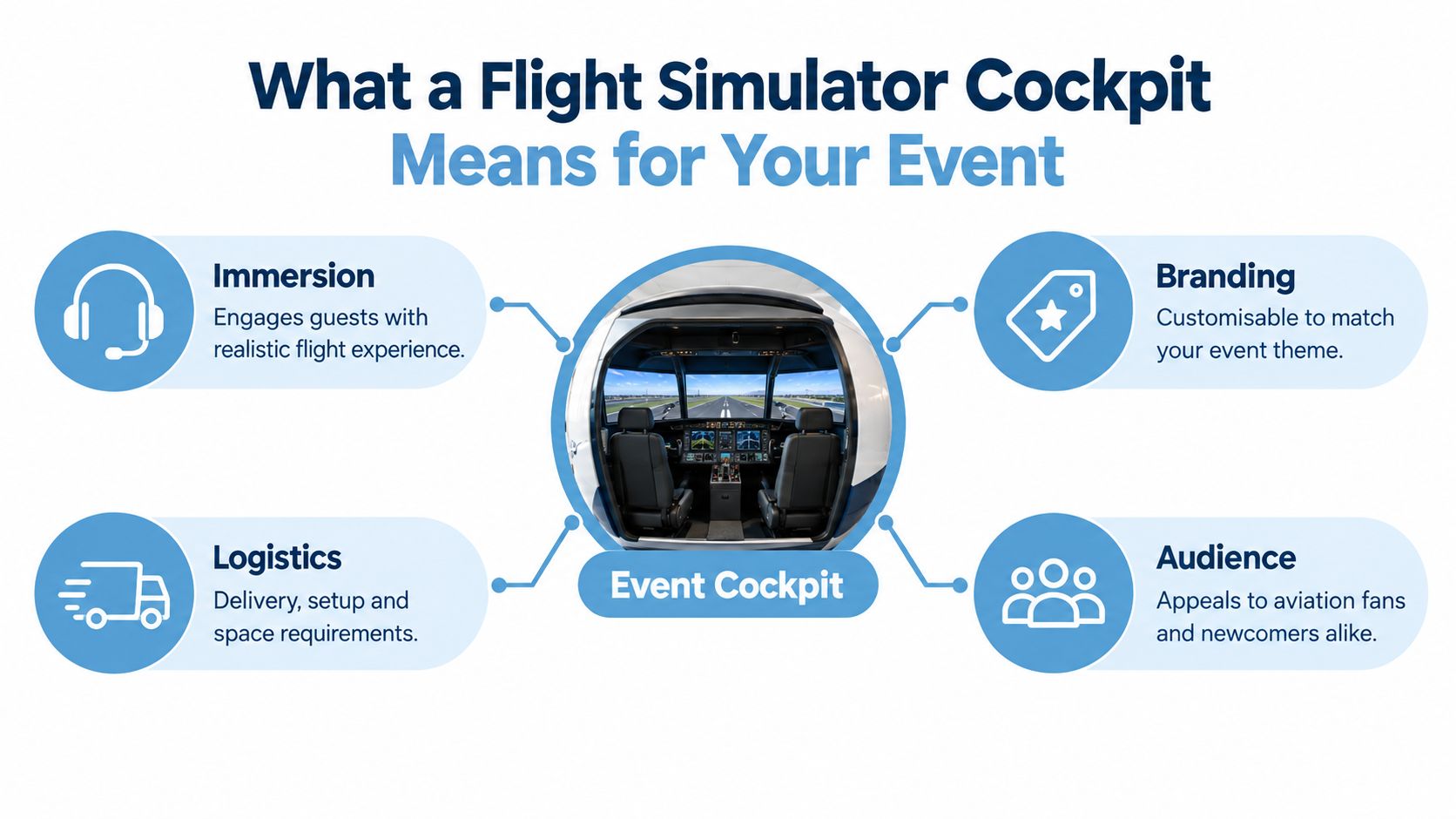
Buy an operating experience, not a cockpit photograph
Ask the supplier to separate the shell, controls, visuals, motion and software in its proposal. Then ask what the quotation includes around them: transport, installation, commissioning, branding, staffing and removal.
That distinction changes how you compare value. A substantial replica may provide the setting your brand needs, but it's a poor choice if guests struggle to board or the shell hides the experience from passing visitors.
- Define the guest activity. Decide whether visitors are attempting a landing, exploring an aircraft or competing in a guided challenge.
- Define the audience around it. Consider spectators, colleagues waiting together and staff qualifying enquiries.
- Define ownership. Name who handles the cockpit, queue, technical faults and visitor assistance.
Practical rule: Reject any proposal that describes the aircraft more clearly than it describes the event operation.
My recommendation is to write the visitor journey before choosing the hardware. Specify arrival, briefing, participation, exit and follow-up. The right cockpit should support that journey without requiring your stand team to improvise around it.
Core Layers of an Immersive Flight Simulator Cockpit
Evaluate the cockpit as connected systems. An impressive shell won't compensate for awkward controls, and expensive visuals won't rescue software that the operator can't reliably manage.
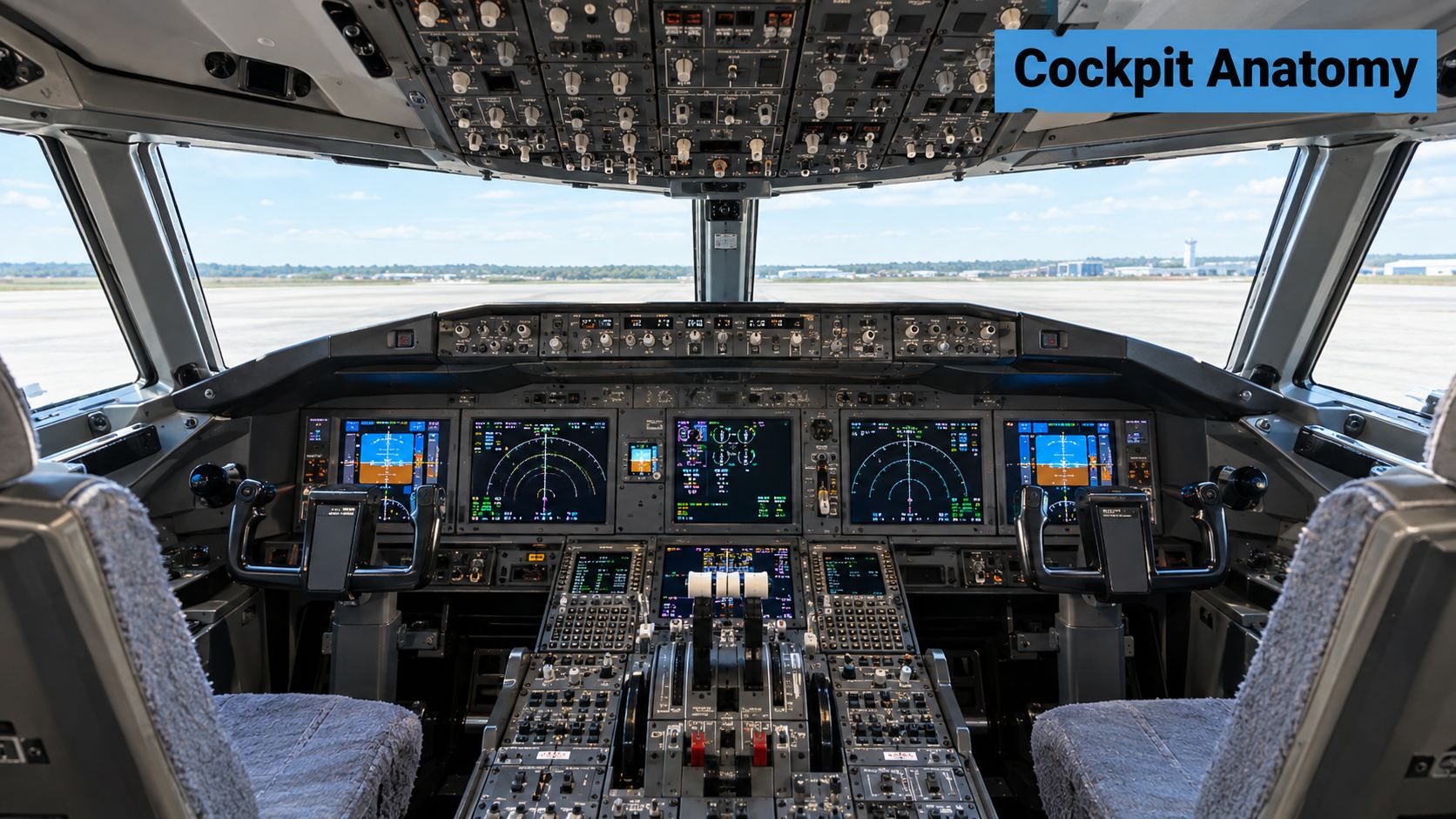
Separate appearance from functional fidelity
The cockpit shell establishes the physical setting. Compare an open seat, a generic enclosure and an aircraft-specific replica against your creative objective. A multi-crew layout makes sense when shared participation matters, but don't pay for an additional position unless someone will actively use it.
The flight controls determine what the guest does. Ask whether the configuration uses a yoke or centre stick, rudder pedals and a throttle quadrant. Establish whether control resistance is passive or actively generated, rather than accepting “realistic feel” as a specification.
For visuals, compare a curved display, projection arrangement and VR against viewing conditions. Request a demonstration from the participant's position and from the aisle. The guest's view and the spectator's view serve different purposes.
Treat motion and software as an integrated system
A UK CAA-qualified helicopter Full Flight Simulator example combines a 6-degree-of-freedom hydraulic motion system, a 60-inch stroke specification, three-axis vibration and a five-projector visual system providing a 220° × 60° field of view. That's a useful engineering benchmark, not a shopping list for an exhibition stand.
- Motion: Ask how the platform's movement coordinates with the simulated aircraft and displayed horizon.
- Software: Identify whether the supplier uses a consumer simulation platform or a professional image generator, and who maintains the event configuration.
- Integration: Request a demonstration of the complete installed system, rather than separate hardware clips.
Keep training terminology accurate. UK aviation rules distinguish FFS, FTD, FNPT and BITD categories, with qualification requirements for devices used in pilot training, testing and checking. An event cockpit isn't automatically a qualified training device because it resembles an aircraft flight deck.
For event buying, the useful question is simpler: does each component support the planned guest experience?
Fixed-Base vs Motion and Full vs Compact Cockpits
For a busy exhibition, I'd start with a fixed-base compact cockpit and require a clear reason to upgrade. Spend on enclosure or movement when it supports the campaign, not because the supplier presents it as the premium option.
Treat the following comparisons as buying judgements. Actual power demand, installation time and capacity depend on the equipment offered, so insist on model-specific information.
Cockpit configurations compared for UK events
| Configuration | Realism | Footprint & power | Throughput | Best fit |
|---|---|---|---|---|
| Fixed-base full cockpit | Strong physical setting without platform movement | Allow for shell access, displays and equipment | Boarding and briefing deserve close attention | Hosted aviation experiences and appointment-led demonstrations |
| Motion-based full cockpit | Physical setting with coordinated movement | Assess platform clearance, loading and electrical demand | Plan around securing guests and returning to boarding position | Feature attractions with a dedicated operating area |
| Fixed-base compact cockpit | Focused controls and visuals, less enclosure | Start here when space and services are constrained | My preferred starting point for a simple visitor journey | Trade-show stands and conferences |
| Motion-based compact cockpit | Movement without a full replica shell | Check the complete moving envelope, not just the base | Depends on access arrangements and the selected motion profile | Activations where movement supports the creative concept |
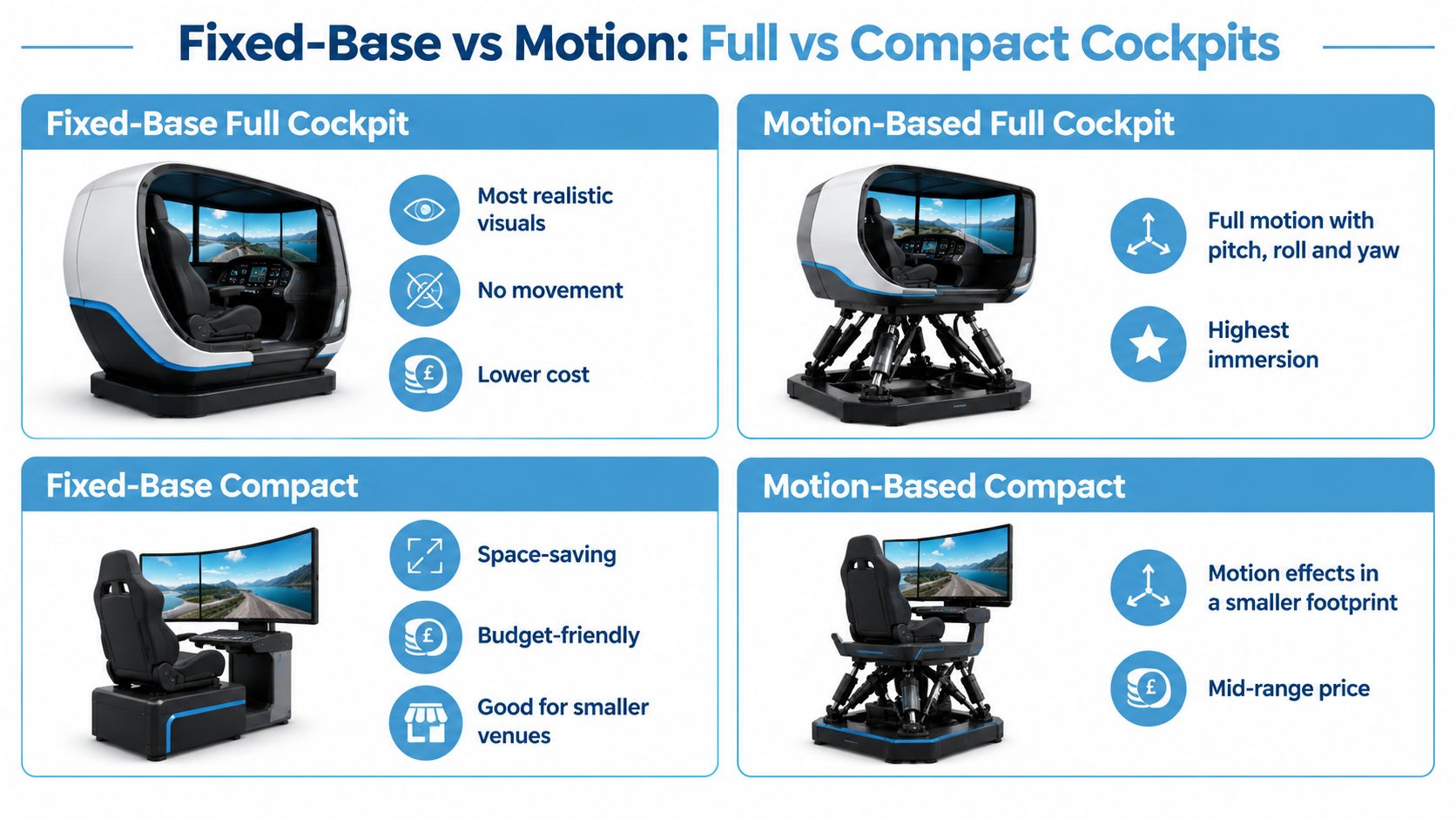
Make the upgrade justify itself
For queue appeal, watch a demonstration from outside the cockpit. A large shell can look impressive while concealing everything the participant is doing. Ask how spectators will understand the challenge without needing a staff explanation.
For cost, request separate prices for enclosure, motion, additional displays and branding. Don't accept a generic low, medium or high band as a substitute for an itemised event quotation.
For rigging, compare delivery components, assembly sequence and commissioning requirements. The compact option still needs checking against the actual delivery route.
Buy movement when guests need to feel it. Buy enclosure when the setting matters. Don't buy either simply to make the quotation look more substantial.
Task-specific motion deserves attention. University of Liverpool research found that motion fidelity depends on the task and aircraft handling qualities, with benefits in vertical translation and stabilisation when motion cues were available. That supports a deliberate motion profile, not maximum movement throughout every session.
Key Specs to Evaluate Before You Book
A supplier datasheet should help you approve an installation, not just admire the equipment. Ask for measurable answers and make the supplier distinguish confirmed specifications from anything still dependent on venue approval.
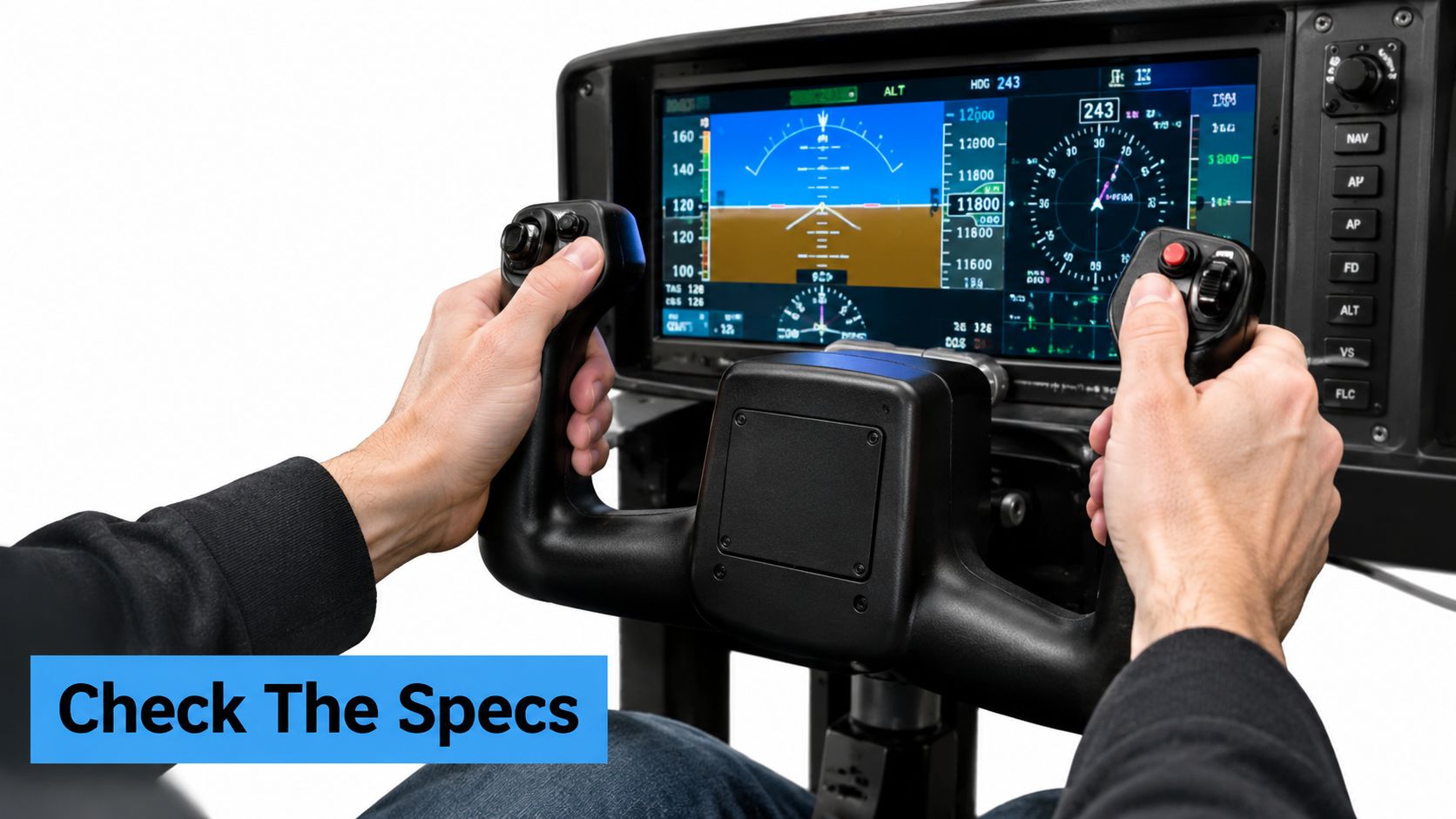
Ask questions that expose operating limitations
- Control loading: What forces or torques does the system generate, in the relevant units? Can the operator reduce resistance for guests who need lighter controls?
- Visual field: What can participants see from their seated position? Where are screen joins, projection edges or obstructed sightlines?
- Latency: How does the supplier measure delay between control input and the corresponding visual response? Ask to see rapid control changes during the demonstration.
- Motion limits: What amplitude and acceleration limits apply to the proposed event programme? Establish who can change them.
- Installed footprint: Request the occupied dimensions, moving envelope, operator position and service access, not merely the shipping dimensions.
- Floor loading: Ask for total installed weight, support-point information and any load-spreading requirements for the venue to assess.
The qualified simulator example above is useful because it describes capabilities precisely. Apply that standard of clarity to an event quotation without assuming that larger values will produce a better activation.
Test the reset, not just the flight
Ask the supplier to demonstrate an ordinary session, an interrupted session and recovery from an unsuitable software state. Your operator should be able to return to the agreed starting scenario without searching through settings in front of waiting guests.
Confirm power, ventilation and equipment placement against the complete installation. Ask what electrical supply is required, which components need cooling and how the supplier will keep service access clear.
Use the installation requirements as a planning reference, then obtain a site-specific arrangement showing the cockpit, queue boundary and working positions. A general requirements page isn't approval for your particular stand.
Finally, freeze the configuration before sign-off. If the supplier changes a display, platform or control assembly, ask whether the installation information and risk assessment need updating. Don't allow an apparently minor substitution to arrive without review.
Matching Cockpits to Exhibition and Activation Use Cases
Choose around what visitors are doing before and after the flight. My recommendation is operator-led participation for public-facing activations, with session length set around a clear task rather than unrestricted flying.
Exhibition stands and public activations
For a trade-show stand at ExCeL London, shortlist a fixed-base compact cockpit with a short, guided landing challenge. Keep the objective visible to spectators and give the operator a clear finishing point. Don't specify a full enclosure until the stand designer has demonstrated how it fits the visitor route.
For a public brand activation, consider compact motion only when movement contributes to the campaign idea. Use a brief, repeatable scenario and staffed boarding. Avoid leaving guests to select unfamiliar aircraft or settings while the queue waits.
If the simulator is integrated into a wider stand build, resources from UCON Exhibitions' exhibition stand contractors can help frame discussions about the surrounding structure and visitor circulation. Keep responsibility for the simulator's technical acceptance with the relevant supplier and venue teams.
Conferences, celebrations and fan zones
- Corporate conference: Choose compact fixed-base equipment for a constrained breakout area. Offer a short coached task that guests can finish between scheduled sessions.
- Private party or wedding: Allow a more leisurely hosted experience where the programme permits. Prioritise an approachable briefing over competitive scoring.
- Motorsport or aviation fan zone: Consider a full cockpit when the physical setting contributes to the attraction. Use a defined challenge, with extended sessions reserved for quieter periods or bookings.
For wider stand planning, compare the cockpit with other interactive exhibition stand ideas. It should earn its place against the campaign objective, not merely fit an aviation theme.
As one supplier option, PSW Events delivers flight and motion simulators to Silverstone, Wembley, ExCeL London, Manchester Central and SEC Glasgow, and supports international showcases in Amsterdam, Frankfurt, Barcelona, Paris and Dubai. Still, obtain approval for your exact configuration and layout rather than treating previous venue delivery as automatic acceptance.
Accessibility and Inclusive Operating Profiles
Maximum intensity isn't my default for a mixed corporate audience. I'd rather specify an experience that guests can approach confidently than make movement, enclosure or unfamiliar controls a test of willingness.
UK event-safety guidance calls for accessibility and inclusivity to inform event design and for attendees to communicate special requirements or reasonable adjustments. Put that into the registration process and supplier briefing, not just a statement on the event website.
Make participation choices explicit
Start with the guest's preferred way to participate. Can they use the installed seat safely and comfortably? If not, establish whether the supplier can offer an appropriate alternative arrangement before promising access.
- Wheelchair participation: Confirm whether participation from a wheelchair is possible. Where transfer is necessary, agree the arrangements with the attendee rather than assuming staff can assist.
- Adapted controls: Ask which controls can be repositioned, simplified or replaced by operator assistance.
- Non-motion operation: Require the supplier to demonstrate the stationary mode and explain how the operator selects it.
- Headset-free participation: Establish whether a screen-based alternative is available and where it will be positioned.
- Lower-intensity sessions: Offer reduced audio, a calm scenario and an unhurried briefing where the equipment permits.
Don't describe a cockpit as accessible solely because it has an open side. Check the complete journey, including the approach, entry, seating position, reach and exit.
Coach without turning participation into a public test
Give novices a simple objective and explain which controls they need. Ask whether they want coaching throughout, then keep instructions calm and specific.
Inclusion check: A guest who chooses a gentler experience should still receive a complete experience, not an apologetic substitute.
Agree a clear way for participants to stop, including anyone who feels uncomfortable or develops simulator sickness. Let them leave without requiring an explanation in front of the queue.
Measure completed experiences and reasons for declining, not just visible interest. That gives your team something useful to improve without treating every non-participant as a failed lead.
UK Venue Compliance and Operator Cover
Get the venue's acceptance criteria before committing to the rig. A supplier's assurance that it regularly installs simulators doesn't replace written confirmation that your proposed device and operating arrangements are acceptable.
The London venue exhibitor manual requires simulators and rides to comply with ADIPS, with a valid Declaration of Operational Compliance, annual inspection certificates and a full risk assessment submitted at least 28 days before the licence period. It also requires control by a competent person who can identify hazards and take immediate action.
Establish what applies to your device
That manual is a specific venue requirement, not a universal deadline for every UK event. Obtain the applicable exhibitor manual and ask the venue how it classifies your proposed installation.
A static shell, a moving simulator and a ride-like attraction shouldn't be treated as interchangeable. Equally, don't assume a fixed-base device is exempt from documentation or operational review.
- Submit the evidence: Provide the required inspection records, risk assessment, installation method, layout and electrical information.
- Name responsible people: Identify the event lead, supplier contact, competent operator and escalation route.
- Resolve conditions: Record any restrictions on movement, guarding, guest access or operating hours before installation.
- Plan operator cover: Agree breaks, handovers and what happens when the designated operator leaves the position.
Use the supplier's health and safety compliance information to begin the document request. Ask for evidence relevant to the actual equipment being supplied.
Make opening checks a signed routine
Require a documented pre-opening check covering control response, visual horizon alignment, emergency-stop operation, motion limits, cable routing and safe access and egress. The operator should know what constitutes a failed check and who can authorise reopening.
Write down the stop procedure and recovery process. If a fault requires technical intervention, the stand team shouldn't improvise a workaround to keep the queue moving.
Documentation and competent staffing are decisive purchasing criteria. A technically impressive cockpit has no event value if the venue won't permit it to operate.
Your Flight Simulator Cockpit Shortlist Checklist
Take a written acceptance checklist into the supplier meeting. Ask each bidder to answer against the same proposed event layout, audience and operating schedule so you can compare like with like.
Require a clear answer on each decision
- Configuration: Identify fixed-base full, motion-based full, fixed-base compact or motion-based compact. Record why it suits the event.
- Specifications: Obtain the control, visual, motion and installation details discussed above, with unresolved items clearly marked.
- Session design: Agree the guest objective, briefing, finishing point and reset procedure.
- Capacity: Ask the supplier to demonstrate the complete visitor cycle, including boarding and exit, rather than quoting flight time alone.
- Inclusion: Confirm the participation options you intend to advertise and who will deliver them.
- Compliance: List the required documents, submission deadlines and person responsible for venue acceptance.
- Staffing: Confirm operating cover, queue management, technical escalation and handover arrangements.
- Commercial scope: Check what delivery, installation, branding, operation and removal include.
The best event cockpit isn't necessarily the most realistic. It's the one your team can operate safely while delivering completed, positive guest experiences.
Don't award the booking while important answers remain verbal. Put the agreed configuration, responsibilities and acceptance conditions into the order so the installation team receives the same brief you approved.
PSW Events offers flight and motion simulator hire with delivery, setup and operation at your event location. Visit PSW Events with your venue, stand plan, audience requirements and event dates to discuss a cockpit configuration and the operating arrangements it needs.