
Your Saturday evening fan zone is booked. The sponsor wants live scores on a big screen, the venue needs clear sightlines, and the hire decision is still open. Before comparing screen sizes, decide what the display must do when the match is under way, when the network drops, and when a spectator needs to see an announcement they can't hear.
Electronic scoreboard football isn't a new experiment. Electronic scoreboards were reportedly installed at The Hawthorns, West Bromwich Albion's stadium, in 1949, decades before full-colour video displays became standard in English football (The Hawthorns stadium history). Today, the same basic job of communicating match information can involve a fixed stadium display, a temporary modular screen or a mobile unit, each with different demands for power, positioning and operation.
This guide is for corporate event planners, exhibition organisers, brands, venues and private hosts arranging football activations or fan zones in the UK. It'll help you choose a display format, interpret the specifications that matter, weigh hiring against buying, and plan for safety messages and accessible content alongside scores and sponsors.
Why Electronic Scoreboards Matter on Matchdays
A kick-off is delayed, the sponsor's next advert is queued, and spectators are waiting for an update. If the screen switches to a sponsor message just as staff need to show a safety notice, the problem is not screen size. It is who controls the content and what takes priority.
Start by defining what the display must show, who needs to see it, and who is authorised to update it. That means planning for the score and match information, but also for a changed kick-off time, a route or safety instruction, and an announcement for people who may not hear the public-address system.
A scoreboard is part display, part communications tool. The content and operating arrangements matter as much as the hardware. For example, if a live feed drops, an operator should still be able to show a clear fallback message. If a sponsor message is scheduled, the event team needs a way to interrupt it for an urgent notice. Agreeing who can make those changes helps prevent confusion when the crowd is already looking at the screen.
The right setup depends on the event. A permanent venue may need a display that serves the same audience and viewing area regularly. A temporary corporate activation may need equipment that can be brought in, operated for the event, and removed. Either way, plan how the display supports safe operations and accessible communication, not just entertainment.
Start with the job, not the screen. Decide what people must see, where they will be, and who controls the content before comparing display options.
With those needs defined, you can assess display types, technical requirements, hire or purchase, and how the screen fits into the event's safety and accessibility arrangements.
Types of Electronic Scoreboard Football Displays
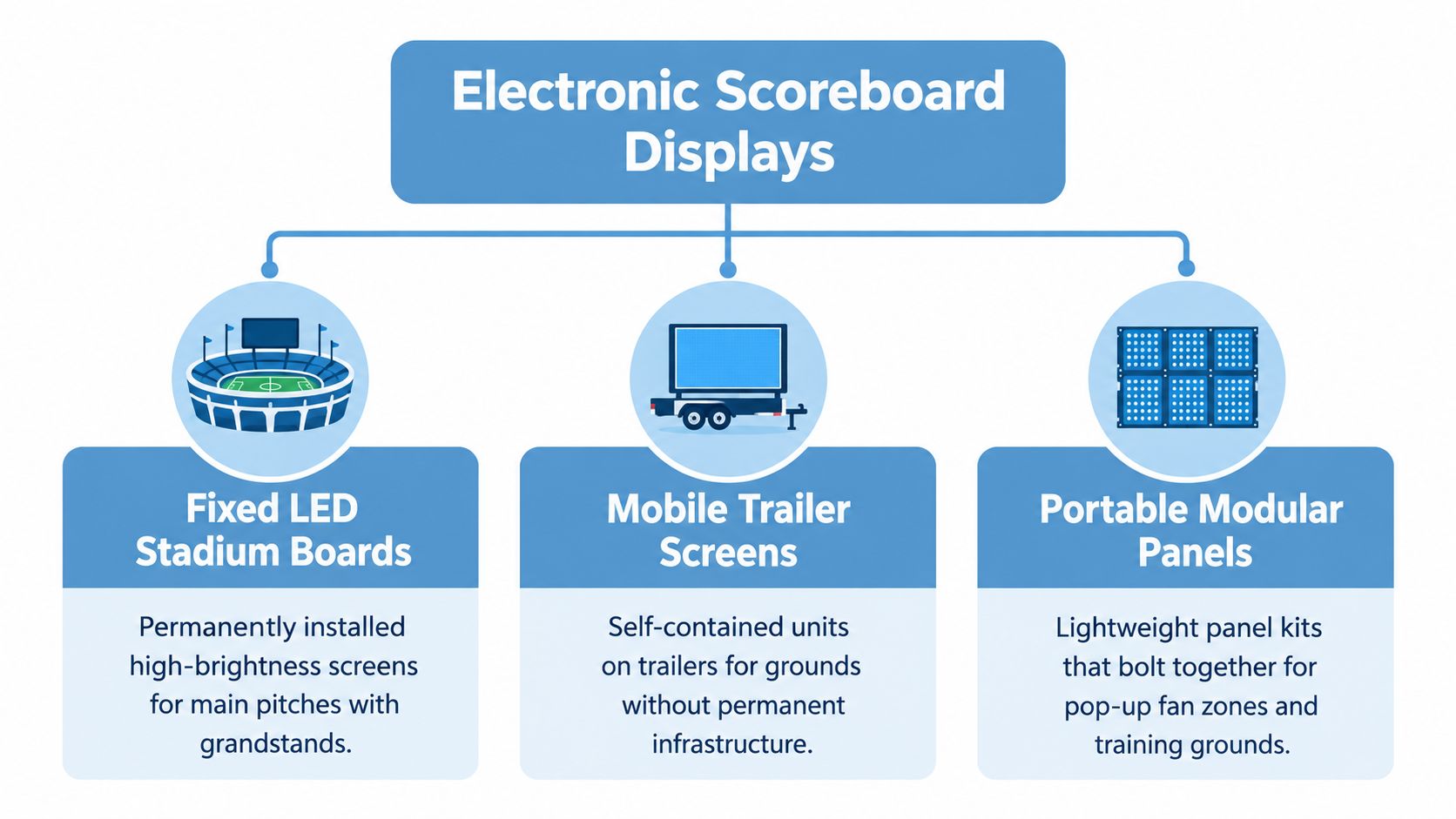
Think of the display choice like choosing between a permanent shop front and a market stall. A fixed stadium board is built into the venue and stays ready for use. A mobile or modular display is brought in for an event, assembled, operated and taken away.
Fixed boards for permanent venues
A fixed LED stadium board suits a ground with a regular audience and a defined viewing area. It can be mounted in a consistent position and integrated into venue operations. That permanence is useful, but it also means that placement, structural support, power and maintenance need to be treated as part of the venue's long-term setup.
Mobile and modular displays for temporary sites
A mobile trailer screen is a self-contained option for a ground or activation without permanent display infrastructure. It can be positioned for an event and moved again afterwards, but the site still needs an appropriate route in, space for the unit, power planning and a safe operating arrangement.
Portable modular panels offer another temporary approach. Individual panels connect to make a larger display, so organisers can adapt the screen to a pop-up fan zone or training-ground event. That flexibility brings assembly and connection checks into the event plan. Confirm who'll build the screen, test it and dismantle it.
Indoor monitors and smaller fan zones
For a compact indoor fan zone, a large LCD display or monitor-based setup may be sufficient. It can be easier to accommodate than a stadium-style LED screen, particularly when the audience is close and the content is mainly scores, timings and simple graphics. It won't have the same outdoor daylight performance as a purpose-built outdoor LED display, so don't assume that a screen suitable for a hall will be clear in direct sun.
The format narrows the next questions. Fixed installations require attention to long-term mounting and maintenance. Temporary screens add delivery, assembly and operator handover. Indoor displays may simplify weather planning, but their visibility depends on room lighting, reflections and audience position.
Size, Resolution and Connectivity Specs That Matter
Screen size alone won't tell you whether spectators can read the score. Start with viewing distance: the furthest person who needs to read the display, not just the person standing in front of it. For UK pitch-side boards viewed from roughly 20 to 30 metres, a 6 to 10 mm pixel pitch is typical, and finer pitch adds cost without a proportional gain in perceived detail at that distance (UK stadium LED display guidance).
Pixel pitch is the distance between LED pixels. It works much like the spacing between stitches in a piece of fabric. From close up, tighter spacing can make detail look smoother. From farther away, the eye blends the pixels, so paying for finer spacing may not make the score noticeably easier to read.
| Typical viewing distance | Suggested pixel pitch | Practical note |
|---|---|---|
| Roughly 20 to 30 metres | 6 to 10 mm | A typical pitch-side range for this viewing distance. |
| Closer than the audience positions above | Confirm with the supplier against the actual layout | Ask for a viewing-distance assessment rather than choosing a finer pitch by default. |
| Beyond the audience positions above | Confirm with the supplier against the actual layout | Provide the furthest viewing point and the content you need to show. |
The additional rows are prompts for a site-specific discussion, not a universal conversion formula. Ask the supplier to explain how the proposed pitch relates to your audience positions and content.
Decide how scores and graphics reach the screen
A display needs a way to receive content. For a straightforward setup, a laptop or media player can send video through an input such as HDMI. A controller is the device or system that manages what appears on the display; depending on the setup, it may receive content from a computer, run a playlist or work with a score feed.
Live score data can come from an operator entering updates, a connected feed or a pre-scripted sequence. Each method has a different failure point. Manual entry depends on a trained operator; a live feed depends on its connection and compatibility; a scripted sequence won't automatically reflect an unexpected change in the match.
Ask suppliers to confirm the input connections, controller responsibilities, feed compatibility and offline fallback. A fallback graphic is a saved screen that can appear if the network or feed fails, such as a clear event holding slide or a manually updated score layout.
In writing, request the proposed pixel pitch, the recommended viewing distance, the display's brightness range, the required input connections and what happens if the live feed is unavailable. Treat claims about headline resolution cautiously if your audience will be too far away to see the difference.
Placement, Power and Mounting for Outdoor Pitches
A screen can have suitable specifications and still fail to work well if it's badly positioned. Begin your site survey with the audience: map the views from the stands, fan zone and accessible seating areas, then check whether people, structures or temporary equipment will block the display.
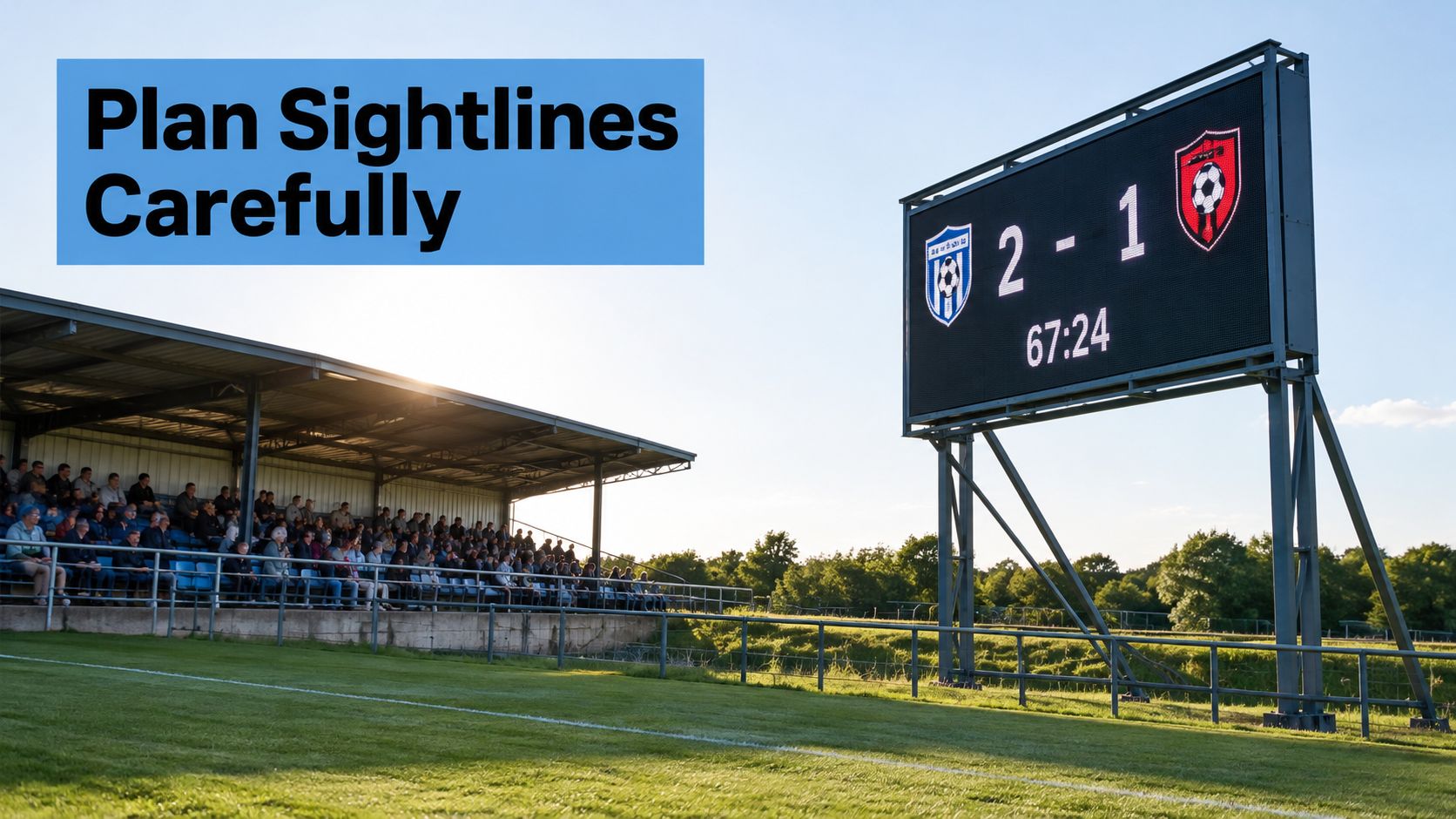
Next, check the screen's orientation against direct sunlight. Outdoor LED scoreboards typically use 5,000 to 8,000 nits for sunlight visibility, front protection rated IP65 to IP67, and an operating range of about -20°C to +50°C (outdoor LED display guidance). Nits describe brightness. An IP rating indicates protection against dust and water ingress, while the operating range describes the temperatures the equipment is designed to work within. Confirm the supplier's specific rating and operating conditions rather than treating these typical figures as a guarantee for every unit.
Survey the position and installation
Leave the clearance the equipment needs around its cabinets so heat can dissipate. Ask where the operator will work and how they'll communicate with the event team. Safety guidance supports placing scoreboard operation away from the public control point, so the operator position should be part of the site plan, not an improvised spot beside the screen.
Mounting may use a ground-based frame, temporary rigging or fixed brackets. Each option needs a suitable support and a safe installation method. Have a qualified installer check structural loads and confirm that the chosen surface or frame can carry the equipment as planned.
Plan power and the site brief
For temporary sites, confirm the power supply, cable routes, protection and backup arrangements before delivery. A dedicated supply, suitable residual-current protection and a generator or battery backup may be relevant depending on the venue and equipment. Keep power and signal distribution protected from weather and public access.
Your site-survey brief should include screen position, audience sightlines, sunlight exposure, mounting surface, available power, cable routes, operator location and any access restrictions. For a wider event-site review, use this installation requirements guide. A supplier can then assess the installation against the actual site instead of estimating from a screen size alone.
Hire or Buy: How to Choose the Right Route
For a one-off launch, festival or short-term fan zone, hiring is often the more practical option. It lets you choose a display for each event without taking on long-term storage, servicing or transport. It also avoids owning equipment that may not suit a future venue or audience layout.
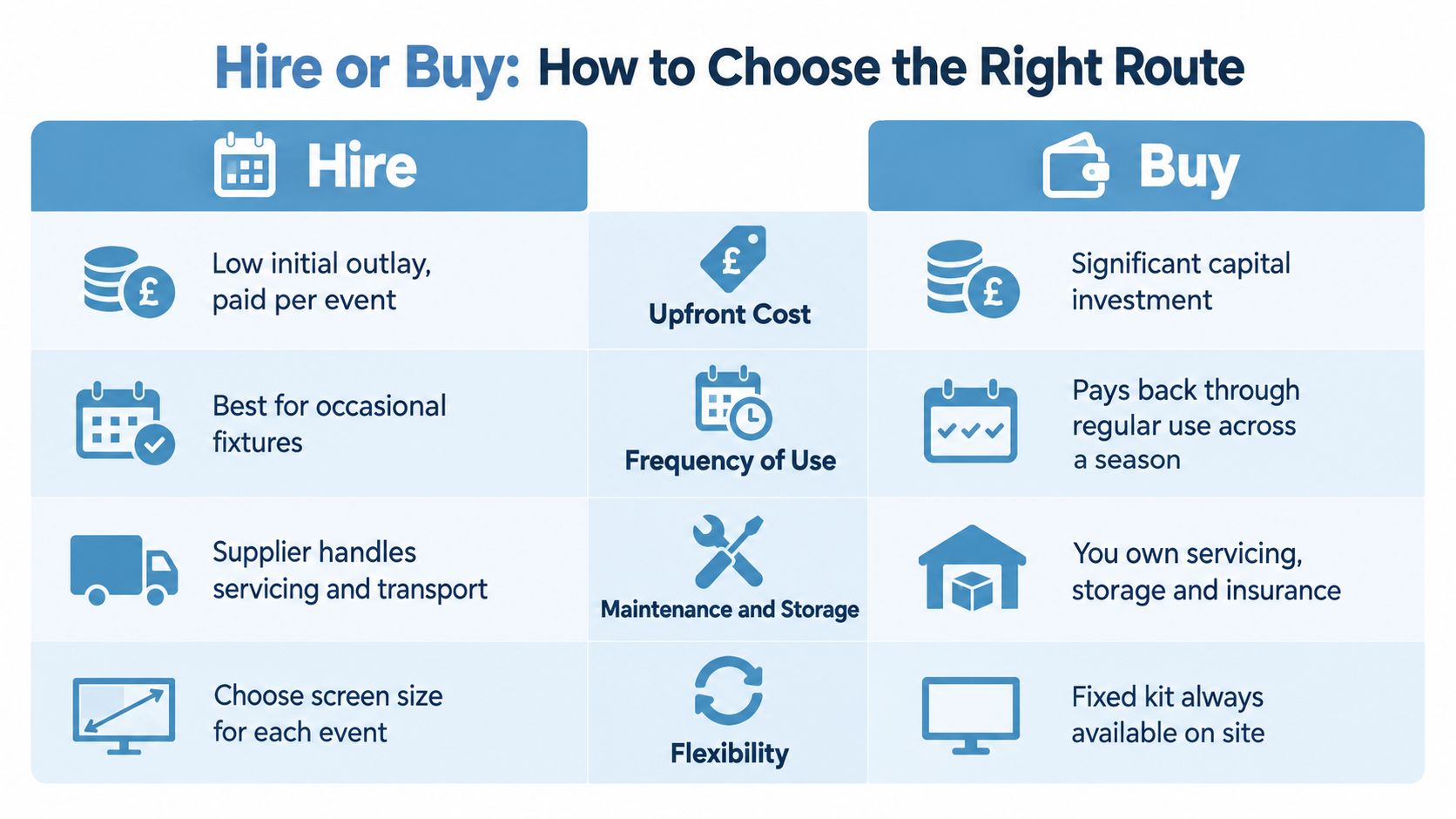
| Decision point | Hire | Buy |
|---|---|---|
| Upfront cost | Lower initial outlay, paid per event | Capital investment in equipment |
| Frequency of use | Suits occasional fixtures and activations | Can make sense with regular, repeated use |
| Maintenance and storage | Supplier may manage servicing and transport, subject to the package | Your organisation handles storage and maintenance |
| Flexibility | Choose a format to suit each event | The same equipment remains available on site |
A hire quote should spell out what is included. Check whether it covers delivery, installation, content operation, power planning, insurance and on-site support. Confirm who provides and tests the screen, who operates it during the event, and who responds if it fails. “Screen hire” can mean equipment only or a wider service, so compare the responsibilities in each quote rather than just the headline.
When ownership makes sense
Buying can suit a venue that uses the same board regularly, has secure storage, and can manage maintenance and operation. Permanent ownership also means planning for long-term placement, power, updates and repairs. Frequent use may justify the investment, provided someone can look after the equipment between events.
For an occasional activation, the display is only part of the cost. Transport, setup, storage and servicing all need consideration, as does the chance that the equipment will not fit a future event. A supplier-managed hire can simplify the arrangement when duties are agreed in advance. Those duties also affect operations: decide who can control the display, and how the event team can switch to clear safety or emergency messaging if normal content cannot be used.
PSW Events supplies electronic leaderboards alongside sports simulators for short- or long-term hire. Ask the supplier to confirm which services and insurance cover apply to your specific booking, including who is responsible for operation and support on site.
Integrating Scores, Sponsors and Simulator Content
During a matchday, the scoreboard may switch between live scores, sponsor graphics and simulator results. Each type of content needs a clear owner and a reliable route to the screen. Score and timing data might come from an operator, a data feed or a prepared sequence. Sponsor artwork needs approval before it is scheduled. Simulator results can give participants a shared leaderboard between matches.
The display works like a noticeboard with several people contributing. Confusion starts when each assumes someone else is managing it. Agree who operates the controller, who approves sponsor assets and who can replace commercial content with operational messaging. These decisions make content governance part of event operations, not an afterthought.
Supplier arrangements vary, so establish who controls the display and what happens if the planned workflow fails. A screen might rely on a supplier's software, an event operator or a venue team. Clarify which person has access, who can make changes during the event and how control is handed over if that person is unavailable.
Agree a simple operating protocol
Set the order of control before the event. The operator needs to know which score source to use, which sponsor material has approval and how to switch to a saved fallback if the connection drops. The event lead should know whom to contact if play is delayed, a sponsor message appears at the wrong time or power is interrupted.
A fallback should work without a live network. For example, use a saved holding graphic or an editable score screen, as long as the operator can open and update it. Test the full sequence before spectators arrive, including changes between match content, sponsor content and the fallback.
For simulator activations, decide when results appear and who checks names and scores before they go on screen. A scoreboard is like a shared noticeboard: an incorrect entry can confuse participants as well as spectators. PSW Events' electronic leaderboards can be included with sports simulators, giving planners a chance to agree how results will appear alongside the live activity.
Compliance, Safety Messaging and Accessibility
A scoreboard isn't just decoration when spectators rely on it for public information. UK sports-ground guidance says management should pre-arrange and script safety-related and emergency messages shown on electronic scoreboards, coordinating them with prepared public-address announcements (sports-ground safety guidance). The guidance also recognises that spectators with impaired hearing rely on clear visual information.
That means emergency content shouldn't be created for the first time during an incident. Agree who can trigger it, which messages are approved and how the screen operator communicates with the wider event team. Keep the operating position distinct from the public control point where the guidance calls for it, and include the display in the event's safety procedures.
Understand the venue safety framework
In England and Wales, the Safety of Sports Grounds Act 1975, the Fire Safety and Safety of Places of Sport Act 1987 and the Green Guide form part of the wider sports-ground safety context. For association-football grounds connected with Football League or Premier League clubs, the safety-certificate designation threshold is more than 5,000 spectator places. The general threshold for other designated sports grounds is more than 10,000 (Safety of Sports Grounds (Designation) Order 2015).
A safety certificate sets permitted capacity and conditions for venue operation. Responsibility for spectator safety remains with sports-ground management, not just the equipment supplier. The scoreboard should therefore be included in the venue's operating plan, with clear responsibilities for approval, control and emergency use. For event planning, use this football risk assessment guidance as part of the wider conversation with the venue and supplier.
Make visual information accessible
Accessibility needs to be considered before content is designed. Use legible text, sufficient contrast and timings that give spectators a fair chance to read an announcement. Check viewing angles and reflections, and make sure accessible seating areas have a usable sightline to the screen.
Where appropriate, support spoken content with captions and sign-language interpretation. Emergency and public information should take priority over sponsor content, and the operator must know how to switch the display promptly.
A scoreboard can provide a second route for information when audio is missed, unclear or inaudible. Treat that redundancy as part of its function, not an optional graphic treatment.
Procurement and Hire Checklist for Your Next Event
Take this checklist into the first supplier call, then use it again during the final pre-event walkthrough. It helps turn broad requirements into items someone can confirm.
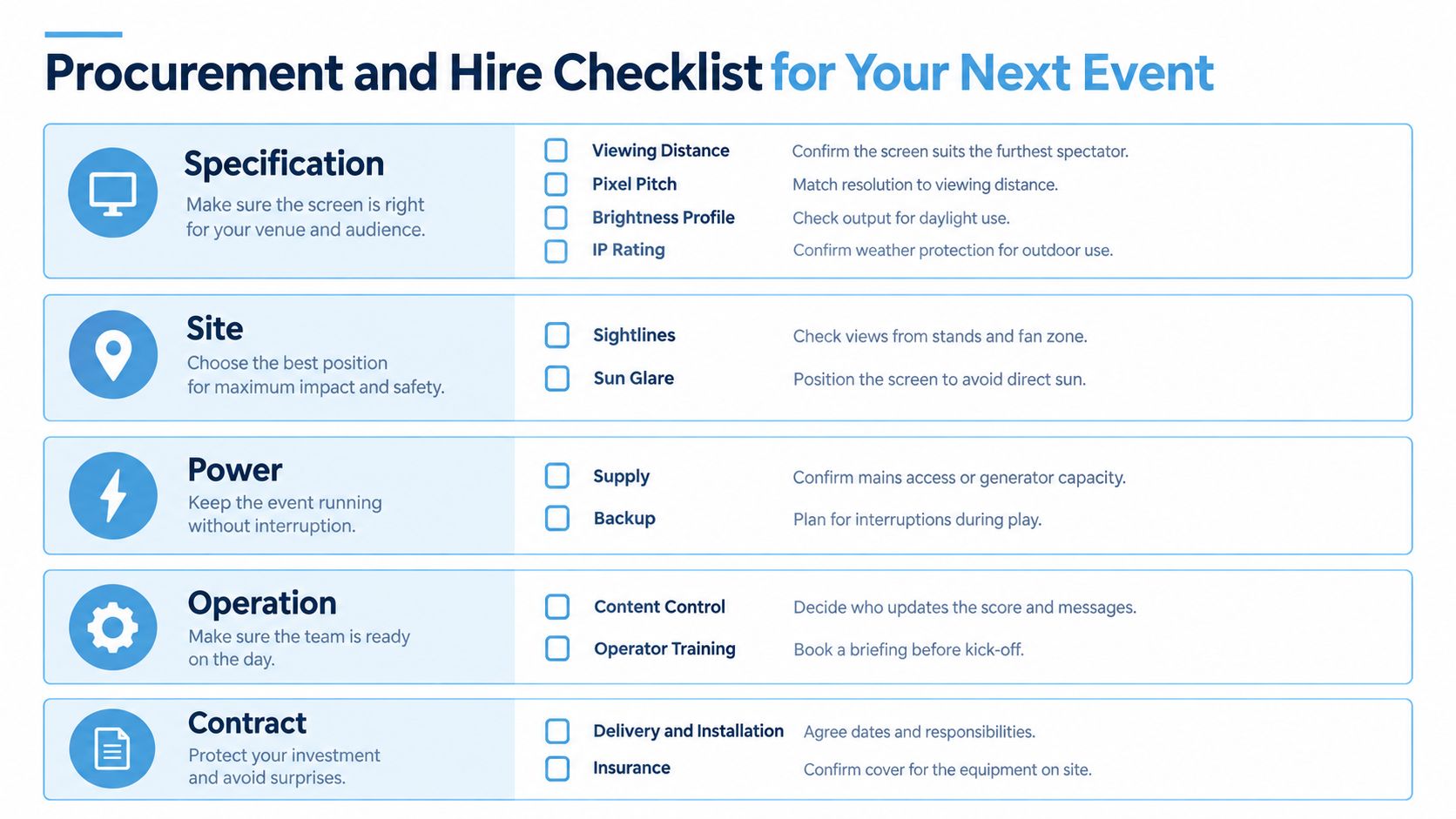
- Specification: Share the nearest and furthest viewing positions. Confirm the proposed pixel pitch, daylight and evening brightness profile, and weather protection rating for outdoor use.
- Site: Check sightlines from the stands and fan zone, likely sun glare, mounting arrangements, and the clearance required around the equipment.
- Power: Confirm mains access or generator capacity, cable routes, protection and the fallback plan if power is interrupted.
- Content: Agree how score updates will arrive, who approves sponsor graphics and which emergency templates are ready to display.
- People: Name the operator, confirm where they'll work, agree handover procedures and schedule a briefing before the event.
- Contract: Set out the hire term, delivery and installation responsibilities, insurance arrangements, on-site support and incident logging.
Send the checklist to a supplier with the venue dimensions, viewing distances, event dates and number of hire days required. Ask for a site-specific quotation that identifies the display, installation scope, operating responsibilities and content arrangements, rather than comparing screen specifications alone.
PSW Events provides electronic leaderboards and sports simulator hire, with planning, logistics, installation and on-site staffing for events. Share your venue details and event dates, then visit PSW Events to discuss a scoreboard setup that fits your fan zone or activation.