
You're finalising a rugby fan zone, the screen supplier wants a specification, and the venue needs your power and installation plans. Meanwhile, someone asks whether the display will show the match score, run a skills-challenge leaderboard, or do both. Those are different jobs, and choosing the equipment before settling them can leave your operator trying to solve the wrong problem on event day.
A useful electronic scoreboard rugby brief starts with what people need to see, who controls the information, and how the displayed result reaches the official record. Screen size matters, but so do referee-controlled timing, accessible layouts and a clear correction process.
What an Electronic Scoreboard Rugby Event Needs
The gates are about to open, your host is rehearsing, and the scoreboard operator discovers that the controller only offers a continuously running countdown. The display might look impressive, but it hasn't been specified around the match.
An electronic rugby scoreboard should communicate team identity, live scores and relevant playing time clearly. For a corporate challenge, it might instead show participant names and ranked results. Decide which role applies before selecting hardware, because a challenge leaderboard isn't automatically suitable for an officiated fixture.
Define the information before the equipment
Start by writing the operator's job description. They need to know what triggers an update, who authorises it and what happens if they enter something incorrectly. A display that supports attractive graphics but makes score corrections awkward is a poor match-day choice.
World Rugby states that a match lasts no longer than 80 minutes, divided into halves of no more than 40 minutes, with time lost added, so the timing workflow needs more thought than selecting a convenient countdown preset. The World Rugby timing guidance also establishes the referee's responsibility for timekeeping and the possibility of delegating it to an official timekeeper.
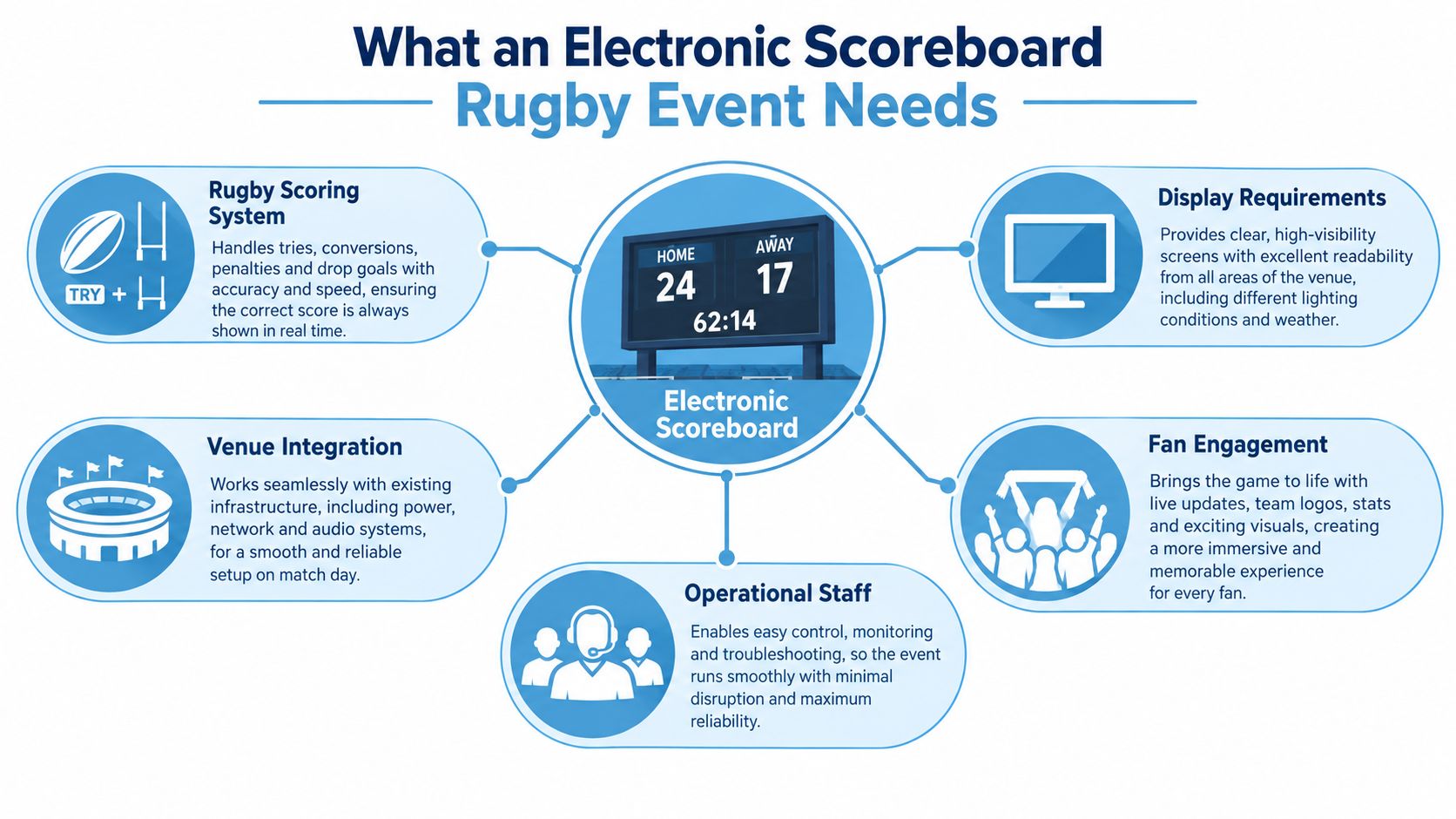
Build the brief around these practical requirements:
- Match information: Specify the permanent fields spectators must see, rather than leaving the supplier to choose a generic sports template.
- Operator control: Require a demonstration of score entry, correction and clock handling using the proposed controller.
- Venue integration: Confirm where the operator sits, how instructions reach them and whether the display serves spectators, participants or both.
- Event continuity: Agree what replaces the screen if the display, controller or communication route becomes unavailable.
For the surrounding production plan, Vanta Sports' sports event planning tips provide a useful companion resource when organising responsibilities beyond the scoreboard.
Practical rule: Choose the simplest display system that can perform the whole job reliably, not the screen with the longest feature list.
Rugby-Specific Display Requirements Explained
A rugby-union scoreboard needs scoring controls that reflect the sport, not just buttons that increase a total. Corporate planners don't need to become referees, but they should understand enough to challenge an unsuitable interface.
The following rugby union scoring values come from the World Rugby Laws of the Game. These are rugby-union values, so don't use this configuration indiscriminately for another rugby code or a bespoke skills competition.
| Scoring Event | Points |
|---|---|
| Try | 5 |
| Conversion | 2 |
| Penalty try | 7 |
| Penalty goal | 3 |
| Dropped goal | 3 |
The table is straightforward. The interface deserves closer scrutiny. Ask the supplier to demonstrate each scoring event, then reverse an incorrect entry without resetting the match.
Separate the score from the scoring event
A total tells spectators who's ahead. An event record explains how that total was reached, which helps when the operator needs to investigate a discrepancy.
A sensible control layout should distinguish a try from its subsequent conversion and handle a penalty try without prompting the operator to add an unrelated scoring event. If the system only supports manual totals, require a separate written event log rather than assuming the display software maintains one.
- Correction controls: Look for a clear undo or edit process, with confirmation before changes appear publicly.
- Team identification: Use readable names or agreed abbreviations, and check that home and away positions match the production plan.
- Event labels: Keep internal scoring commands unambiguous, especially where temporary staff are operating the system.
Give the clock a clear authority
The timing framework described earlier requires start, stop and restart controls. The operator should follow the agreed referee or timekeeper communication route, not infer stoppages from crowd reactions or a broadcast feed.
Test that workflow during rehearsal. An operator who can pause the clock easily but can't correct its value after an error still lacks an important recovery function.
Substitutions and team information need a separate content decision. If you intend to show replacement details, confirm who supplies approved names and shirt numbers, how late changes are entered and whether those messages temporarily replace anything essential. Don't commission a complicated player-information package if nobody has responsibility for keeping it accurate.
For mixed-audience events, a short scoring explanation can help visitors unfamiliar with rugby. Keep it outside the permanent score area so the educational content doesn't compete with the live match.
Key Scoreboard Specifications for UK Venues
Specify the sightline before the screen area. A large cabinet can still disappoint if the digits are too small, spectators stand at an awkward angle or a hospitality structure blocks the lower portion.
Walk the proposed audience area with the venue team. Mark the furthest viewing position, lateral viewing areas and the nearest point where someone might need to read sponsor text. Those locations create different demands, so a single headline viewing distance won't settle the specification.
Translate the site survey into a supplier brief
A useful equipment reference is the Stramatel outdoor multisport specification, which lists 46 cm score and timer digits, approximate readability to 200 m, a viewing angle greater than 160°, adjustable brightness, 230 V, 50–60 Hz operation at 193 VA, and 868 MHz radio or cabled control.
Those figures describe that equipment, not every rugby scoreboard. Treat the nominal readability distance as a starting point for an on-site assessment, not a guarantee through rain, obstructions or unfavourable light.
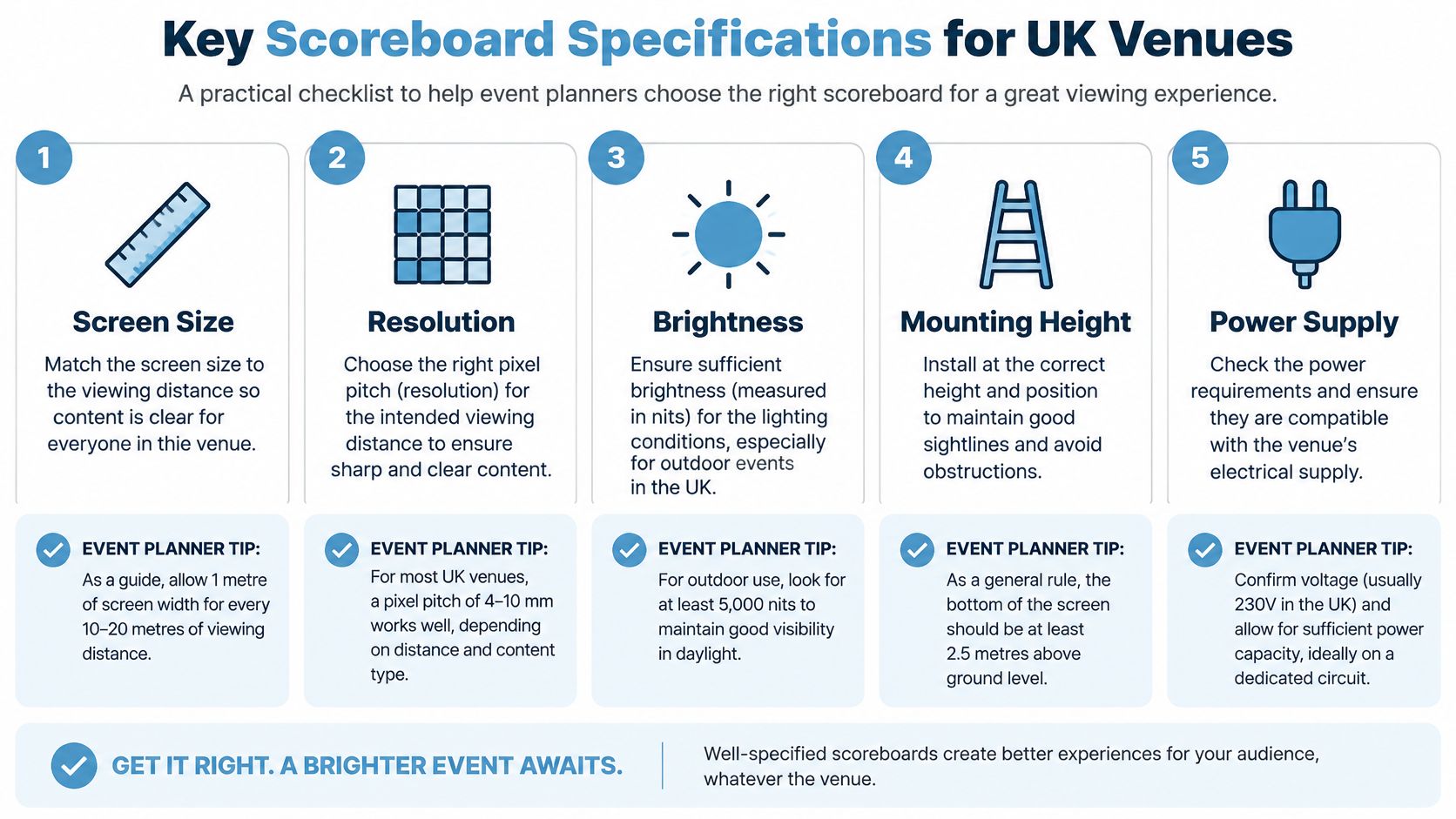
For matrix displays, Dynamo's outdoor scoreboard specification describes 5,500–7,500 nits brightness, IP65 front and IP54 rear protection, and P6/P8 systems in an approximate 80–100 m readability range, with P10 intended for larger stadium bowls and longer viewing distances.
The practical trade-off is content. Large scores can tolerate a coarser display than detailed sponsor artwork or video. Don't pay for fine graphic detail unless the audience can see it and the content programme needs it.
Ask for evidence against the actual layout
- Brightness control: Request a daylight demonstration and a dimmed setting for evening use. Maximum output isn't the right operating level throughout the event.
- Weather exposure: Ask how the proposed installation protects the rear cabinet, connectors and cable entries, not merely the display face.
- Power: Obtain the proposed unit's electrical requirements. Don't apply a compact scoreboard's demand to a larger video installation.
- Control position: Check the proposed radio path and price a wired alternative where the site makes wireless operation uncertain.
Waymap's digital signage requirements guide is a useful supplementary planning resource when discussing signage with the wider venue team.
If your requirement is ranked activity results rather than match administration, review an electronic leaderboard as a separate equipment category. Describe the intended workflow before asking suppliers to recommend a screen.
Hire Versus Buy for Rugby Scoreboards
Hire makes sense when the installation changes; ownership deserves consideration when the operating environment stays consistent. Event frequency matters, but it isn't the whole calculation. A permanent venue may stage regular fixtures yet lack the staff, storage or maintenance arrangements needed to support its own equipment.
Historic purchase prices aren't a current budgeting tool. Salford's Willows stadium unveiled an electronic scoreboard costing £50,000 on 26 November 1989, an early documented example of substantial investment in a British rugby venue, according to the Willows stadium history. Treat that as context, not as a benchmark for today's hire quote.
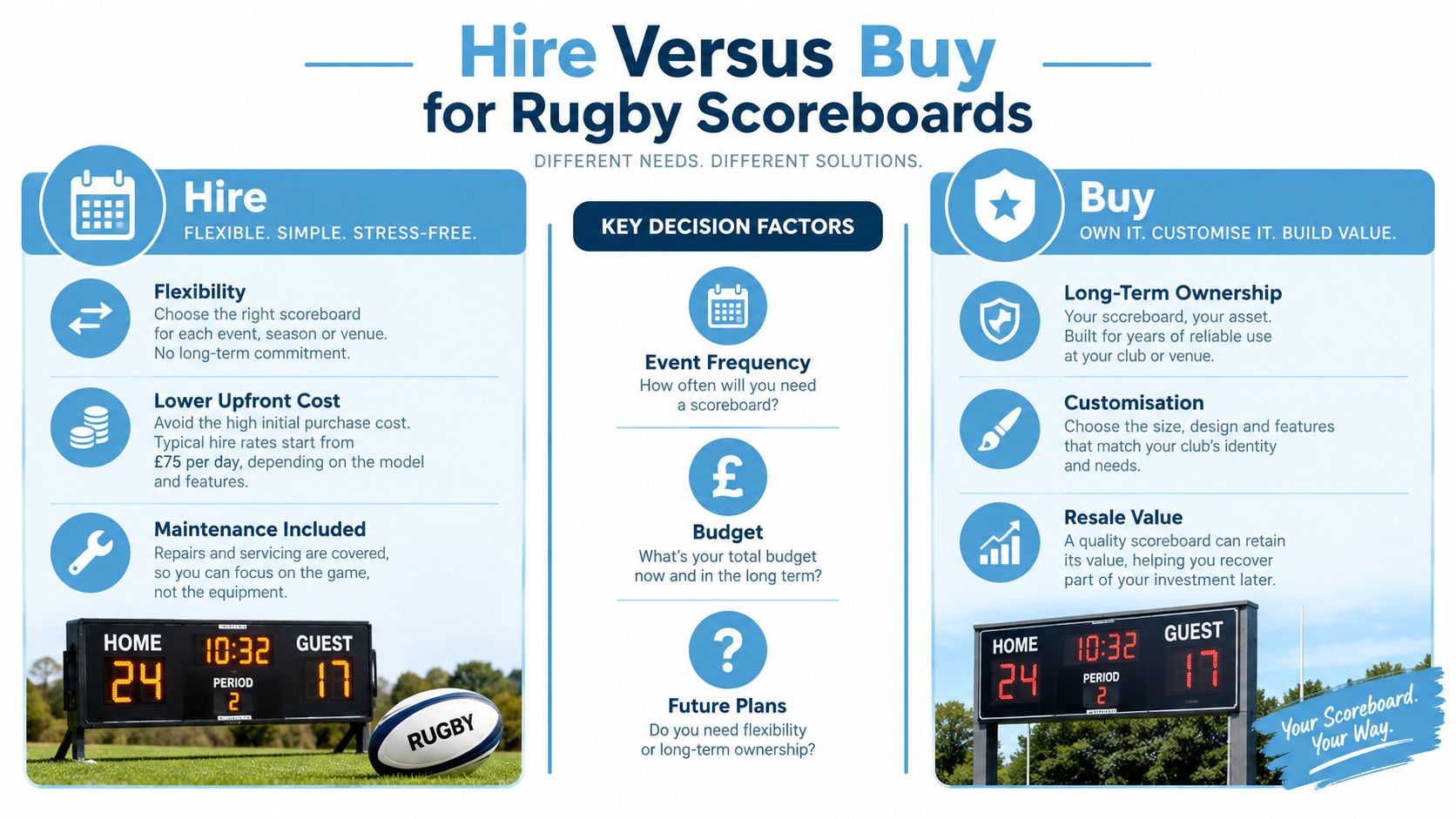
Neither route is cheaper by default.
| Decision factor | Hire consideration | Purchase consideration |
|---|---|---|
| Changing venues | Equipment can be selected for each site | Your unit must suit the intended locations |
| Technical support | Define support within the contract | Arrange staff capability and repair support |
| Storage | Confirm collection and removal arrangements | Provide suitable storage and handling |
| Branding | Agree temporary content and installation scope | Plan future content changes and updates |
| Failure response | Specify replacement or recovery arrangements | Maintain your own contingency plan |
Compare the complete operational cost
Ask for an itemised hire proposal covering delivery, installation, testing, operation, collection and any access equipment. Don't assume that a screen hire includes an operator, that technical support remains on site, or that maintenance cover includes accidental damage.
For purchase, fold mounting design, electrical provision, controller training, inspections and future repairs into the decision. An inexpensive cabinet can become an awkward asset if nobody owns the support process.
A hire agreement transfers only the responsibilities written into it.
For a temporary corporate activation or a mixed-audience fan zone, hiring avoids committing capital to equipment that may not suit the next venue. For a club with a settled ground and regular use, buying offers continuity and control over presentation. Ownership also suits venues where the display supports official match administration, such as scoring that has to align with the referee's record and the club's RFU Electronic Match Card submission, because trained operators can run the same workflow each week.
Whichever route you choose, a site-specific installation plan is still required. Assign clear responsibility for structural suitability, electrical safety, operational training and removal. A supplier's equipment documentation helps, but it doesn't replace the organiser's coordination with the venue.
Integrating Scoreboards with Event Activations
A fan-zone scoreboard has to explain participation as well as results. Visitors need to understand what the challenge is, how to enter and what a strong performance looks like, without needing a member of staff to interpret every screen.
PSW Events supplies rugby simulators, electronic leaderboards and immersive attractions for exhibitions, conferences, brand activations, team building and fan zones across the UK and worldwide. A simulator-and-leaderboard combination is one option alongside a straightforward match display or a separately managed sponsor screen.
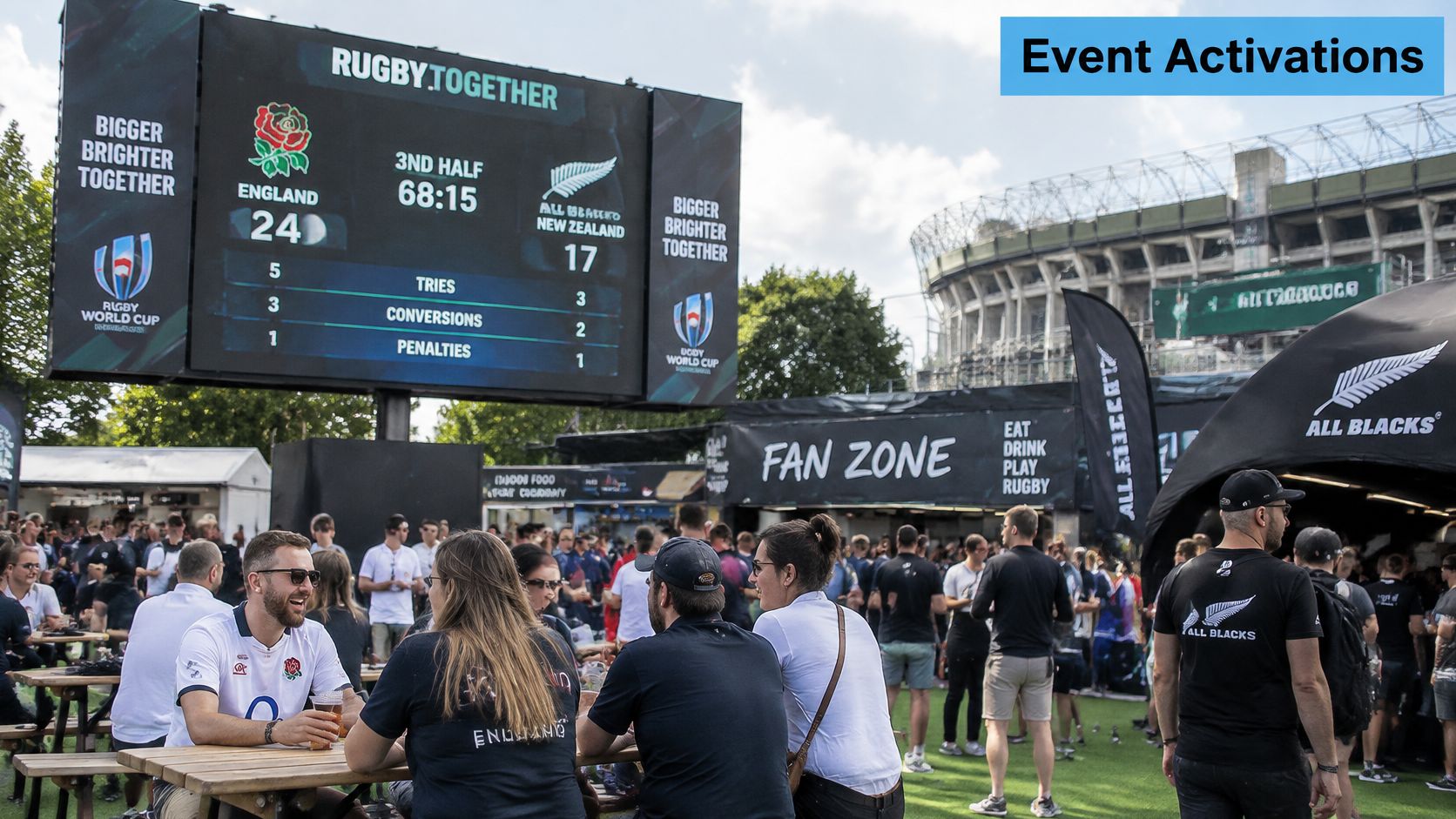
Build a clear participant journey
Place the display where a participant can see the result after completing the activity, not where they have to turn across the next person's playing area. The host should use the same challenge name and scoring terminology as the screen.
When briefing rugby simulator hire, agree how results reach the leaderboard. If entry is manual, establish a confirmation step before publishing a participant's name and score. If an integration is proposed, ask for a demonstration using the actual activity configuration rather than accepting a general promise of compatibility.
- Participation: Show concise entry instructions where visitors approach the attraction.
- Recognition: Agree whether public results use a name, team name or another approved identifier.
- Branding: Allocate defined moments for sponsor content instead of interrupting the result reveal.
- Measurement: Decide how staff will distinguish participation, enquiries and permission-based follow-up.
Use the display to support the event objective, but don't treat a busy leaderboard as proof of commercial success. A crowd may enjoy watching without becoming a relevant lead, and a participant may remember the challenge without recalling the sponsor.
FLYP LTD's guidance on how to measure event branding success is a useful resource when setting the evaluation plan. Choose what you'll record before opening, brief the staff who collect it and review the results against the activation's purpose.
Keep challenge rankings and official match information visibly separate. They may share production equipment, but they shouldn't share an ambiguous results process.
Siting Safety and Accessibility Considerations
A big, bright screen isn't automatically accessible, and an outdoor-rated cabinet isn't automatically a safe installation. The organiser still needs to assess where it stands, what supports it and whether people can use the information it displays.
University of Chester research on stadium accessibility, based on eventgoer conversations at 10 concerts across seven English sports stadiums, found that real-time accessibility information should be treated as core venue infrastructure, with testing involving people with different mobility, sensory, cognitive and communication needs. Applying that approach to a rugby activation means checking the visitor journey, not just approving a graphic on a laptop.
Test from audience positions
Review the installation from standing and seated positions, including designated wheelchair viewing areas. Check the likely queue arrangement too. An empty-site sightline can disappear once people gather around the activity.
Ask the venue and installer to confirm the mounting method, wind-loading assumptions, anchoring arrangements and safe access for maintenance. Agree who can authorise stopping use if conditions change, and keep cables and support structures away from circulation routes.
For procurement discussions, include health and safety compliance in the operational scope rather than leaving it as a general assurance at the bottom of a quotation.
Make the information usable
High contrast helps, but colour alone shouldn't identify teams or explain status. Pair colours with readable names and consistent labels. Avoid layouts that require spectators to remember a rapidly changing sequence to understand the current score.
- Stable presentation: Keep essential information in predictable positions.
- Plain wording: Use familiar labels and explain activity-specific terms.
- Alternative communication: Reinforce important updates audibly where appropriate, while retaining visual information for people who can't hear announcements.
- Controlled motion: Limit animation around information people need time to read.
- Audience testing: Invite feedback from people with different access needs before approving the final layout.
More screen content can make less information accessible.
Sponsor animation, scrolling messages and detailed player graphics can all compete with the information a spectator came to find. Give the operator explicit permission to simplify the layout when conditions or audience needs require it.
Accessibility also affects staffing. A visitor should be able to ask someone for clarification without joining the activity queue or approaching a restricted technical position. Identify that contact point in the event briefing.
UK Rugby Scoreboard Milestones and Lessons
Electronic scoreboards are part of British rugby's established infrastructure, not a recent feature of large fan zones. The Willows investment discussed earlier illustrates the stadium-scale commitment involved in an early installation. Its procurement lesson remains useful: match presentation equipment deserves a planned operational role, not just a place in the capital budget.
A later club-level transition gives that history a more personal dimension. In 2018, Macclesfield Rugby Football Club unveiled an electronic scoreboard at Priory Park before its first National League 1 match of the season against Wharfedale, replacing a manual board traditionally operated by members of the Jones family, as recorded in the club's scoreboard milestone. The club dedicated the new system to former player and club president Peter Jones.
Preserve the knowledge behind the old process
That transition matters because changing the equipment also changes someone's job. A manual-board operator understands when to update the score, how to resolve uncertainty and which club contacts to approach. Installing an electronic controller doesn't transfer that knowledge automatically.
For an event organiser, the useful lessons are practical:
- Capture existing routines: Ask the people who currently manage scores where errors or delays arise.
- Train for exceptions: Practise an incorrect entry, a communication failure and a late correction.
- Keep local terminology: Use team names and labels that match the club's established communications.
- Document the handover: Leave the next operator with instructions they can use under match-day pressure.
Macclesfield's account doesn't publish the equipment's technical specification or purchase cost. It therefore supports a historical lesson about adoption and continuity, not a claim about performance or return on investment.
The strongest modernisation plan respects both sides of the change: spectators need a clear electronic display, and the people operating it need the knowledge previously held by experienced volunteers.
Final Checklist for Your Rugby Scoreboard Plan
The RFU Electronic Match Card (EMC) is the online method for submitting line-ups, scores and match events; adult league requirements include EMC use and result-reporting deadlines within the RFU competition regulations. A live scoreboard doesn't replace that official record.
- Define the use: Confirm whether you need match information, activity rankings or separately managed displays.
- Approve the specification: Sign off sightlines, content, power and control arrangements.
- Set responsibilities: Name the installer, operator, referee contact and official-result submitter.
- Rehearse recovery: Test corrections, manual logging and the agreed communication fallback.
- Check inclusion: Review the installed display from the audience's actual positions.
- Reconcile the result: Confirm the final score through the agreed referee liaison, record timestamped corrections and check the official submission.
Don't assume the screen and EMC synchronise. Make the handover between their operators explicit, especially when temporary staff or unreliable connectivity are involved.
PSW Events offers rugby simulators, electronic leaderboards and interactive experiences for corporate events and fan zones. Visit PSW Events with your venue layout, audience requirements and scoring workflow to discuss an activation plan that connects the activity, display and event operation.