
You're probably looking at an event brief that asks for three things at once. Pull people in. Keep them there. Prove the spend was worth it.
That's where most standard activations start to struggle. A branded coffee cart is useful. A photo moment can help with reach. But neither gives people a reason to stay, compete, come back with colleagues, and hand over details in a way that feels earned rather than forced.
A Cricket Simulator sits in a different category. It's participatory, visible from a distance, easy to understand in seconds, and flexible enough to work for exhibitions, conferences, team building, fan zones, and private hospitality. More importantly, the strongest setups don't just entertain. They capture performance data, support branded competition formats, and create a premium feel that buyers, guests, and stakeholders notice straight away.
The Unforgettable Activation Your Event is Missing
A familiar pattern plays out at exhibitions and brand events. The stand build looks sharp at opening time. The team is briefed. The messaging is clear. Then the aisles fill up, attention fragments, and people drift towards whatever feels busiest.
Crowds attract crowds. That matters more than most planners admit.
A cricket simulator works because it creates movement, noise, reaction, and a natural queue without feeling gimmicky. One guest takes a turn, a colleague films it, someone else wants to beat the score, and the stand suddenly has an anchor activity rather than a passive display. That energy is useful if your KPI is footfall, but it matters even more if your real goal is better conversations.
The strongest activations use the simulator as the front door, not the whole house. You run a quick challenge, capture a name or company before entry, display a live leaderboard, and give your team a natural reason to talk while people wait for their turn. That changes the stand dynamic. Instead of interrupting visitors, your team speaks to people who have already chosen to engage.
Why it cuts through
Three things usually make the difference:
- Visibility: A batting activity is understood instantly, even by people who don't follow cricket closely.
- Participation: Guests aren't just watching a screen. They're doing something with a clear outcome.
- Replay value: People want a second attempt. That increases dwell time and gives staff more room to qualify leads.
Practical rule: If an activation can't create a queue, a conversation, or a shareable moment, it probably won't justify premium floor space.
For marketers, that's a significant shift. A cricket simulator isn't just a fun add-on. It becomes the point around which the rest of the stand can be organised.
What Exactly Is a Cricket Simulator
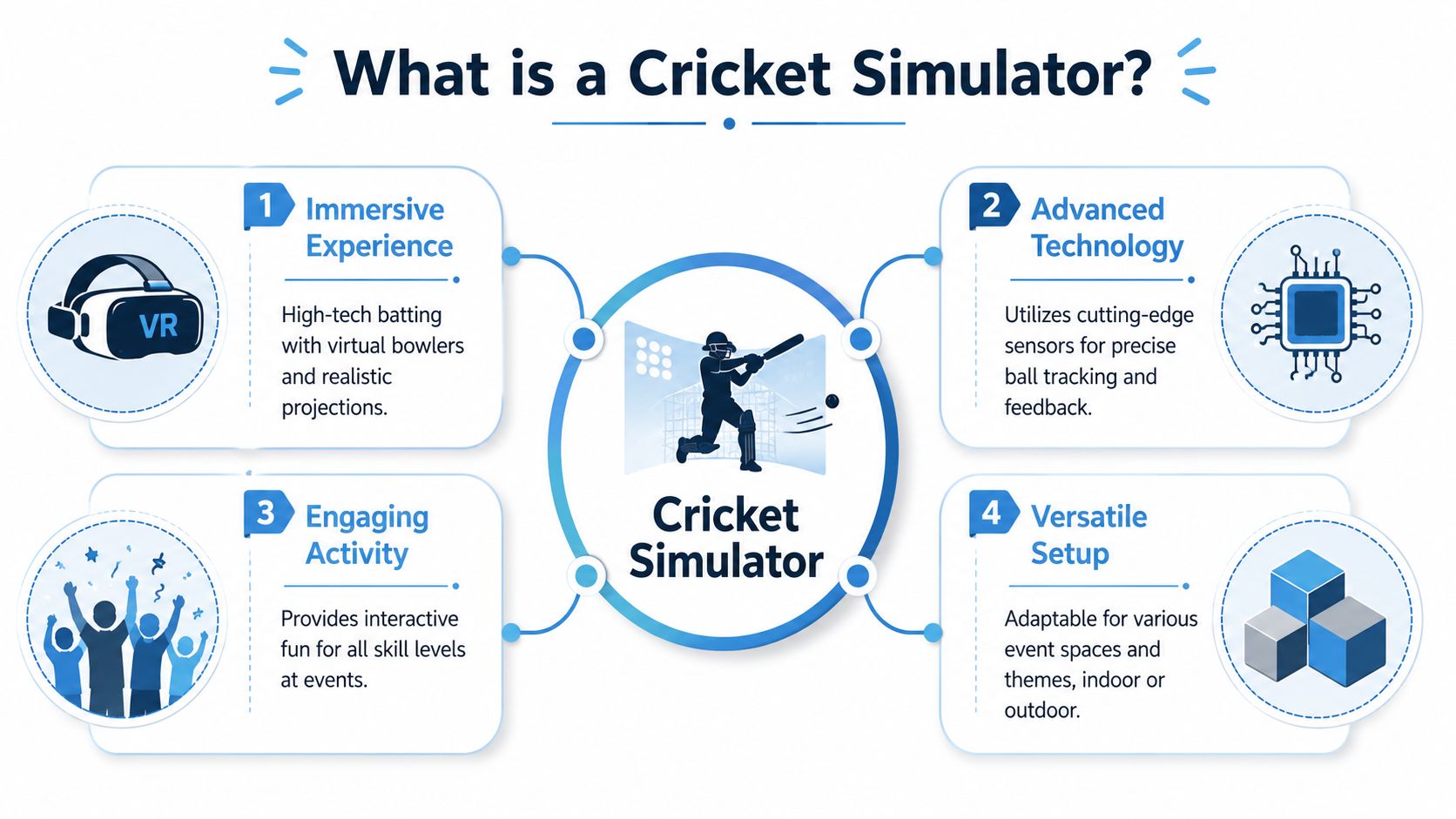
Think of a Cricket Simulator as part batting challenge, part immersive screen experience, part data-driven sports tech. The simplest comparison is a golf simulator, but for the crease rather than the driving bay.
At a basic level, the setup combines an automated ball feed, a batting area, a large impact screen, and tracking technology that reads what happens after contact. The player sees a virtual environment, faces deliveries, plays shots, and gets a visible outcome. Depending on the system, that outcome might be a simple points game, a scored over, or a more advanced match simulation.
The core parts that matter
When planners hear “simulator”, they often think only about the screen. In practice, the guest experience depends on four components working together:
- Ball delivery system: This keeps throughput steady and reduces reliance on a live bowler.
- Tracking layer: Sensors or cameras read ball path, strike quality, speed, or angle.
- Software engine: This decides what result appears on screen and how scoring is handled.
- Event presentation: Branding, leaderboard display, staffing, queuing, and explanation shape whether it feels premium or improvised.
If one of those parts is weak, the whole activation suffers. A strong screen with poor tracking still feels unconvincing. Good hardware with poor staffing still creates confusion.
Not all simulators do the same job
There are broad differences in the market, and they matter if you're responsible for brand perception.
Some systems are built mainly for entertainment. They're accessible, quick to explain, and suitable for mixed audiences who want a fast challenge. These can work well for parties, family days, and broad-footfall activations where simplicity matters more than technical depth.
Others are built around simulation accuracy and performance feedback. Those are more relevant when you want credible sports tech, stronger analytics, or an activation that needs to impress coaches, players, sponsors, or premium hospitality guests.
According to BatFast's guide to modern cricket simulator training, a cricket simulator enables players to face hundreds of balls in a single 30-minute session without requiring a bowler, which significantly increases training density and supports reaction-time development. That matters in sport, but it also tells event planners something useful. The format is naturally high-tempo. You don't need long explanation time to keep the attraction active.
The best event setups feel simple to the guest and sophisticated behind the scenes.
What a professional-grade setup feels like
From the participant's perspective, it should feel immediate. Step in, understand the challenge, face the ball, see the outcome, compare your score.
From the organiser's perspective, the questions are more demanding:
- Does it handle throughput without slowing the stand down?
- Can it be branded cleanly?
- Is the scoring believable enough that guests trust it?
- Can staff reset and manage players quickly?
- Does the tech support data capture or only entertainment?
That's the difference between “we hired a game” and “we built an activation”.
Driving Engagement and Measuring Event ROI
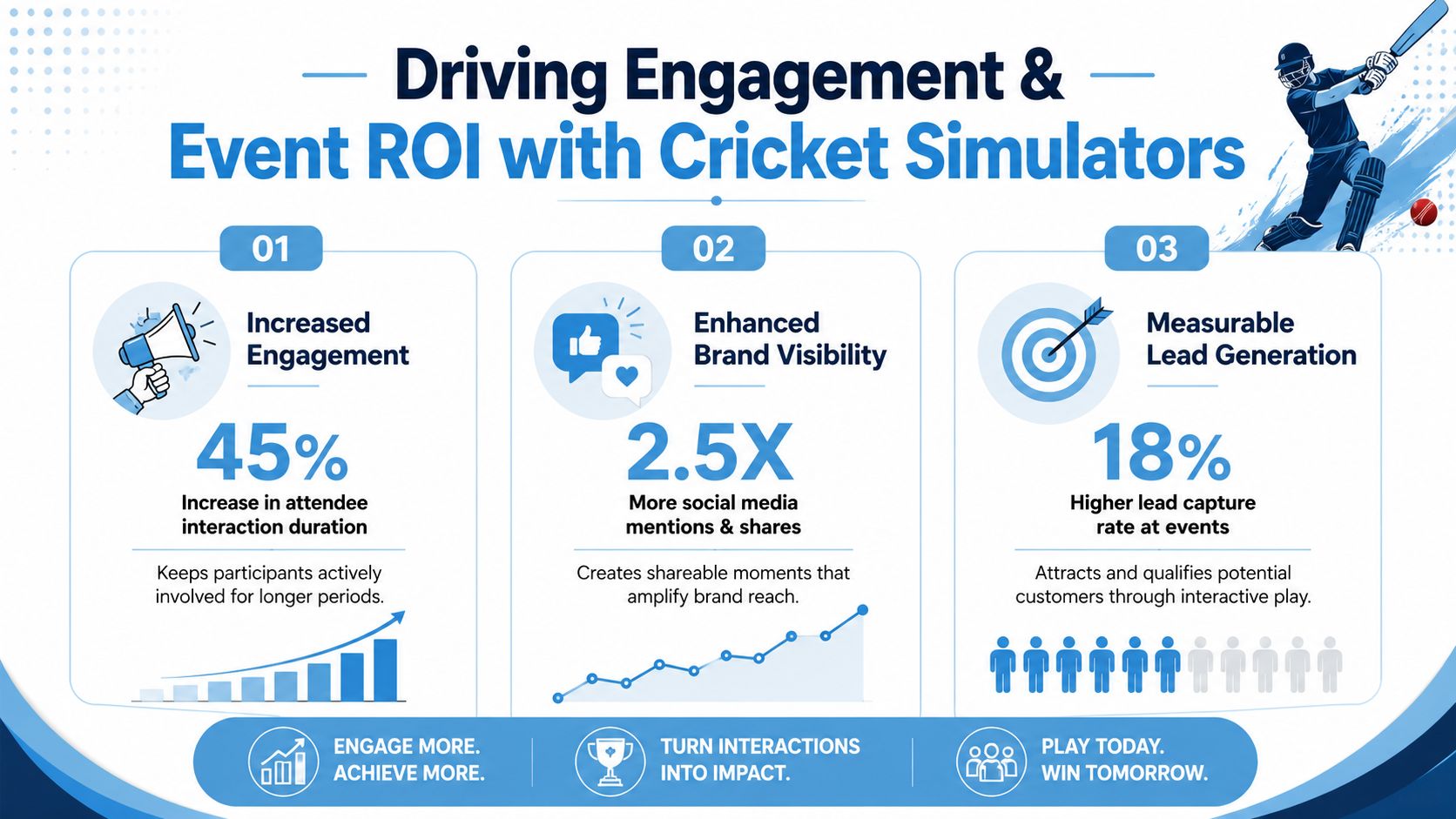
The mistake many teams make is judging a cricket simulator by applause alone. Applause is nice. Pipeline is better.
Used properly, a simulator gives your team a structured reason to start conversations with people who would otherwise walk past. It also gives attendees a reason to stay long enough for those conversations to mean something. In exhibition terms, that combination is valuable. Traffic without dwell time produces shallow engagement. Dwell time without a capture mechanism produces weak reporting.
What good event ROI looks like
At event level, I'd judge the activation against four practical outcomes:
- Footfall quality: Did the simulator attract the right audience, not just the largest one?
- Dwell time: Did people stay long enough for meaningful brand or sales interaction?
- Lead capture: Was entry to the challenge connected to a clear registration or qualification step?
- Post-event reporting: Can you show stakeholders what happened beyond “people enjoyed it”?
That last point is where better simulator tech starts to separate itself from novelty attractions.
Exclusive cricket simulators in the UK use AI-powered technology such as BatFast tech to personalise sessions and provide post-net analysis, with real-time data capture on swing metrics, ball speed, and strike angle that supports evidence-based coaching strategies, as described by Hitz Cricket's UK simulator overview. For an event planner, the coaching angle isn't the headline. The headline is that the platform can produce measurable outputs rather than vague impressions.
How to turn gameplay into leads
The simulator by itself won't generate ROI. The activation design around it does.
A practical event flow usually works like this:
- Register first: Name, company, and a qualifying question before the first ball.
- Play a short format: Keep each turn concise so queues move.
- Display ranking: A visible leaderboard encourages repeat attempts and colleague participation.
- Offer a follow-up: Prize draw, meeting slot, product demo, or hospitality invite.
If your sales team is involved, brief them to use the queue. Waiting time is not dead time. It's often the easiest moment to ask what brought someone to the show, what they're buying this year, or whether they're the right contact.
Branding that doesn't feel bolted on
The best branded simulator activations don't drown the game in logos. They use branding in the right places:
- On-screen identity: Challenge title, score screen, and winner display
- Physical environment: Net surround, screen fascia, staff kit, and nearby set dressing
- Data journey: Registration page, follow-up email, and results summary
Commercial view: If the simulator experience ends when the player walks off, you've paid for entertainment. If the data and follow-up continue, you've funded a campaign asset.
For teams under pressure to justify live spend, it helps to connect the activation to broader measurement discipline. This practical guide to measuring experiential marketing ROI is a useful way to frame that conversation internally.
The Tech and Space You Actually Need
Before anyone signs off, check two things. Can the simulator fit the venue properly, and is the technology good enough to avoid disappointment once guests start using it?
A lot of event teams focus almost entirely on footprint. That's understandable, because floorplans, access times, and rigging schedules are tangible problems. But with a cricket simulator, simulation fidelity is just as important as physical fit. If the ball behaviour feels wrong, the scoring feels random, or the reset flow is clumsy, guests notice quickly.
Space planning in the real world
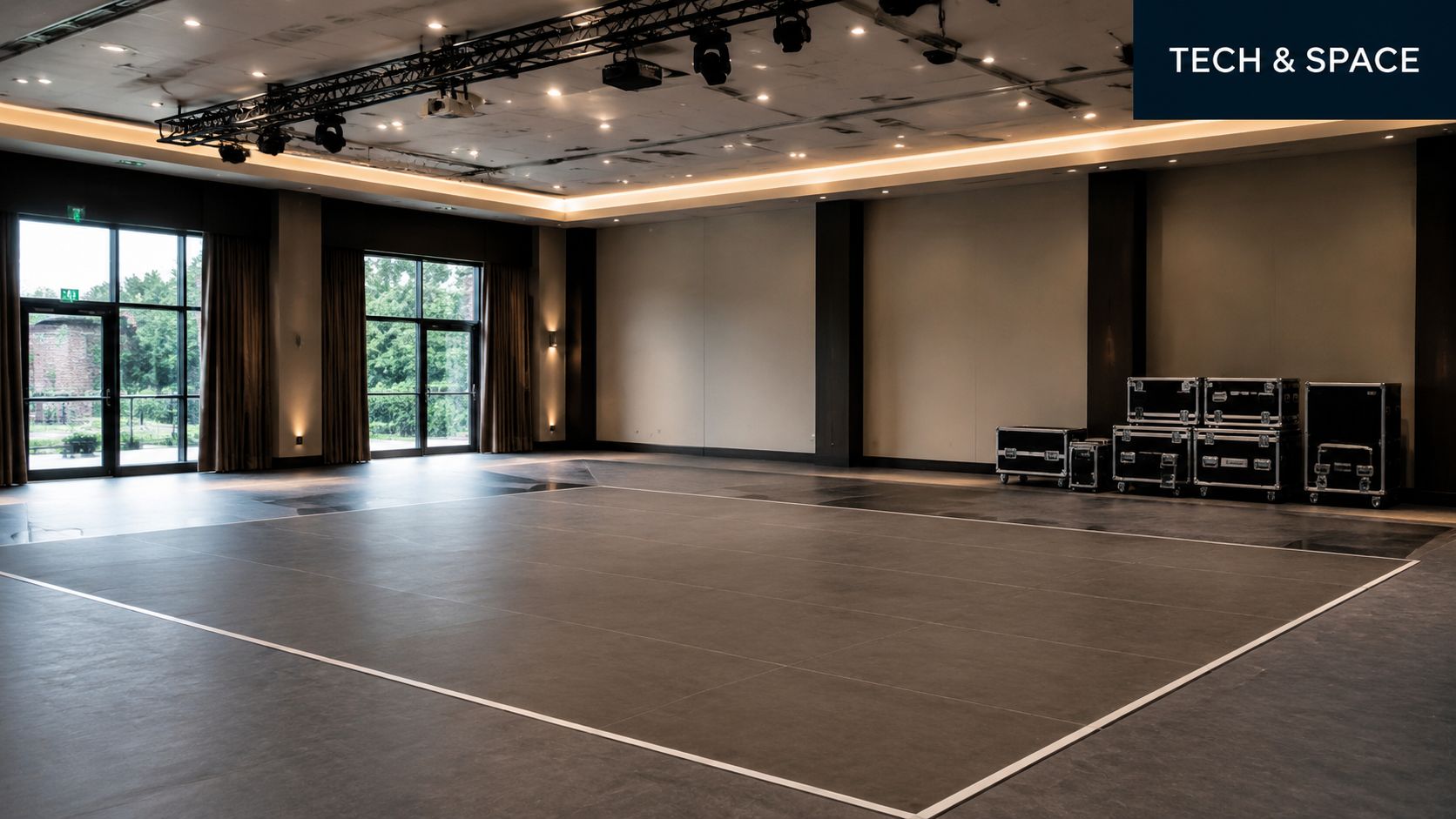
The exact footprint varies by supplier and setup, so don't assume one standard size covers every product. Ask for the full operating footprint, not just the unit dimensions.
You'll usually need clarity on:
- Playing area: Enough room for stance, swing, and safe staff supervision
- Queue space: Guests gather quickly around competitive formats
- Ceiling clearance: Low ceilings affect confidence even when the bat technically fits
- Access route: Load-in matters if the venue has lifts, tight corridors, or timed dock access
- Audience sightlines: The simulator works better when people can watch without obstructing aisles
Planners often underestimate the value of spectator space. A simulator hidden in a cramped shell scheme loses one of its biggest advantages, which is visible participation.
Why physics accuracy matters
Many briefs are too vague. Suppliers will often talk about branding, fun, and flexibility. Fewer will explain how their system decides whether a shot was edged, middled, caught, or launched for six.
That matters because simulation quality shapes trust. If guests think the result is arbitrary, competitive energy drops. If they trust the scoring, they care more, stay longer, and talk about it afterwards.
Arc Simulations has highlighted this issue directly. In material discussing UK market gaps, it states that its system tracks balls at 200 times per second with 1–2cm precision, and notes that most promotional material focuses on facility size rather than the physics engine that determines outcomes. The same source says this gap persisted despite a 34% increase in UK corporate bookings for sports tech experiences in 2024, with decision-makers asking for proof of simulation fidelity. That detail appears in this Arc Simulations video reference.
Questions worth asking every supplier
Use these in procurement calls and site meetings:
- How is ball flight tracked? You're looking for a clear explanation, not vague talk about “advanced tech”.
- How is the shot outcome classified? Ask how the system decides catches, boundaries, and scoring.
- What happens after mis-hits or no-balls? Good reset logic keeps the experience moving.
- What data can be exported? Scores alone are useful. Richer event reporting is better.
- Who staffs the unit on site? A premium simulator still needs competent operators.
Ask the supplier to explain the result logic in plain English. If they can't, they may be relying on presentation rather than accuracy.
Power, staffing, and risk
Most of the operational headaches aren't glamorous. They're about timing, power access, cable runs, queue control, and user briefing.
One supplier option in this category is PSW Events' cricket simulator hire, which sits within a wider event delivery offer including planning, branding, logistics, installation, on-site staffing, and health and safety support. Whether you use that route or another vendor, insist on written confirmation of staffing responsibility, setup timing, venue requirements, and insurance before the event week.
Creative Activations for Any Event
A cricket simulator gets attention on its own. A properly designed format turns that attention into a result.
The activation should change depending on the event objective. A trade show stand needs lead flow. A team event needs shared participation. A product launch needs theatre. The hardware can stay similar while the mechanics change.
Trade shows and exhibitions
For exhibitions, the cleanest format is usually a short, branded challenge.
A good example is a “Beat the CEO” or “Beat the Sales Director” concept. Record a benchmark score before the show opens, put that score on the screen, and invite visitors to beat it. It gives the stand team an easy opener and gives participants a reason to care about the result.
Make it work with:
- Pre-play registration: Keep the form short and sales-relevant
- Visible leaderboard: Public ranking creates social proof around the stand
- Timed mini-format: Short turns prevent queues from becoming a problem
- End-of-day reward: Prize, hospitality invitation, or featured social post
If you want broader inspiration on stand formats that encourage participation rather than passive browsing, this roundup of interactive exhibition stand ideas is a useful reference.
Team building and internal events
For internal audiences, don't run the simulator as a constant free-play machine. Build a structure around it.
I'd split participants into small teams, assign cumulative scoring, and mix batting turns with spectator roles such as scorekeeping or commentary. That keeps non-players involved and stops the event from turning into a queue of individuals.
Useful formats include:
Department derby
Teams compete by function or office location. This works well if you want light rivalry.Captain's choice
Each team nominates a final hitter for a pressure round. Good for energy late in the event.Rotating pairs
Pair colleagues who don't usually work together. Better for networking than pure competition.
Brand launches and hospitality
For launches, the simulator should feel like a stage, not just an activity. Given this, presentation matters more than volume.
A premium version might include a host, commentator, invited guest, or product tie-in challenge. If the brand message relates to precision, speed, performance, or competition, the simulator gives you a natural storytelling device. If it doesn't, force the connection carefully. Not every brand should pretend to be sporty.
The best launch activations don't ask the simulator to carry the whole concept. They use it to dramatise the message already in the room.
Family days and public events
For broad audiences, simplify. Lower the barrier to entry and remove any language that makes the experience sound technical or intimidating.
What works:
- Beginner-friendly briefing: Fast explanation, no jargon
- Short turns: Keeps younger guests engaged
- Inclusive scoring: Reward participation and style, not only power
- Photo and video moments: Parents and colleagues will create the distribution for you
What doesn't work is overcomplicating the format. If guests need a rules explanation longer than the game itself, you've lost the room.
Hiring vs Buying A Guide for Planners
Most event teams should hire, not buy. That isn't because buying is wrong. It's because ownership only makes sense when usage is frequent, operationally predictable, and supported by people who can manage setup, upkeep, storage, and staffing.
For one-off activations, roadshows, conferences, and seasonal campaigns, hiring keeps risk down and flexibility up. For fixed venues or organisations with repeated in-house use, buying can become sensible over time.
The practical comparison
| Consideration | Hiring | Buying |
|---|---|---|
| Upfront commitment | Lower initial spend and easier budget approval | Higher capital commitment |
| Flexibility | Choose format and supplier per event | Locked into one system and specification |
| Technical support | Usually bundled with delivery and operation | You need an internal plan for support and maintenance |
| Branding options | Often available per event | More control long term, but also more responsibility |
| Storage and transport | Supplier handles logistics in most cases | You need storage, movement, and asset management |
| Best fit | Campaigns, exhibitions, launches, hospitality | Permanent venues, repeated internal use, dedicated facilities |
When hiring is the smarter move
Hiring is usually the better decision if any of these are true:
- You need turnkey delivery: The supplier installs, staffs, and de-rigs.
- The event format changes often: One month might be a trade show, the next a staff day.
- You don't want technical ownership: Most marketing teams don't want to troubleshoot simulator hardware.
- You're still testing demand: Better to prove the concept before considering a purchase.
When buying can make sense
Buying starts to look more rational if you operate a venue, sports facility, or entertainment space with consistent footfall and a long-term programming plan. In that scenario, the simulator is less an event expense and more an installed asset.
Even then, ask who will own the operational details. Equipment only adds value when it's maintained, staffed well, and marketed properly.
Vendor vetting checklist
Before you appoint any supplier, ask for clear answers on these points:
- Insurance cover: Confirm public liability and product liability arrangements.
- Risk assessment: Ask for event-specific health and safety documentation.
- Branding scope: Clarify what can be branded on screen and around the unit.
- On-site staffing: Know exactly who manages briefing, gameplay, and queue control.
- Setup timetable: Confirm access windows, build duration, and power requirements.
- Contingency plan: Ask what happens if the venue access changes or a component fails.
A hiring decision is easier to defend internally when the supplier handles delivery rather than dropping equipment on site.
Success Stories and Booking FAQs
The strongest cricket simulator events usually have one thing in common. They're designed around the audience in front of them, not around the equipment itself.
In fan zones, the simulator gives sponsors a visible participation piece that works with waiting crowds and social filming. In corporate launches, it creates a focal point that loosens up the room and gives guests a shared experience before formal conversations begin. At private events, it works because people understand the challenge instantly and don't need specialist skill to enjoy it.

A useful benchmark from the event side is how quickly people can get into repeated play. According to Ballsportz's cricket simulator hire page, a cricket simulator enables players to face hundreds of balls in a single 30-minute session without requiring a bowler, and systems that integrate automated video review are prioritised by 68% of UK corporate event planners for audience engagement and performance feedback. For planners, that points to two commercial advantages. High session density keeps the attraction busy, and richer feedback makes the activation feel more premium.
Booking questions planners usually ask
What's normally included in a standard hire package?
Usually the hardware, delivery, setup, derig, and some level of on-site operation. What varies is branding, leaderboard integration, data capture flow, and whether staff stay for the full event. Get each item listed in writing.
Can the simulator be customised with our branding?
Often yes, but the detail matters. Ask whether branding covers only a splash screen or extends to score displays, challenge naming, printed surrounds, and lead capture touchpoints.
How much space should we hold?
Don't rely on a rough verbal estimate. Ask for the full operating footprint, queue allowance, and safe clearance area around the striking zone.
Is it suitable for non-cricketers?
Yes, if the format is chosen properly. The best event versions are easy to grasp quickly and can be tuned for mixed confidence levels.
What are the key health and safety checks?
You want documented risk assessment, supervised play, controlled queueing, suitable barriers or netting where needed, and clear venue coordination around power and access.
The final procurement test
If you're comparing suppliers, don't stop at price and pictures. Ask one simple question: will this setup help us meet the event KPI, or just fill floor space for a few hours?
That's the difference between an attraction and an activation.
If you're planning an exhibition, conference, roadshow, hospitality event, or team day, choose a cricket simulator that matches the brief technically as well as creatively. The crowd appeal gets people over. The scoring logic, branding workflow, staffing, and data capture are what make the spend defensible.