
You’re probably in the same position most marketing managers are in a few weeks before a big event. The stand build is approved. The messaging is signed off. Someone has suggested drinks, a prize draw, maybe a branded photo wall, and none of it feels strong enough to justify the budget or the floor space.
That’s the main problem with corporate events. It isn’t getting people into the room. It’s giving them a reason to stop, stay, talk, and remember who put the experience in front of them.
Flight simulator hire works when it’s treated as an activation, not a gimmick. Done properly, it creates a queue without looking desperate for attention, gives your team a natural opening line, and turns passive visitors into participants. It can work at an exhibition stand, a product launch, a staff event, a networking evening, or a premium hospitality setting. The difference is in how it’s selected, installed, staffed, branded, and measured.
Your Next Event Needs More Than Just Canapés
A lot of event briefs sound polished on paper and flat in the room. The team wants “engagement”. Sales wants leads. The brand team wants something photogenic. Operations wants low risk and no drama on build day. Those goals often pull in different directions.
That’s usually where interactive attractions enter the conversation. The trouble is that many of them are forgettable. A game that’s too simple feels disposable. A piece of kit that looks impressive but takes too long to use creates frustration instead of momentum. A flashy rental with no clear lead capture plan becomes an expensive backdrop.
Flight simulator hire solves a more useful problem. It gives people a reason to approach your space, but it also gives your staff a reason to start a conversation that doesn’t feel forced. “Have you flown before?” is easier and more natural than “Can I tell you about our service offering?”
At trade shows, that matters. At networking events, it matters even more. People need a shared focal point. A simulator gives strangers something to talk about before the business conversation begins.
If you’re weighing up interactive options, it helps to look at broader unique event entertainment ideas and then judge each one against the same commercial question. Will this attract the right people, keep them engaged long enough, and support the outcome the event is supposed to deliver?
The best event attraction isn’t the one that gets the loudest reaction. It’s the one that helps your team create better conversations.
A simulator can do that because it has range. It can feel premium, competitive, technical, playful, or brand-led depending on how you configure the experience.
Choosing the Right Simulator for Your Audience
The phrase “flight simulator hire” covers very different event products. That’s where many buyers go wrong. They ask for a simulator before deciding what they need it to do.
Some events need spectacle. Some need throughput. Some need a credible aviation-style experience. Others need a simple, accessible challenge that can be repeated all day without a queue becoming unmanageable.
This visual comparison is a useful starting point.
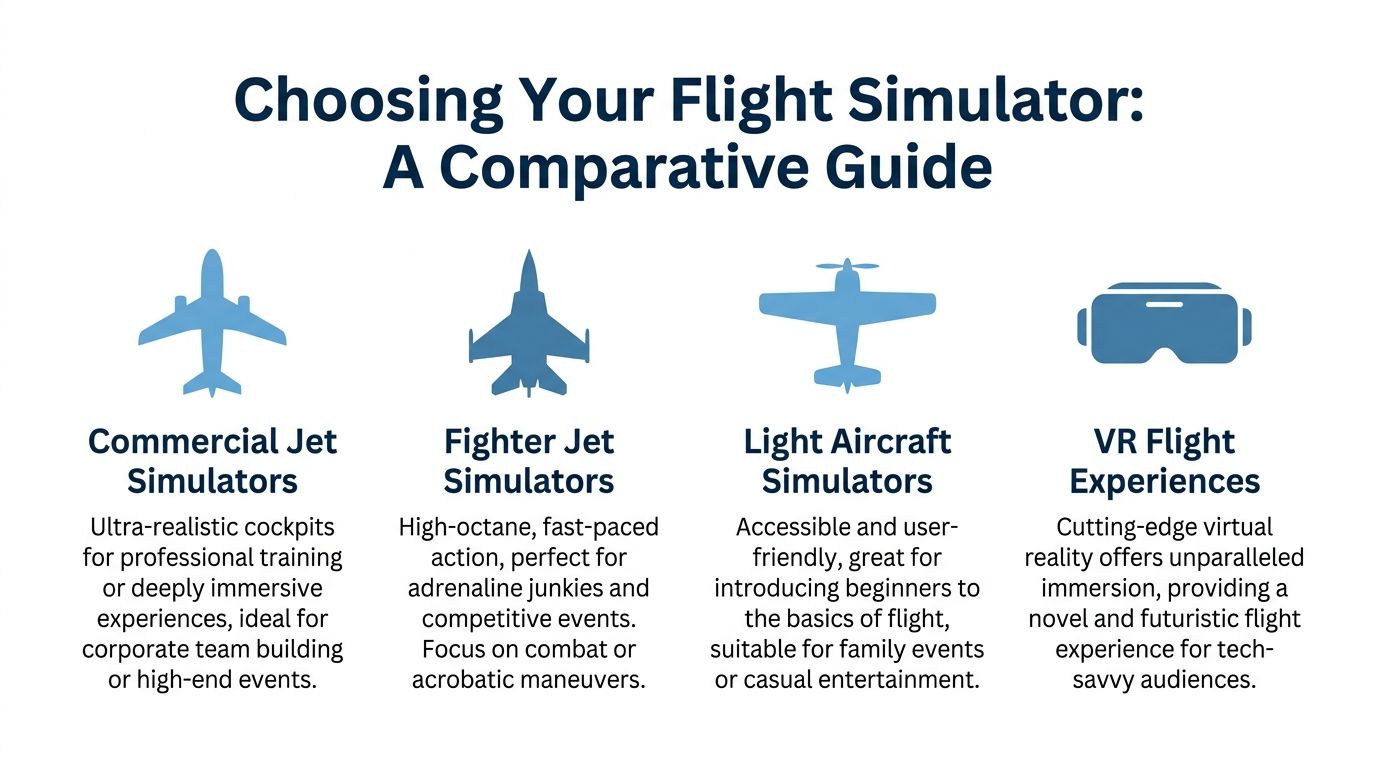
By 2025, full flight simulators held 48.78% of the market, while virtual reality procedural trainers for corporate event use were growing at 10.23% CAGR, reflecting demand for more accessible, high-throughput experiences at venues such as Silverstone and Wembley, according to Mordor Intelligence’s flight training and simulation market analysis.
Full motion simulators
A motion simulator is usually the strongest choice when the brief calls for impact. It has physical presence, visible movement, and immediate stopping power from across the hall. If your audience includes senior decision-makers, invited clients, or media, that matters. People don’t just notice it. They read it as a premium feature.
For event use, the upside is immersion. Guests feel the take-off roll, turns, banking, and turbulence cues. The downside is practical. Motion units need more planning around footprint, access, setup time, and guest flow. They’re not always the right answer if your stand is compact or your event expects fast turnover.
They work well for:
- Premium brand launches: Where visual impact supports a high-value positioning.
- Hospitality environments: Where guests have time to stay longer and experience the attraction properly.
- Bespoke competitions: Especially when scoring can be built around approach, landing, or mission completion.
They work less well when you need lots of short sessions with minimal reset time.
Static cockpit simulators
A static simulator drops the moving platform but keeps the cockpit environment and controls. In many event settings, that’s a smart trade. You still get realism and a recognisable aviation feel, but the unit is easier to install and often easier to place in conference centres, ballrooms, and exhibition stands.
Static units tend to suit audiences who want a credible experience without the intensity of motion. They also make it easier to coach guests quickly, which is useful if your activation relies on repeatable branded challenges.
A static setup is often the safer fit for:
- B2B exhibitions: where the attraction must support conversations, not dominate them.
- Indoor venues with tighter access: especially hotels and temporary event spaces.
- Mixed age groups: where some guests may prefer realism without motion effects.
Helicopter simulators
Helicopter flight has a different appeal. It feels technical, unusual, and slightly more exclusive because fewer guests have tried anything like it before. The control style also changes the challenge. Holding a hover or completing a precise manoeuvre gives people a very different kind of competitive experience from a standard take-off-and-land jet task.
That makes helicopter simulator hire useful for team building and hosted events where you want guests to compare performance, talk through technique, and share the experience. It’s often better for groups than people expect because one person flies while others watch, comment, and score.
Practical rule: If the event brief includes words like “premium”, “memorable”, or “exclusive”, helicopter and motion formats usually outperform a basic game-led setup.
VR flight experiences
VR is where event practicality often wins. The equipment is lighter, the footprint is usually smaller, and it’s much easier to run multiple guests through a short challenge. If your event is public-facing, youth-oriented, or built around high energy, VR can be a better commercial decision than a large motion rig.
It also feels modern in a different way. A motion simulator signals engineering and realism. VR signals innovation and accessibility.
VR works best when you need:
- Higher throughput: More participants over the course of the day.
- A smaller physical footprint: Particularly on busy show floors.
- Multi-unit deployment: Several guests can take part in parallel if the setup allows.
It works less well when the brief depends on visible spectacle from a distance, because spectators can’t always see what the player sees unless screens are integrated into the activation.
A simple way to choose
If you’re comparing options, use this framework.
| Event need | Best fit |
|---|---|
| Strong visual impact from across the venue | Full motion simulator |
| Realism with fewer install constraints | Static cockpit simulator |
| Technical challenge for hosted groups | Helicopter simulator |
| Faster guest rotation and modern feel | VR flight experience |
One of the quickest ways to narrow the choice is to review actual motion flight simulator hire options and ask how each format affects queue length, staffing, floor plan, and dwell time.
The right machine isn’t the most advanced one. It’s the one that matches the audience behaviour you want at the event.
Essential Logistics Health and Safety Planning
Most event problems with simulator hire aren’t caused by the simulator. They’re caused by weak planning around it.
A strong activation starts before anyone arrives on site. Delivery access, lift dimensions, floor loading, power, queue management, operator space, and emergency procedures all matter. If any of those are handled casually, even a good-looking installation can become difficult to run.
This is the part buyers often underweight.

For UK corporate events, Health and Safety compliance is a key differentiator. Recent HSE data recorded 135 leisure and entertainment injuries in 2024-25, so planners should ask for documented risk assessments and at least £10 million public liability insurance, which is a common standard at venues such as ExCeL London, as noted in this industry guidance discussing simulator H&S gaps and requirements.
The documents you should ask for
A supplier should be ready to provide event-ready paperwork, not promise to “sort it later”. At minimum, ask for:
- Risk assessment: This should identify operational hazards, public interaction risks, and control measures.
- Method statement or RAMS: It should explain delivery, build, operation, breakdown, and supervision.
- Insurance schedule: Check the level of public liability and make sure it satisfies the venue requirement.
- PAT and equipment records: Venues often want confirmation that electrical equipment is maintained and suitable for use.
- Operator details: You need to know who is running the attraction on the day and who takes responsibility for safe use.
If a supplier is vague about any of that, treat it as a warning sign.
Venue realities that change the recommendation
The same simulator can be straightforward in one venue and awkward in another. Exhibition halls are usually more forgiving. Hotel spaces, heritage venues, and upper-floor conference suites need more scrutiny.
Ask these questions early:
- How does it get in? Door widths, loading bays, service corridors, lifts, and ramped access all matter.
- What power is available? Don’t assume the nearest socket is enough for every unit.
- Where will people queue? An attraction that causes congestion can become a venue issue quickly.
- What’s above and around it? Low ceilings, truss, chandeliers, and sprinkler positions can all affect placement.
- Who is the audience? Public events need different controls from managed guest lists.
A floor plan with dimensions is more useful than a verbal description. If you can supply one at enquiry stage, the recommendation is usually better.
Safety in operation
Health and Safety isn’t just about paperwork. It’s also about how the experience is hosted.
Good operators brief the guest, check suitability, manage entry and exit, and adapt the scenario to the person in the seat. That matters with motion systems in particular, because an enthusiastic participant and a comfortable participant aren’t always the same person.
If a simulator is going into a public event, someone must own guest suitability, queue control, and stop-start supervision. Those tasks can’t be left to chance.
Turnkey supply is often worth paying for. A provider that handles transport, setup, staffing, and shutdown is reducing risk as much as providing entertainment.
A practical site checklist
Before sign-off, confirm the following in writing:
- Access route approved: including build times and any restrictions from the venue.
- Power confirmed: with the venue technical team, not just the event organiser.
- Footprint agreed: including operator area and guest queue space.
- Documentation shared: risk assessment, RAMS, and insurance sent before the event.
- Staffing plan locked: who operates it, who briefs guests, who manages breaks and handover.
- Contingency discussed: what happens if the venue changes access or layout on the day.
When those basics are covered, simulator hire becomes much easier to manage. When they aren’t, the attraction can absorb time and attention you should be spending elsewhere.
Activating Your Brand and Measuring Success
A flight simulator becomes commercially useful when it does more than entertain. The event team needs to know what the attraction is there to produce. More footfall. Longer dwell time. Better quality conversations. Data capture. Social content. A reason for invited prospects to visit at a set time.
Without that clarity, branding tends to be cosmetic and measurement tends to be vague.
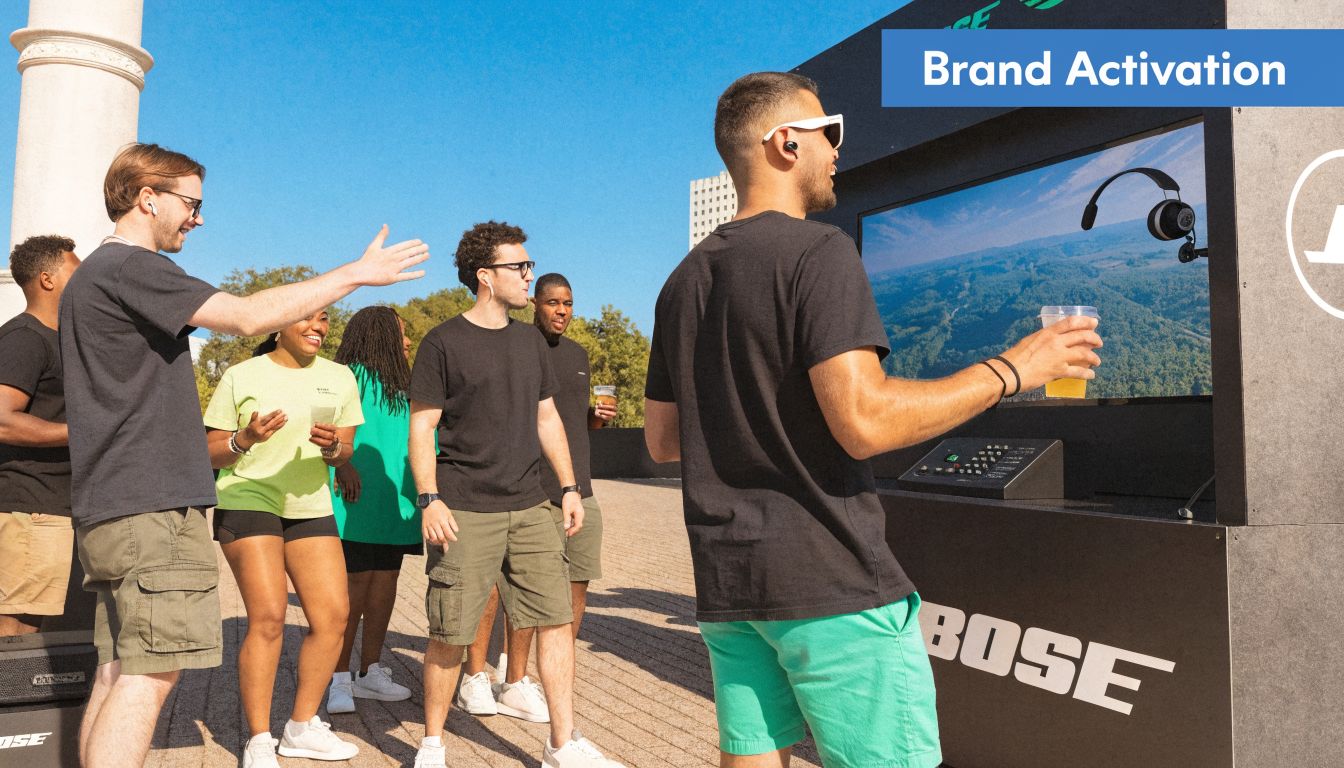
In the UK, event tech spend rose 15% in 2025, and interactive simulators delivered 25% higher dwell time and an 18% lead capture uplift compared with static displays. The same source notes daily hire rates of £2,500 to £7,500 and states that strong activations can produce over 300% ROI through increased footfall and qualified leads, according to this event technology and simulator engagement summary.
Branding that people actually notice
There’s a big difference between placing a logo near a simulator and building a branded experience around it. The best activations carry the brand through the guest journey.
That might include:
- External branding: Wrapped panels, branded control areas, and clear event-side signage.
- On-screen identity: Logo placement, landing challenge titles, or branded mission screens.
- Leaderboard design: Turning performance into a competitive mechanic that keeps the brand visible.
- Staff scripting: Operators and hosts should know what the brand wants guests to remember.
- Prize structure: Rewards should reinforce the campaign rather than distract from it.
A branded simulator works best when the activity itself supports the message. If you’re launching something associated with precision, performance, control, innovation, or training, the link is obvious. If the connection is weaker, you need a sharper creative wrapper.
Lead capture without killing the atmosphere
The common mistake is putting a hard data barrier in front of a fun activity. Guests arrive wanting to take part and are immediately met with a long form. That slows the queue and changes the mood.
A better model is light-friction entry tied to a clear reason. Competition entry works. So does a personalised score email, a post-flight leaderboard, or a hosted challenge with prize draw follow-up. The data exchange feels fair because the guest gets something relevant in return.
Try to separate two jobs:
- The operator’s job: run the experience smoothly.
- The brand team’s job: turn that participation into a qualified conversation.
When one person tries to do both in a busy queue, neither gets done properly.
What to measure on the day
Use metrics that match the event objective. Not every activation needs the same reporting.
| Objective | Useful measure |
|---|---|
| Drive stand traffic | Queue formation, footfall around the activation |
| Increase engagement time | Dwell time per visitor or group |
| Generate leads | Captured entries, qualified conversations, follow-up actions |
| Build social proof | User-generated content, photos, shared scores |
| Support sales team access | Number of meetings started from the activation |
If the event matters commercially, assign someone to collect those signals during the day rather than trying to reconstruct them afterwards.
A simulator rarely fails because people didn’t enjoy it. It fails when nobody agreed what success looked like before the first guest sat down.
Staff turn the attraction into a marketing asset
On-site staff shouldn’t just press start and stop. They shape the quality of the activation. A good host reads the audience, keeps the queue moving, explains the challenge in plain language, and creates small moments that make people want to stay involved.
That’s especially important at exhibitions. The attraction draws attention, but the human interaction determines whether attention turns into lead quality.
For campaign-led events, it’s worth looking at broader experiential marketing activations and judging where the simulator sits in the overall journey. Is it the headline moment, the conversation starter, or the reward mechanism within a larger stand concept?
Those are different roles, and they should be planned differently.
Flight Simulator Hire in Action Case Studies
The quickest way to understand simulator hire is to look at how the format changes with the event objective. The hardware may be similar. The execution shouldn’t be.

B2B conference stand with premium intent
At a business event, a high-fidelity motion simulator works best when it’s positioned as a reason for the right people to stop, not as a crowd magnet for everyone. The challenge needs to be short, watchable, and easy to understand from the aisle.
A useful benchmark comes from a Manchester Central activation where a 6-DoF electric servo motion simulator with 220-degree panoramic visuals was used to measure guest performance against non-technical skills. That setup produced a 35% uplift in lead capture, with weekly hire cost noted at £8,000 to £20,000, according to Acro Aviation’s training systems information.
The practical lesson is simple. When the experience generates a score or performance outcome, the brand team has a natural way to continue the conversation. Without that, people often enjoy the ride and move on.
Public brand activation with multiple fast-turn sessions
In a consumer-facing environment, speed matters more than technical depth. A single premium unit can look impressive, but if too few people get through it, the brand misses the scale it wanted.
In these instances, lighter flight formats or VR banks often make more sense. The point isn’t to simulate every cockpit detail. The point is to let lots of people take part, create visible momentum, and keep the activation active all day.
For this kind of event, what works is:
- Short challenge design: something people can understand instantly.
- Visible scoring: so spectators know what success looks like.
- Shared screens or host commentary: to pull in bystanders.
- Simple call to action: enter, compete, share, follow up.
Hosted corporate team day with a helicopter challenge
A team-building setting changes the brief again. The best sessions are less about throughput and more about interaction between participants. Helicopter simulators are strong here because the challenge is naturally collaborative. People discuss control technique, talk through mistakes, and compare approaches.
This format often works well in smaller groups where each guest gets a proper turn and the rest of the team can watch the attempt unfold. It creates conversation without the forced feel that some workshop-led icebreakers have.
The most effective team-building simulator sessions give participants a clear task and just enough pressure to create discussion, without making the experience intimidating.
Across all three examples, the same principle holds. The simulator is only part of the answer. The experience design around it determines whether the activation feels premium, chaotic, social, competitive, or commercially useful.
Your Pre-Flight Booking Checklist
A good booking process saves money because it prevents wrong-fit decisions. It also makes event week calmer, which many organizations value more than they admit.
Start with the event outcome
Write down what the simulator is there to achieve. One line is enough. If the honest answer is “we want something eye-catching”, that’s fine. If the answer is “we need qualified stand conversations”, that points to a different setup and staffing model.
If there are several stakeholders, get agreement early. Sales, marketing, events, and venue teams often assume different priorities.
Shortlist suppliers properly
Don’t compare purely on hire price. Compare on what’s included and what risk is being removed.
Check:
- Documentation readiness: Can they supply RAMS, risk assessment, and insurance without delays?
- Operational support: Is staffing included or optional?
- Branding capability: Can the unit be adapted to the campaign?
- Event experience: Do they understand exhibitions, hospitality, and venue rules, or only the simulator itself?
PSW Events, for example, supplies flight and helicopter simulator hire with planning, logistics, installation, staffing, branding support, and £10 million product, employee, and public liability insurance as part of its event delivery model.
Share the venue detail early
The more accurate the site information, the fewer compromises appear later. Send floorplans, access details, build windows, venue restrictions, and any technical handbook you’ve received.
If the venue is likely to be tight, ask the supplier to assess access and placement before the booking is fully locked. That avoids changing simulator type late in the process.
Define the guest journey
Before the event, decide:
- How guests join the activity
- How long each session lasts
- Whether scoring or competition is part of it
- What happens immediately after the session
- How contact details are captured, if needed
That sequence matters more than people think. It controls queue length and determines whether your team can speak to participants while interest is still high.
Confirm the final operational plan
In the last stage, bring all the practical points together:
- Arrival and build schedule
- Power and placement
- Branding artwork deadlines
- On-site contacts
- Breakdown timing
- Post-event reporting expectations
A booking tends to go smoothly when those details are treated as part of the activation, not admin around the edges.
Prepare Your Event for Takeoff
Flight simulator hire works best when it’s approached as a business tool with entertainment value, not the other way round. The simulator may be the visual hook, but the result comes from choosing the right format, planning the install properly, managing Health and Safety seriously, and building a guest journey that supports your event objective.
That’s why the strongest activations rarely feel accidental. The right simulator is matched to the audience. The queue is controlled. The branding is integrated. The staff know how to host the experience and support the commercial goal behind it.
For some events, a motion platform is the right call. For others, a static or VR-led setup will do a better job because the brief is about volume, speed, or flexibility. The point isn’t to hire the biggest machine. It’s to hire the right one.
If you’re planning an exhibition, conference, launch, staff event, or hospitality activation, treat simulator hire the same way you’d treat any major event feature. Ask what it needs to achieve. Ask what could go wrong operationally. Ask how success will be measured. Once those answers are clear, the activation becomes much easier to justify internally and much easier to execute on site.
The attraction gets attention. The planning is what turns that attention into results.
Frequently Asked Questions About Flight Simulator Hire
| Question | Answer |
|---|---|
| Are event simulators the same as pilot training simulators? | No. They may look similar and use related core technology, but they aren’t the same thing operationally. EASA-certified Full Flight Simulators used for pilot training require a minimum of 4 hours of use every 12 months for commercial pilots, while event simulators are designed for guest experience, accessibility, and throughput, as explained in Fortune Business Insights’ flight simulator market overview. |
| How far in advance should I book flight simulator hire? | Earlier is always safer, especially if your event date is fixed and the venue has strict access rules. The more bespoke the branding and logistics, the more valuable early planning becomes. |
| Is a motion simulator always better than a static one? | No. Motion is better for spectacle and premium feel. Static is often better for tighter spaces, simpler installs, and events where conversation flow matters more than visual drama. |
| What should be included in the hire? | For corporate events, you should expect clarity around delivery, setup, operation, breakdown, insurance, and Health and Safety paperwork. If any of that is vague, ask for it in writing before you commit. |
| Can a simulator be branded for our campaign? | Usually yes. Branding can involve external panels, screen graphics, challenge naming, and leaderboard integration. The right level depends on budget, timeline, and event objective. |
| What’s the biggest planning mistake? | Booking the attraction before deciding what it must deliver. If the commercial aim isn’t clear, the queue, staffing, branding, and lead capture plan usually end up weaker than they should be. |
| Are simulators suitable for non-aviation brands? | Yes, if the experience is framed properly. Precision, speed, competition, teamwork, innovation, and control are all themes that translate well beyond aviation. |
| What should I ask a supplier on the first call? | Ask what simulator type they recommend for your audience, what footprint and access they need, what documentation they provide, how the guest journey works, and how they’d measure success on site. |
If you’re comparing options for flight simulator hire, build the decision around outcomes first, then logistics, then creative. That order usually produces the best event.