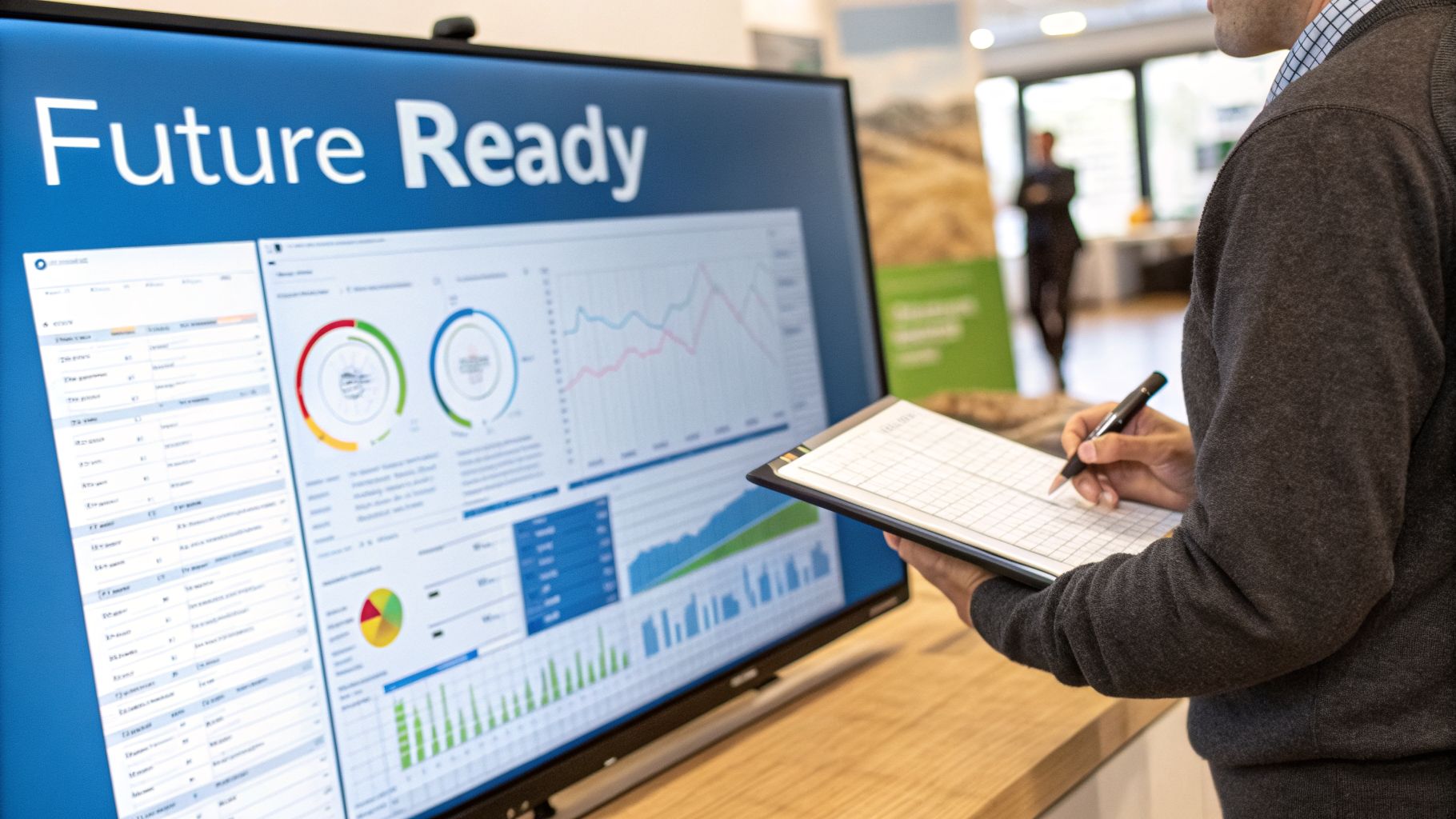
Let’s get straight to it. Event coordination software is your digital HQ for planning and running any event. It takes the mess of spreadsheets, endless email chains, and scattered notes and consolidates it all into a single, organised platform. This is where you manage everything, from budgets and schedules to attendee lists and vendor contracts.
What Is Event Coordination Software?
Think about the old way of planning an event. It was disjointed, stressful, and things always fell through the cracks. Event coordination software acts as the central point of control, bringing every part of your event together. It's a purpose-built tool designed to simplify the complex job of making an event happen.
The software works by automating repetitive jobs, centralising all communication, and giving your entire team one single place to find information. For anyone working in the demanding UK events industry—whether you're organising a corporate conference at the NEC Birmingham or a brand activation at ExCeL London—this kind of software is essential for a smooth operation.
From Manual Methods to Software Control
Before software, event planning was a hugely manual, time-consuming task. Now, we can automate much of the heavy lifting. To give you an idea of the difference this makes, let's compare the old way with the smart way.
Manual Planning vs Software-Driven Coordination
| Task | The Manual Method (Old Way) | The Software Method (Smart Way) |
|---|---|---|
| Budgeting | Complex spreadsheets, manual data entry, easy to make errors. | Real-time tracking, automated expense logging, instant reports. |
| Team Updates | Endless email threads, multiple versions of documents, missed updates. | Centralised dashboard, task assignments, version control in one place. |
| Registration | Manual forms, payment processing via phone/BACS, data entry into lists. | Online registration forms, secure integrated payments, attendee data auto-populates. |
| Vendor Management | Separate folders for contracts, chasing invoices, phone call follow-ups. | Vendor database, contract storage, automated payment reminders. |
| On-Site Changes | Frantic phone calls, printing new schedules, hoping everyone gets the memo. | Instant push notifications to staff and attendee apps, updated digital schedules. |
As you can see, the software doesn't just make things neater; it completely changes the workflow, freeing up your team to focus on what matters—delivering a great experience.
This shift is critical in the UK, where the events sector contributed £42.2 billion to the economy in 2023. A lot of that is down to software that handles complex logistics. For instance, with hybrid events now commonplace—74.5% of UK planners ran them in 2026—software that manages both virtual and in-person elements is a must-have. You can explore more statistics on the Remo blog.
For a company like PSW Events, delivering interactive simulators to venues like Silverstone, this means we can manage everything from health and safety compliance to lead capture all within one system.
At its heart, event coordination software is about control. It provides a 360-degree view of your event, empowering you to make informed decisions, spot problems before they happen, and execute your vision with precision.
The Key Operational Benefits
By moving away from scattered tools, event planners see immediate advantages. A good platform can reduce planning time by an average of 35%, a massive efficiency boost for any busy team.
Here are the main benefits:
- Centralised Information: All event data, from vendor contracts to attendee dietary needs, is stored in one accessible location.
- Improved Team Collaboration: Everyone from the event manager to on-site staff is working from the same information, which cuts out confusion.
- Enhanced Financial Oversight: Real-time budget tracking and expense management features stop overspending and give you a clear financial picture.
- Simplified Attendee Management: The software makes everything from registration and ticketing to communication and post-event feedback collection much easier.
Ultimately, this software provides the structure and automation needed to handle the countless moving parts of a modern event, ensuring nothing gets missed.
Core Features Every UK Planner Needs
Alright, let's get practical. Enough with the high-level talk – what features should you actually look for in event coordination software? Think of it as building the command centre for your event. You need the right set of tools that turn a simple platform into a proper operational hub.
The right software does more than just hold data; it helps you actively run the project, keep finances in check, and manage your entire network of suppliers. These are the non-negotiables.
Project And Task Management
At its core, every event is just one massive project made up of hundreds, if not thousands, of smaller tasks. A solid project and task management tool acts as your team's shared brain, making it crystal clear who's doing what, and by when.
Forget digging through email chains or relying on weekly catch-ups. Tasks get assigned to specific people, they get deadlines, and you can see their progress in real-time.
For instance, if you're pulling together a big exhibition at Manchester Central, you'd create a master project for it. From there, you can dish out tasks like 'Confirm AV supplier by Friday' to your logistics lead and 'Send final floor plan to exhibitors' to the ops manager. It creates a transparent, accountable workflow where nothing slips through the cracks.
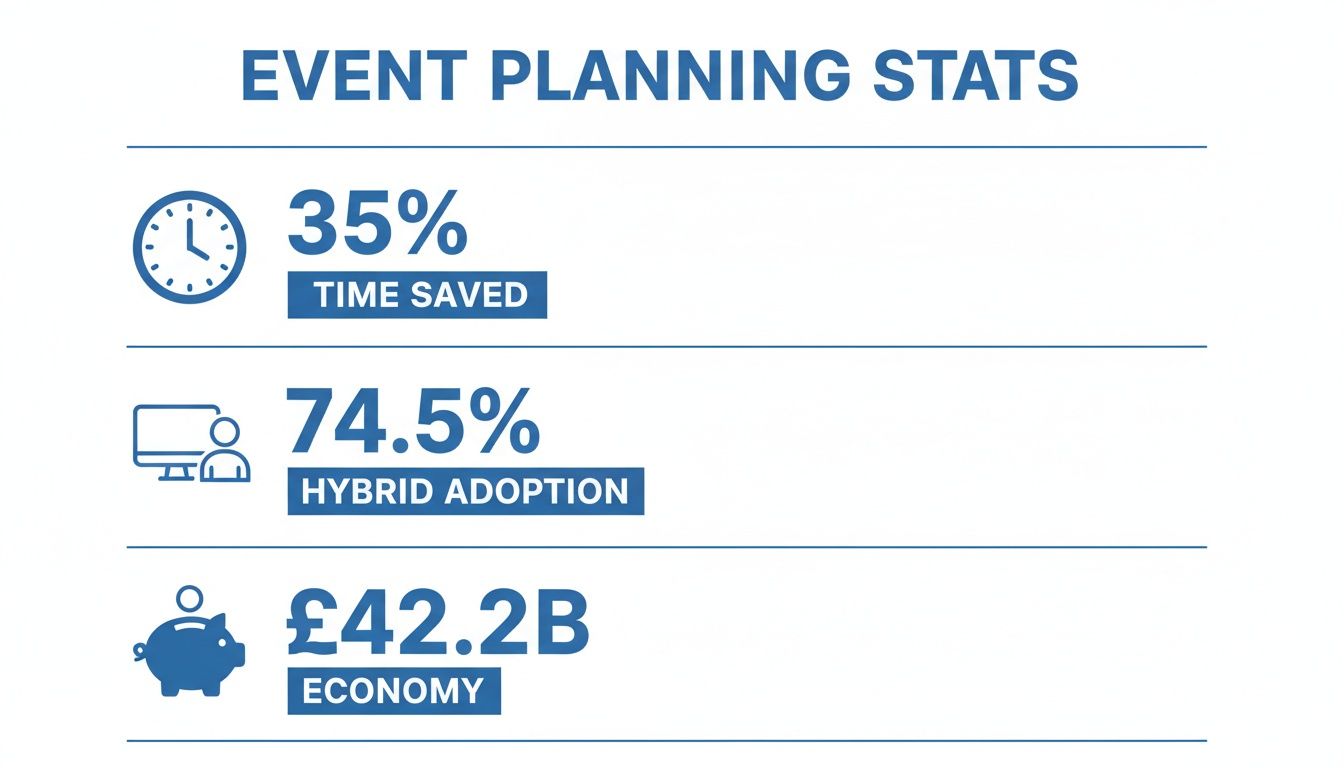
These numbers show just how much good tech can help you save time and get a handle on the increasing complexity of events, especially with the rise of hybrid models.
Budget And Expense Tracking
Keeping a tight grip on the budget is everything. An integrated budget and expense tracking tool is your financial watchdog, finally letting you ditch those risky, error-prone spreadsheets. This feature lets you set your total event budget and see every penny of spending against it as it happens.
A great budget module lets you split funds into different pots—venue hire, catering, marketing, staffing—and instantly shows where you're over or under. That kind of financial clarity is gold when you need to make quick decisions.
Imagine a supplier invoice lands in your inbox. You just upload it straight to the system, assign it to the correct budget line, and queue it for payment. This gives you a solid audit trail and an immediate, accurate view of your event's financial health. Some platforms even let you generate profit and loss reports with a single click.
Vendor And Supplier Management
Your network of suppliers is your secret weapon. The vendor and supplier management feature is like a digital Rolodex on steroids—a single, central place for every supplier, contractor, and partner you work with. But it’s so much more than a list of names and numbers.
A good system will let you:
- Store Contact Details: Keep all key contacts, addresses, and communication history in one spot.
- Manage Documents: Securely hold onto vital paperwork like contracts, public liability insurance certificates, and health & safety compliance records. This is absolutely crucial for venues with strict H&S rules.
- Track Performance: Jot down notes on how a supplier did, which helps you decide who to hire next time.
For a company like ours at PSW Events, where we supply fully staffed attractions, this is the backbone of our operations. It helps us manage the logistics for dozens of skilled technicians and promotional staff across multiple events at once. If you’re curious about how tech makes that kind of complex staffing possible, you can learn more about our event staffing solutions. This centralised approach ensures we have the right people, with the right skills and paperwork, in the right place, every single time.
How Integrations Create A Seamless Event Ecosystem

Think of your event coordination software as a smartphone. It's brilliant on its own, but its true power is unlocked when you connect it to specialised apps. That’s the role of integrations.
Integrations are the digital bridges that let your core event software talk to the other essential tools in your tech stack. Instead of your team manually exporting and importing data between systems—a slow and error-prone job—integrations make that information flow automatic.
This creates one central, interconnected event ecosystem where every tool is working together. You get a single source of truth for all your data, your team spends less time on admin, and the whole experience feels smoother for attendees and clients.
Connecting Your Core Operational Tools
The first, most critical integrations are the ones that link your central planning hub to the tools your team relies on for sales, marketing, and finance. When these systems are in sync, you break down data silos and find some serious efficiencies.
A classic example is connecting your event platform to your Customer Relationship Management (CRM), whether that's HubSpot, Salesforce, or another system. When an attendee registers, their details are instantly pushed into your CRM. Just like that, a registration becomes a warm lead for your sales team, and no one had to lift a finger.
The same goes for accounting. Link your event platform with software like Xero or QuickBooks, and every time a ticket is sold or an invoice is paid, the transaction is automatically recorded in your financial ledger. This simplifies your bookkeeping and gives you a real-time view of your event's financial health.
Enhancing The Attendee Journey
Integrations aren't just for back-office work; they have a massive impact on the attendee experience. By connecting your event software to the tools your guests interact with directly, you can design a seamless and engaging journey from the moment they buy a ticket.
Some common attendee-focused integrations include:
- Ticketing Platforms: Hooking into a service like Eventbrite lets you manage sales on a familiar platform while all the attendee data flows straight into your central dashboard for easy management.
- Mobile Event Apps: Integrating with a dedicated event app ensures that any last-minute schedule changes, speaker updates, or venue map tweaks are instantly pushed to attendees' phones.
- Payment Gateways: Secure connections to gateways like Stripe or PayPal give attendees a trusted and straightforward way to pay for tickets, merchandise, or any on-site extras.
For any event with a heavy digital footprint, solid connectivity is non-negotiable. Good coordination software can even help you manage the deployment of crucial infrastructure like temporary internet services for events to ensure all these digital touchpoints run without a hitch.
By creating a connected tech stack, you move from merely managing an event to orchestrating a comprehensive experience. Data flows automatically, tasks are triggered without manual input, and everyone—from your team to your attendees—benefits from the seamless flow of information.
This connectivity is what makes complex projects possible. For instance, in our work with experiential marketing activations, we often integrate lead capture forms from an interactive game directly into a client's CRM. This means every person who plays the game is instantly logged as a marketing qualified lead, showing a clear and measurable return on investment. The right event coordination software makes this kind of sophisticated integration not just possible, but straightforward to implement.
A Practical Checklist For Choosing The Right Software